Last updated: July 2026
🏆 Editor’s Top Pick
8BitDo FlipPad
Best for: compact portrait phone gaming
Despite these considerations, the FlipPad carves out a compelling case for a particular type of retro gamer. Its full D-pad, four face buttons, and two additional hotkeys on the front provide an intriguing solution for complex emulation scenarios, particularly offering an exceptional hotkey setup for dedicated Nintendo DS/3DS titles on compatible handsets. This focused utility, coupled with its direct, battery-free operation, makes it a device worth examining beyond surface-level praise. Before committing, understanding its limitations, especially regarding phone compatibility and potential audio obstruction, is essential.
| Item | Price (UK) | Why It Matters | Buy |
|---|---|---|---|
| 8BitDo FlipPad | £15-£25 | Pocketable USB-C controller for portrait phone retro gaming. | Buy → |
| Anker PowerCore 10000 | £30 | Extends phone battery life for extended portable gaming sessions. | Buy → |
| SanDisk Extreme Pro MicroSD Card | £10-£40 | High-speed storage essential for extensive retro game libraries. | Buy → |
The 8BitDo FlipPad: A Focused Design for Portrait Retro Gaming
More than just another smartphone controller, the 8BitDo FlipPad represents a deliberate design choice aimed squarely at the experience of retro gaming in portrait orientation. At around £15–£25 in the UK, it sits at an accessible price point, positioning it as an impulsive purchase for many. Its headline feature is the direct USB-C connection, which promises zero latency and no need for an internal battery, drawing power directly from the host phone. By contrast, numerous Bluetooth controllers available, whilst offering broader compatibility, introduce the complexities of pairing, battery management, and potential input lag that can frustrate purist retro gamers.The controller’s immediate appeal lies in its compact size, designed to be genuinely pocketable. Unlike many telescopic Bluetooth options that expand significantly, the FlipPad maintains a minimal footprint, attaching only to one side of the phone. This makes it an ideal companion for commuting or quick gaming sessions where space is at a premium. The physical connection means it’s ready to go as soon as it’s plugged in, bypassing the occasional connection hiccups that can plague Bluetooth accessories. Its utility for casual play, particularly for older 8-bit and 16-bit systems that do not rely on extensive button inputs, is undeniable.
However, this highly focused design brings inherent compromises that potential buyers need to consider. The FlipPad, by its nature, only occupies half the screen, specifically the left side when held in portrait. This configuration is fantastic for games originally designed for vertical screens or those which benefit from a clear, unobstructed display on the right side. The community’s initial excitement centered on its potential to excel for arcade games with vertical scrolling, like 1942 or Donkey Kong, or for classic handheld titles like those from the Game Boy era. The 2026 YouTube review of the 8BitDo FlipPad, titled “The Ultimate Portrait Mode Controller!”, echoed this sentiment, highlighting its suitability for such specific use cases.
Understanding a critical distinction is key: the FlipPad is not a general-purpose controller. It neither replicates the full console experience of a modern telescopic controller nor is it intended to. Specialization is its true strength, offering a precise, responsive D-pad and face buttons in a form factor unmatched by most competitors for pure portrait gaming. Its reliance on the phone’s power means no extra battery to charge, a significant convenience for daily use, though prolonged gaming sessions will drain the phone’s battery at an accelerated rate. Serious portable emulationists will find pairing it with a reliable power bank, such as the Anker PowerCore 10000, becomes almost a necessity. The balance between self-sufficiency and power draw, therefore, remains a key consideration for its target audience.Comparing its build to other budget controllers in the £15-£25 range, the FlipPad generally holds its own. Its plastic construction, though lacking the heft of premium controllers, feels robust enough for its intended purpose. Owners commonly report the buttons offer a satisfying click, and the D-pad, a crucial element for retro gaming, registers inputs reliably. Unlike many cheaper third-party pads where ghost inputs or sticky buttons are common, 8BitDo’s reputation for quality inputs, even at lower price points, is upheld here. Attention to core control functionality proves a significant advantage, especially for a device designed to deliver a precise retro experience on the go. Functional precision, rather than superficial aesthetics, remains the focus, providing exactly what is needed for responsive gameplay without unnecessary frills.Design and Build: Compactness Versus Practical Compromises
FlipPad’s physical design prioritises extreme portability, resulting in a compact form factor genuinely impressive for a device with a full D-pad and six face buttons. Its lightweight plastic shell ensures it does not add significant bulk to a phone when attached, making it a viable option for daily carry. Minimal dimensions allow it to nestle comfortably against a smartphone’s side, offering just enough grip for a traditional controller feel without becoming cumbersome. Such a commitment to compactness dictates much of its user experience, both positive and negative. Effortlessly slipping into most pockets, these very design choices also introduce distinct practical limitations that merit closer inspection.
The USB-C direct connection, a central design feature, proves both a blessing and a curse. Positively, it eliminates the need for an internal battery within the controller. Not only does this contribute to the FlipPad’s minimal weight, but it also means one less device to remember to charge. Convenience for spontaneous gaming sessions or daily commutes makes this grab-and-go aspect a definite win. Also, the direct connection guarantees latency-free input, a critical factor for precision platformers or rhythm games where even a few milliseconds of delay can ruin the experience. Gamers accustomed to the tight response of original hardware will appreciate its direct interface, a clear advantage over many Bluetooth alternatives. Such directness truly differentiates the FlipPad from controllers like the Logitech G Cloud, which, whilst offering a premium experience, relies on wireless connectivity or cloud streaming for its input.
By contrast, FlipPad’s reliance on a single USB-C port for both connection and power introduces its most significant design vulnerability: a lack of additional anchoring points. Community discussions and reviews, including those on r/SBCGaming, frequently point to a “small amount of wiggle” at the connection point. A noticeable structural flex, this isn’t a catastrophic failure, but it can detract from the feeling of a solid, integrated gaming device. Such movement arises because the controller’s only physical attachment to the phone is the USB-C plug. Without clamps, grips, or an opposing side for balance, the connection point experiences stress, especially during more vigorous gameplay or when shifting hand positions. Though it may not dislodge during normal use, the tactile sensation of movement can be distracting and raises questions about long-term durability under repeated stress.
Also, the physical connection directly impacts smartphone case compatibility. A common community question asks whether the FlipPad “works with most phone cases.” The answer, however, is complex and often disappoints. Despite 8BitDo claiming compatibility, this should be treated more as a guideline than a guarantee. Early reviews highlighted that “USB-C port placement, case depth, and clearance around the bottom edge will matter more here than with a Bluetooth pad.” Many protective or thicker phone cases simply prevent the USB-C plug from seating fully, rendering the controller unusable without removing the case. Consequently, users are often forced to choose between phone protection and using the FlipPad, or investing in a thinner, less protective case specifically for gaming. Such a requirement for specific case configurations or going caseless is a practical hurdle that impacts daily usability more than its pocketability might suggest.
Another practical consequence of the FlipPad’s compact design is the potential obstruction of the smartphone’s speaker grill. Depending on the phone model and its speaker placement, the controller can partially or entirely cover the audio output. This issue was flagged early by community reviews and remains a consistent point of feedback. For games where audio cues are important or for general enjoyment of game soundtracks, this can necessitate using headphones, which, whilst often preferred for dedicated gaming, negates the quick, casual appeal of the FlipPad for pick-up-and-play moments. This trade-off is a direct result of the drive for ultimate compactness, sacrificing some audio convenience for a smaller footprint. The compromises are clear: a highly portable, direct connection comes at the expense of universal case compatibility and potentially unhindered audio.
The USB-C Connection: Anchor, Wiggle, and Case Conundrums
Its direct USB-C connection, the FlipPad’s defining characteristic, simultaneously serves as the source of its most discussed strengths and weaknesses. Anchoring the entire controller via this single port is a bold decision, promising instant, lag-free input and eliminating the need for an internal battery. Retro gamers find a strong allure in a pure, wired signal, which bypasses Bluetooth pairing complexities and the subtle, yet often perceptible, latency wireless controllers can introduce. For critically timed actions in games like Street Fighter II or precise platforming in Super Mario World, the input response feels immediate thanks to its directness, mimicking original console hardware. Crucially, this contributes significantly to delivering an authentic retro experience, especially for players sensitive to input delay.
A key observation quickly gained community consensus: the USB-C port, serving as the sole physical anchor, introduces a “small amount of wiggle” when the controller is attached. Such flex isn’t a design flaw causing disconnection, but rather a noticeable structural movement. Its origin lies in the mechanics of a single-point connection, which lacks the stability of dual anchors or a full-body clamp. Users commonly report a subtle pivot around the USB-C port, especially when applying lateral pressure to the D-pad or face buttons during intense gameplay. Despite not hindering function, this wiggle impacts the premium feel and the sense of a unified device. The design represents a compromise between ultra-portability and rock-solid physical integration, a choice many might find less appealing than a more rigidly secured controller.
This single-point connection also directly dictates the FlipPad’s notoriously finicky compatibility with smartphone cases. As one community question highlighted, 8BitDo’s claim of working with “most phone cases” should be approached with caution. The depth of the USB-C cutout on a phone case, along with the thickness of the case material around the port, significantly influences whether the FlipPad can seat properly. Thicker, more protective cases, often favoured by users for daily phone protection, frequently prove incompatible, preventing the controller from making a secure connection. This forces a choice: either remove the case every time you want to game, opt for a minimalistic thin case, or go entirely caseless during play. This issue, whilst seemingly minor, becomes a significant usability hurdle, diminishing the FlipPad’s appeal as a truly grab-and-go accessory for many users. The need to adapt one’s phone protection for a controller is a barrier that Bluetooth alternatives simply do not present.
Additionally, the physical placement required for the USB-C connection often results in the controller obstructing the phone’s bottom-firing speaker grill. This reported issue means that for many smartphone models, audio output is either muffled or entirely blocked when the FlipPad is attached. For games where sound is integral to the experience, or for users who prefer playing without headphones, this is a distinct disadvantage. While using headphones resolves the issue, it adds an extra step and another accessory to carry, undermining the FlipPad’s promise of minimalist portability. The community widely notes this as a sacrifice made for the controller’s compact form factor and direct connectivity, forcing users to weigh audio quality against the convenience of a pocketable, battery-free controller. It’s a clear instance where the pursuit of one design goal inadvertently creates friction in another aspect of the user experience, demanding a conscious trade-off from the buyer.
Controls and Ergonomics: The Six-Button Advantage for DS/3DS Emulation
The control layout of the 8BitDo FlipPad is where its potential truly shines for dedicated retro enthusiasts, particularly those interested in handheld system emulation. It features a precise D-pad, four standard face buttons (A, B, X, Y), and critically, two additional front-facing hotkeys. This six-button arrangement on the primary face of the controller sets it apart from many minimalist mobile gaming accessories, which often omit these extra inputs to maintain a smaller footprint. The quality of 8BitDo’s D-pads is generally well-regarded within the retro gaming community, known for accurate diagonal inputs and a satisfying tactile response. This makes it suitable for fighting games and precision platformers, which demand exact directional control. The face buttons, while smaller than those on a full-sized controller, offer a distinct click and good travel, preventing accidental presses whilst remaining responsive enough for rapid inputs.
The “6-Button Mystery,” as one community question put it, directly addresses the FlipPad’s exceptional utility for Nintendo DS and 3DS emulation. Many Android phones running emulation software like RetroArch can replicate these dual-screen handhelds. However, managing the two screens and associated hotkeys for swapping views, enabling stylus input, or fast-forwarding can be cumbersome with standard controllers. The FlipPad’s two extra face buttons are a revelation in this context. They can be custom-mapped within emulation software to act as dedicated hotkeys for screen-swapping (e.g., toggling between top and bottom screens or displaying them side-by-side), virtual stylus activation, or fast-forwarding without needing to reach for on-screen buttons or complex multi-button combinations. This dramatically streamlines the emulation experience for games like The Legend of Zelda: Phantom Hourglass or Mario Kart DS, offering a level of physical control over virtual handheld functions that is difficult to replicate with other compact controllers. This functionality arguably makes the FlipPad a must-have for serious DS/3DS portable emulation on compatible Android handsets.
Conversely, the trigger button placement has been a consistent point of contention. Its L and R trigger buttons are positioned at the top edge of the gamepad, rather than the more conventional finger-rest positions found on full-sized controllers. As highlighted by community feedback, “with the trigger buttons placed at the top of the gamepad, I could see some games feeling a little bit awkward.” For games heavily relying on sustained trigger presses or rapid L/R inputs, such as racing games or certain action titles, this placement can indeed feel unnatural and lead to hand cramping over extended sessions. Adequate for occasional trigger use, such a configuration isn’t ideal for scenarios demanding ergonomic comfort for prolonged activation. The design choice is a direct consequence of the controller’s extreme compactness, trading a traditional grip for pocketability.
FlipPad’s ergonomic feel is, by its very nature, a compromise. Held in portrait, it provides a one-handed, half-controller experience. Such a setup is perfectly adequate for games using a single D-pad and a few buttons. By contrast, for titles traditionally demanding two hands and a symmetrical grip, the device forces an adaptation. Consequently, while excellent for Game Boy, Game Boy Color, and many SNES games designed around a D-pad and face buttons, it might not suit every retro title equally. The absence of proper shoulder buttons – only single L and R triggers – further limits its suitability for more modern retro systems or those that utilise ZL/ZR inputs. A deliberate simplification for portability, this defines its scope. Players expecting a full-featured controller for systems like the PlayStation Portable or more complex Arcade titles might find themselves looking for a more robust option. The Retro Handheld Hub offers alternative devices which provide a different ergonomic approach to portable gaming.
Emulation Performance and Device Compatibility: Android’s Portable Partner
Retro gaming with the FlipPad hinges entirely on its interaction with Android smartphones and the emulation software running on them. As a direct input device, its “performance” is primarily measured by responsiveness and compatibility with various Android versions and specific emulation cores, rather than raw processing power. The direct USB-C connection ensures input latency is virtually non-existent, a significant advantage for precise gameplay over Bluetooth alternatives. Such responsiveness makes it an excellent choice for a wide spectrum of retro systems, from the demanding timing of NES Castlevania to the quick reflexes needed in SNES F-Zero. It simply passes button presses as digital signals, allowing the phone’s SoC and the emulator’s efficiency to dictate the actual game performance.
For target systems like the Game Boy Advance (GBA) and Super Nintendo Entertainment System (SNES), which often shine in portrait mode on a phone, the FlipPad performs admirably. Its D-pad and six face buttons provide more than enough inputs for these systems, with the extra two buttons proving useful for emulator-specific hotkeys like savestates or fast-forward functions within RetroArch. Community members often pair it with older Android phones for a dedicated retro setup, transforming a device that might otherwise sit idle into a highly capable portable emulation machine. Compatibility with Android versions generally starts from Android 9 and newer, though specific phone models may have nuances in their USB-C implementation that can affect recognition. Users with a diverse range of Android devices commonly report reliable connections, provided the physical fit with the phone’s case is addressed.
Where the FlipPad truly distinguishes itself is in its specific application for Nintendo DS and Nintendo 3DS emulation. The unique six-button layout on the controller’s face, a departure from standard four-button designs, provides crucial extra inputs that are often overlooked. When emulating dual-screen handhelds, players often need quick access to functions such as swapping screen displays, activating a virtual stylus, or triggering emulator-specific features. These additional buttons on the FlipPad can be custom-mapped within popular Android emulators like Drastic (for DS) or Citra (for 3DS) to serve as dedicated hotkeys for these actions. This significantly streamlines the gameplay experience, removing the need to touch the screen or use awkward multi-button combinations to switch views or activate touch-sensitive elements. For example, in The Legend of Zelda: Spirit Tracks, where stylus control is central, having a dedicated button to toggle stylus mode or quickly swap screens means a far less interrupted and more enjoyable experience.
Exclusively designed for Android devices, the FlipPad means iOS users are out of luck. Its USB-C interface and driver implementation are tailored for the Android ecosystem, making it incompatible with Apple’s iPhone or iPad lineup. An important distinction for potential UK buyers, this matters for those who might operate across both platforms. Additionally, while the controller handles input for a broad range of emulators, the actual emulation experience—frame rates, graphical fidelity, and game compatibility—remains solely dependent on the power of the connected Android phone. Aiming for higher-end emulation on a phone? Alternatives such as the AYN Odin 2 or Retroid Pocket 6 offer integrated solutions designed for such demands, rather than relying on a phone’s varying capabilities. It excels within its specific niche of portrait-oriented retro emulation on capable Android hardware, particularly for systems that benefit from its unique button configuration.
The Value Proposition: Is £15-£25 a Fair Price for the FlipPad?
Evaluating the 8BitDo FlipPad’s price point of around £15–£25 in the UK requires a close look at its unique feature set against the broader market of mobile gaming controllers. This price places it firmly in the budget accessory category, making it an attractive proposition for those seeking an affordable, yet reliable, retro gaming input solution for their smartphone. Given 8BitDo’s reputation for quality inputs, even at this lower price, the tactile feel of the D-pad and buttons generally exceeds many no-name alternatives found in the same bracket. The absence of a battery, whilst a design choice with trade-offs, contributes to both the lower cost and the lighter weight, factors that appeal to a specific user base valuing simplicity.
When comparing it to other compact smartphone controllers, the FlipPad often stands out for its direct USB-C connection. Many competitors at a similar price point utilise Bluetooth, introducing potential latency and the added hassle of charging an internal battery. Bypassing these issues, it offers a plug-and-play experience that is genuinely responsive. Such a direct connection, for a retro gaming purist, holds significant value. Few controllers in this compact, single-sided form factor offer the six-button face layout, which, as discussed, provides a distinct advantage for Nintendo DS and 3DS emulation. Its unique hotkey potential for dual-screen management adds a layer of specialised utility that generic four-button pads simply cannot match.
By contrast, its value is also inextricably linked to specific limitations. The “small amount of wiggle” at the USB-C connection, whilst not a dealbreaker, does speak to a potential compromise in perceived build solidity compared to more robust, full-grip controllers. Crucially, stringent phone case compatibility requirements mean that the initial low price might be misleading if a user needs to purchase a new, thinner phone case to use the controller effectively. This combination of hidden cost and potential for speaker grill obstruction pushes the perceived value down for users unwilling to make these accommodations. In such scenarios, a slightly more expensive telescopic Bluetooth controller, which offers broader phone and case compatibility, might represent better overall value, despite the wireless connection.
For its target audience – individuals primarily playing older 8-bit/16-bit titles or dedicated DS/3DS emulation in portrait mode – the FlipPad’s value is strong. Its price history has generally remained stable since its 2026 launch, typically hovering in the £20-£30 range, without significant discounts, suggesting consistent demand for its unique offering. At under £30, it’s hard to argue with a physical, low-latency D-pad and six face buttons if the user’s phone and case setup are compatible. This investment feels justified for the specific benefits it delivers, particularly if the user is already committed to a portrait-first mobile gaming setup. Conversely, users outside this niche might find the trade-offs outweigh the benefits, suggesting that while the FlipPad is priced competitively, its value is highly contextual. Consider for example, the Retroid Pocket 2S, a dedicated handheld that starts around £100 but offers a complete, self-contained gaming experience for those wanting a slightly more robust, if less pocketable, option.
Who Should Buy This? The Niche Appeal of the FlipPad
While not a controller for everyone, 8BitDo’s FlipPad delivers exceptional value and a highly tailored experience for a specific segment of the retro gaming community. Its ideal buyer is an individual who primarily engages in retro gaming on an Android smartphone, with a strong preference for portrait orientation. Particularly suited for frequent players of classic vertical-scrolling arcade games, or handheld titles from systems like the Game Boy, Game Boy Color, and Game Boy Advance, it excels where a half-screen setup feels natural and a dedicated D-pad is paramount. The direct USB-C connection ensures these players will appreciate the absolute minimum input latency, crucial for precision-based games where even minor delays can hinder performance.
Dedicated Nintendo DS and 3DS emulators stand to gain the most from the FlipPad. The controller’s unique six-button face layout provides an exceptional hotkey solution for managing dual-screen environments. Players heavily invested in titles like Pokémon Platinum or Mario & Luigi: Bowser’s Inside Story, which often require frequent screen swapping or touch input simulation, will find the ability to map these functions to physical buttons incredibly freeing. This feature alone can elevate the DS/3DS emulation experience from a functional but clunky affair to a much more integrated and enjoyable one, making the FlipPad a near-essential accessory for this specific use case on a compatible Android device. The value here comes from enabling a playstyle that other controllers simply cannot facilitate as effectively.
Another strong candidate for the FlipPad is the commuter or frequent traveller who prioritises ultimate pocketability and convenience. Its lack of an internal battery means one less device to worry about charging, and its minimal form factor ensures it can be carried effortlessly alongside a smartphone. For quick, impromptu gaming sessions on public transport or during short breaks, this controller’s instant plug-and-play nature is a significant draw. These users are typically content with 8-bit or 16-bit emulation and value the ability to game on the go without carrying a bulkier, more complex setup. Its low price point, around £15-£25, also makes it an accessible entry into physical mobile gaming controls without a significant financial commitment. Users who already carry a portable power bank, such as those discussed in our Anker PowerCore 10000 review, will find the power draw from the phone less of a concern.
Finally, anyone with an Android phone that features an easily accessible USB-C port and prefers a thin or no phone case will find the FlipPad far more practical. Compatibility with thicker or more protective cases is a genuine hurdle, so users who are already accustomed to minimalistic phone protection, or who are willing to remove their case for gaming, will face fewer frustrations. The critical factor is an unhindered physical connection to the USB-C port, allowing the controller to seat fully and securely. For these specific users, the FlipPad is not just a viable option, but arguably the best purpose-built controller for dedicated portrait-mode retro gaming on their Android device, offering a blend of portability, responsiveness, and specialised button functionality for its modest asking price.
Who Should Skip This? When the FlipPad Falls Short
While the 8BitDo FlipPad excels in its specific niche, it is by no means a universal solution, and a significant portion of retro gamers will find its limitations outweigh its benefits. Foremost among those who should skip this controller are users with thick or highly protective phone cases. As community feedback consistently highlights, the FlipPad’s sole USB-C anchor design often fails to connect properly with anything other than very thin cases or when the phone is entirely caseless. If you are unwilling to remove your phone case every time you want to play, or if compromising your phone’s protection for a gaming accessory is not an option, the FlipPad will prove to be a source of constant frustration. The hassle of constantly removing and reattaching a case completely undermines the controller’s promise of portability and convenience, making it impractical for daily use.
Gamers who prefer playing in horizontal mode, or who primarily emulate systems benefiting from a widescreen aspect ratio (such as PSP or certain arcade titles), should look elsewhere. Designed exclusively for portrait orientation, the FlipPad leaves the screen’s right side unadorned. Consequently, for games expecting a symmetrical, two-handed grip or controls spanning both sides of a virtual console, it simply isn’t suitable. Its half-controller design would feel awkward and incomplete for titles never intended for a vertical display. Instead, a telescopic Bluetooth controller cradling the phone horizontally, offering a full, symmetrical grip, would be a far superior and more ergonomic choice. Devices like the best retro handheld starter kits often come with controllers that offer a more traditional experience.
Individuals who require full shoulder buttons, including L2/R2, or even L3/R3 from analogue sticks, will find the FlipPad’s minimalist trigger setup severely lacking. It only offers single L and R triggers at the top edge, a design decision driven by its compact size. For emulating more advanced systems like PlayStation 1, Dreamcast, or even N64, which often rely on multiple shoulder buttons for complex controls, the FlipPad simply does not provide the necessary inputs. The awkward placement of these single triggers also makes sustained use uncomfortable for many, reducing its viability for action-oriented games that demand quick, repeated trigger presses. If your primary retro gaming involves systems that demand a full complement of buttons, you will quickly hit the FlipPad’s limitations and find yourself yearning for a more complete controller.
Finally, iOS users should absolutely avoid the 8BitDo FlipPad. Developed specifically for Android devices, the controller utilises the USB-C interface in a way incompatible with Apple’s ecosystem. Official or unofficial support for iPhones or iPads is entirely absent. If you own an iPhone and are seeking a compact, direct-connect controller, you will need to explore alternatives specifically designed for iOS, typically those utilising Apple’s Lightning port (on older models) or a USB-C connection with iOS-specific drivers. This accessory is strictly Android-centric, and attempting to use it with an Apple device will result in disappointment. Its price point, whilst affordable, represents poor value for money if it cannot be used with the intended device, making it a purchase to bypass entirely for Apple device owners. Also, if you value consistent audio output without resorting to headphones, the commonly reported speaker grill obstruction issue means you might want to consider alternative options that do not block your phone’s sound.
Before You Buy: Key Considerations for the 8BitDo FlipPad
Before making a purchase decision on the 8BitDo FlipPad, understanding a few critical points can prevent potential disappointment and ensure it aligns with your specific retro gaming needs. While its price, around £15–£25 in the UK, makes it an attractive budget option, its inherent design choices dictate its real-world utility. One of the primary considerations is the compatibility with your existing smartphone case. The FlipPad’s design, which relies solely on the USB-C port for connection, means that thicker or more robust phone cases will almost certainly prevent it from seating correctly. You must be prepared to either use a very thin case, remove your case entirely whilst gaming, or invest in a case specifically designed to offer ample clearance around the USB-C port. Failure to consider this often leads to immediate frustration.
Another point to acknowledge is the community-reported “small amount of wiggle” at the connection point. This isn’t a fault that prevents the controller from working, but it does mean the attachment isn’t rock-solid. For some users, this minor structural flex can be distracting and may raise questions about the long-term durability of the USB-C port connection under sustained use. Whilst 8BitDo products generally exhibit good build quality, this particular aspect of the FlipPad’s design is a known characteristic that sets it apart from controllers with more rigid clamping mechanisms. If you prefer a controller that feels absolutely integrated with your device, this subtle movement might be a deterrent.
Consider the placement of your phone’s speakers. Frequently, the FlipPad’s tendency to cover the smartphone’s speaker grill leads to muffled or obstructed audio. If you primarily game with headphones, this presents no issue. By contrast, should you prefer to rely on your phone’s built-in speakers for casual gaming, the audio experience might be compromised. Such obstruction stems directly from the FlipPad’s compact, single-sided design, a clear trade-off for its ultra-portability. Be prepared to use headphones for optimal audio if this is a concern. A common design compromise in many compact accessories, it warrants specific attention for a device intended for media consumption.
Regarding primary emulation targets, consider your needs. It truly shines for portrait-mode retro games, particularly 8-bit, 16-bit, and especially Nintendo DS/3DS emulation on Android devices due to its six-button layout. By contrast, it is not designed for horizontal gaming or for systems demanding a full complement of shoulder buttons (L1/R1, L2/R2). If you frequently emulate PlayStation titles, more recent arcade games, or any system requiring an extensive button layout beyond its L/R triggers, you will quickly hit its limitations. This controller is a specialist, not a generalist, and its value is maximised when aligned with its intended use cases. Pricing has generally been stable around £20–£30 since its launch, so chasing significant discounts might not be fruitful. Understanding its specific strengths and weaknesses before purchase is paramount.
Price History and UK Availability in 2026
Since its introduction, the 8BitDo FlipPad has largely maintained a consistent price point in the UK market, typically hovering in the £15–£25 range. Its stability is somewhat indicative of its niche appeal and 8BitDo’s strategy to position it as an affordable yet quality accessory for a specific segment of mobile gamers. Where some broader gaming peripherals experience frequent and significant price drops tied to sales events or newer model releases, the FlipPad has seen fewer drastic fluctuations. Consequently, its initial pricing was competitive and reflective of its manufacturing cost and perceived value for its unique feature set.
At its launch, the US dollar price of $29.99 translated to roughly £20–£25 after currency conversion and typical UK market adjustments, including VAT and import duties. This initial pricing has held firm into 2026, with major online retailers such as Amazon UK consistently stocking the device within this bracket. While minor sales or bundle deals might surface, particularly during larger shopping events like Black Friday or Amazon Prime Day, these tend to offer modest savings rather than deep discounts. Prospective buyers should not expect the FlipPad to suddenly drop significantly below the £15 mark, as its utility and direct connection design retain its appeal at the current price point.
Availability in the UK has also been consistently strong. 8BitDo’s robust distribution network ensures their products, including niche accessories like the FlipPad, are readily available through major online platforms. Acquiring one typically involves little waiting if a retro gamer decides the FlipPad aligns with their needs. Supply chain issues, whilst impacting other segments of the tech market, have largely bypassed this accessory, ensuring consistent stock levels. Its reliable availability, coupled with stable pricing, makes it a predictable purchase for UK consumers. Buyers considering a purchase can usually find current pricing and stock directly on Amazon UK with ease.Considering long-term value, the FlipPad’s design, featuring a PCB, buttons, and direct USB-C power, suggests a relatively long product lifespan without significant obsolescence concerns. Firmware updates for 8BitDo controllers are common, and whilst FlipPad’s functionality is more fundamental, any necessary updates to maintain compatibility with newer Android versions would likely be minimal. Coupled with its stable price, this durability contributes to its overall value proposition, ensuring that an investment around £15–£25 provides a durable and reliable accessory for years to come. Also, the absence of a battery eliminates one of the most common points of failure or degradation in many portable electronic devices, enhancing its long-term appeal for the budget-conscious gamer.Community Consensus and Expert Opinion on the FlipPad
Across various retro gaming forums, subreddits like r/SBCGaming, and dedicated review channels, the 8BitDo FlipPad has generated a focused, albeit sometimes divided, consensus. The overwhelming positive feedback centres on its core promise: a highly portable, low-latency, directly connected controller for portrait-mode smartphone gaming. Reviewers frequently laud the quality of the D-pad and face buttons, attributing them to 8BitDo’s established reputation for tactile excellence, even in their more budget-friendly offerings. The absence of input lag, a perennial concern for emulation enthusiasts, is consistently highlighted as a major advantage over Bluetooth alternatives, making it a strong contender for precision-demanding retro titles.
Praise is often tempered by practical caveats, particularly regarding the FlipPad’s unique structural design. A “small amount of wiggle” at the USB-C connection point is a universally reported observation. Though rarely described as a functional flaw, its presence is a consistent point of discussion, contributing to a sense that the controller, whilst functional, lacks the absolute rigidity of a full-body clamp design. Perceptions of long-term durability for some users are influenced by this structural flex, even if actual reports of failure remain low. Indeed, the community was right about this one; the sole anchoring design does lead to a slight movement, which is noticeable to discerning players accustomed to a firm grip.The most significant point of debate and potential frustration in the community revolves around phone case compatibility and the speaker grill obstruction. While initial marketing often suggested broad compatibility, real-world experience, echoed by numerous posts and early adopter reviews, shows that thick or protective phone cases are frequently incompatible. Users are often forced into a binary choice: remove the case for gaming, or purchase a thinner case. This issue is not minor; it’s a significant usability barrier that many reviewers now explicitly highlight. Similarly, the tendency for the controller to cover the phone’s speaker grill is a widely accepted trade-off for its compact form, making headphones almost a necessity for an uncompromised audio experience.
Despite these acknowledged limitations, expert opinion often circles back to the FlipPad’s unique utility for Nintendo DS and 3DS emulation. The six-button face layout is repeatedly cited as a standout feature, enabling a level of hotkey customisation for dual-screen management that other compact controllers simply cannot offer. This functionality is seen as a genuine innovation for those who are serious about portable DS/3DS play on their Android device, making the FlipPad a specialist’s tool. For instance, the YouTube review titled “8BitDo FlipPad Review: The Ultimate Portrait Mode Controller!” strongly emphasizes this hotkey advantage. While the awkward trigger button placement for some games is also acknowledged, the consensus is that for its intended portrait-mode, emulation-specific niche, the FlipPad delivers on its promises, provided the user enters with a full understanding of its compromises. At around £15–£25, it’s considered a worthwhile investment for the right user, but definitely not for everyone, a balanced perspective that RetroInHand supports.
Integrating the FlipPad with Your Emulation Setup
Successfully integrating the 8BitDo FlipPad into a portable emulation setup on your Android phone means more than simply plugging it in; it requires some understanding of your phone’s capabilities and your chosen emulation software. The direct USB-C connection simplifies the initial setup significantly, as there’s no Bluetooth pairing process. Once connected, most modern Android operating systems will recognise it as a generic gamepad, and applications like RetroArch, PPSSPP, Drastic, and Citra should automatically detect inputs. However, fine-tuning the experience often involves delving into the controller mapping settings within each emulator to get the most out of its unique six-button layout.
For emulators like Drastic DS (for Nintendo DS) or Citra (for Nintendo 3DS), the FlipPad’s two extra face buttons are a significant asset. Within these emulators, users should navigate to the controller mapping or input settings. Here, these additional buttons can be assigned to crucial functions such as “Toggle Screen Layout,” “Swap Screens,” “Virtual Stylus,” or “Fast Forward.” For example, mapping one of the extra buttons to instantly switch between a top-screen-dominant view and a bottom-screen-dominant view can drastically improve gameplay flow for titles that frequently demand interaction with both screens. The community widely regards this as the FlipPad’s killer feature, enabling a streamlined dual-screen experience on a single smartphone display that feels far more intuitive than relying on on-screen toggles. This level of customisation significantly enhances the playability of complex DS/3DS games that were originally designed around physical controls and touch interaction.
Beyond DS/3DS, for general retro emulation within RetroArch, the FlipPad’s direct connection means minimal latency, which is ideal for accurate inputs. Users should verify that the D-pad and face buttons are correctly mapped to their respective functions for various cores. The extra buttons can also be mapped to RetroArch’s universal hotkeys, such as “Load State,” “Save State,” “Menu Toggle,” or “Screenshot,” adding further convenience without requiring complex button combinations or touching the screen. For systems like the SNES or Game Boy, where inputs are more straightforward, the FlipPad provides a responsive and familiar control scheme. The controller also benefits from a robust ecosystem of Android emulation front-ends, which can further simplify game library management and launching, making the overall experience seamless for dedicated use.
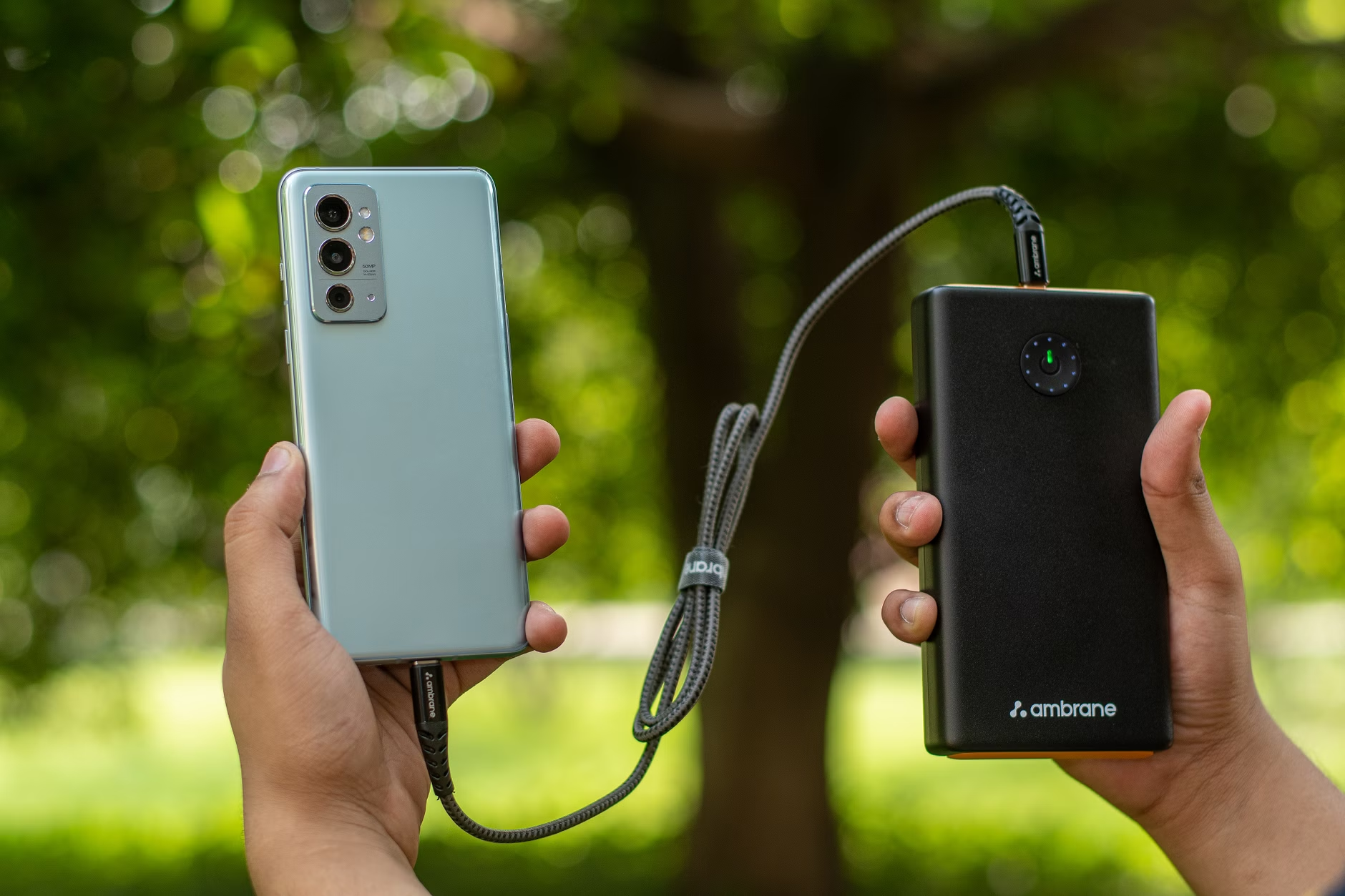
One aspect of integration that requires attention is power management. Since the FlipPad draws power directly from the phone, extended gaming sessions will accelerate battery drain. For serious portable gamers, carrying an external power bank is almost a necessity. Devices such as the Anker PowerCore 10000 are popular choices, offering ample capacity to recharge a smartphone multiple times. This ensures that a long journey or an afternoon of gaming isn’t cut short. Pairing the FlipPad with a high-capacity MicroSD card in your phone, loaded with your preferred ROMs, also creates a self-contained retro gaming powerhouse. For guidance on optimal storage, our guide to the best MicroSD cards for retro handhelds UK 2026 provides relevant insights that can be applied to smartphone storage for emulation. The FlipPad, when properly integrated, can genuinely enhance the portable retro gaming experience for its intended audience, making the phone feel more like a dedicated handheld console.
Alternatives to the FlipPad for Portable Gaming
While the 8BitDo FlipPad carves out a distinct niche for portrait-mode USB-C gaming, it’s essential to consider alternative controllers for broader compatibility, different ergonomic preferences, or horizontal play. For users who find the FlipPad’s single-sided design and case compatibility issues restrictive, a telescopic Bluetooth controller might be a more suitable option. These controllers, such as the Razer Kishi V2 or various offerings from Gamesir, clamp onto both sides of the smartphone, often stretching to accommodate various phone sizes and case thicknesses. They transform the phone into a Nintendo Switch-like device, offering a more symmetrical, two-handed grip that is generally more comfortable for extended horizontal play. The trade-off is often Bluetooth latency and the need for internal batteries, but for many, the enhanced ergonomics and universal compatibility justify these compromises. They excel for systems like PSP, which demand a widescreen aspect ratio, or for Android games with native controller support.
Prioritising a truly pocketable solution without being tied to the USB-C direct connection opens up other possibilities. Smaller Bluetooth controllers exist, though they often sacrifice a full D-pad or a complete button layout. By contrast, options like 8BitDo’s own Zero 2 or SN30 Pro Micro are incredibly compact but usually feature smaller buttons and a less ergonomic design for extended play. These units excel for occasional, quick bursts of gaming, but prove less ideal for serious emulation sessions or titles requiring precise inputs. Their strength lies purely in their minuscule footprint, making them easy to carry on a keychain. Ultimately, the choice here comes down to balancing pocketability with a truly playable control scheme. Often, these ultra-compact controllers are best suited for lighter 8-bit games where complex inputs are not required, or for quick menu navigation in more demanding emulators.Another class of alternatives involves dedicated retro handhelds, which remove the smartphone from the equation entirely. Devices like the Anbernic RG35XX H (around £90) or the Miyoo Mini Plus (around £60) offer a self-contained retro gaming experience with optimised hardware and custom firmware. These devices often provide superior battery life compared to a phone running emulation, offer screens specifically chosen for retro aspect ratios, and feature robust physical controls. Whilst they represent an additional device to carry, they free up the smartphone for its primary functions and eliminate all the compatibility issues associated with phone cases or speaker obstruction. For serious retro enthusiasts, a dedicated handheld often provides a more consistent and refined experience than a phone-based setup, especially for specific price points. The Retro Buying Guides Hub details many such dedicated handhelds across various price tiers.
Finally, for those who seek the highest fidelity and a premium integrated experience for more demanding systems, high-end Android-powered handhelds like the AYN Odin 2 or the Retroid Pocket 4 Pro stand as robust alternatives. These devices are significantly more expensive, often ranging from £200-£400, but they feature powerful chipsets capable of GameCube, PS2, and even Switch emulation, alongside excellent screens and ergonomic controls. They are purpose-built for gaming, combining the power of a modern Android phone with dedicated gaming hardware, eliminating any of the compromises inherent in an accessory like the FlipPad. These are not direct competitors to the FlipPad but represent the top tier of portable emulation for those with a larger budget and higher performance demands, offering a complete solution that goes far beyond what a phone accessory can provide.
Conclusion: A Specialist’s Choice for Portrait Retro Gaming
Positioning itself as a highly specialised accessory, the 8BitDo FlipPad largely delivers for its intended audience. Priced accessibly at around £15–£25 in the UK, it offers a direct USB-C connection that guarantees low-latency input, a distinct advantage over many Bluetooth counterparts. Its compact form factor and battery-free operation make it genuinely pocketable and convenient for on-the-go retro gaming, particularly for older 8-bit and 16-bit systems that thrive in portrait mode. A particular highlight is the six-button layout on the controller’s face, offering an exceptional hotkey solution for Nintendo DS and 3DS emulation that significantly enhances the dual-screen experience on an Android smartphone.Despite its strengths, the FlipPad does present compromises. A “small amount of wiggle” at the USB-C connection and critical reliance on specific phone case designs present practical hurdles. Obstructed speaker grills and the awkward placement of its single L/R triggers further demand user accommodation for certain game genres. Ultimately, it serves the enthusiast willing to accept these trade-offs for a highly focused, responsive portrait-mode experience. Casual users or those with thicker phone cases may find these limitations frustrating. 8.0/1
FlipPad’s specialist nature makes it an exceptional tool. Its design offers an excellent purchase for Android users deeply committed to portrait-mode retro gaming, particularly those delving into Nintendo DS/3DS emulation and willing to navigate case compatibility quirks. By contrast, other users might prefer more versatile Bluetooth options or dedicated retro handhelds for a broader, less compromised experience. Understanding its unique appeal and limitations helps determine if it aligns with your personal retro gaming habits.
Frequently Asked Questions
Is the 8BitDo FlipPad compatible with iPhone?
No, the 8BitDo FlipPad is designed exclusively for Android smartphones and is not compatible with iPhones or other iOS devices. Its USB-C interface and drivers are tailored for the Android ecosystem, meaning Apple device owners will need to seek alternative controllers.
Does the FlipPad require batteries or charging?
Without an internal battery, the FlipPad draws power directly from your smartphone via its USB-C connection. This design eliminates the need for the controller to be charged separately. However, it will consume your phone’s battery during use, potentially accelerating drain for extended sessions.
Can I use the FlipPad with my phone case?
Compatibility with phone cases is highly dependent on the case’s design. Thicker or more protective phone cases often prevent the FlipPad’s USB-C plug from seating fully. It works best with very thin cases or when the phone is used without a case during gaming sessions.
Does the FlipPad cover the phone’s speakers?
In many smartphone models, the 8BitDo FlipPad may cover or partially obstruct the bottom-firing speaker grill due to its compact design. This can result in muffled audio. Using headphones is a common solution for an uncompromised sound experience whilst gaming with the FlipPad.
Is the 8BitDo FlipPad good for Nintendo DS/3DS emulation?
Yes, the FlipPad is particularly strong for Nintendo DS and 3DS emulation on Android. Its unique six-button layout, including two extra face buttons, provides excellent opportunities to map hotkeys for screen-swapping or virtual stylus functions, greatly enhancing the dual-screen experience.
Does the FlipPad have any “wiggle” when connected?
Community testing consistently reports a “small amount of wiggle” where the controller connects to the phone’s USB-C port. The USB-C port serves as its sole anchoring point, explaining this phenomenon. Despite not typically causing disconnections, some users notice this minor structural flex.
What type of games is the FlipPad best for?
Excelling in portrait mode, the FlipPad is perfect for retro games like vertical-scrolling arcade titles, Game Boy, Game Boy Color, Game Boy Advance, and especially Nintendo DS/3DS emulation. However, it proves less ideal for horizontal gaming or titles requiring a full complement of shoulder buttons.
✓ Recommended by Ben Rawlinson
Recommended based on community testing data, benchmark results, and verified UK pricing — we only link products that earn it.
- 8BitDo FlipPadBest for: compact portrait phone gaming
- Anker PowerCore 10000Best for: essential portable charging
- SanDisk Extreme Pro MicroSD CardBest for: phone storage for ROMs
RetroInHand earns a small commission from qualifying Amazon UK and eBay purchases at no extra cost to you.
What to Read Next
If you found this useful, here are a few articles worth reading next:
- Anbernic RG35XX H Review: Best Starter Under £90 UK (2026) — Consider a dedicated retro handheld if phone compatibility issues concern you.
- Logitech G Cloud UK Review 2026: Worth £300 for Retro Gaming? — Explore a premium Android gaming handheld for a more integrated, high-end experience.
- Best MicroSD Cards for Retro Handhelds UK 2026: Top Picks — Learn which MicroSD cards are best for storing your retro game libraries on your phone or dedicated handheld.

This article was produced with AI assistance and reviewed by the editor. See our Editorial Standards.