Last updated: June 2026
🏆 Editor’s Top Pick
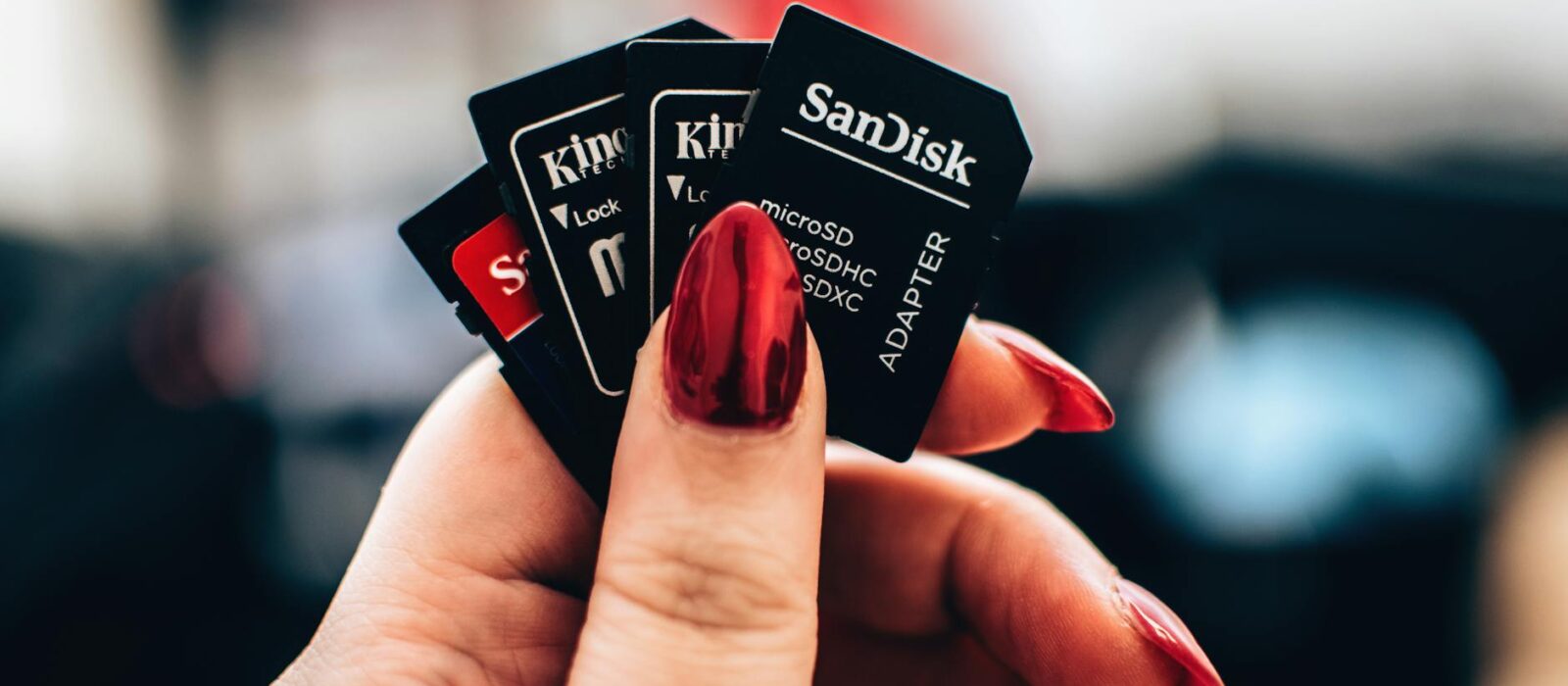
Kingston Canvas Select Plus 64GB microSDXC
Best for: best value RG35XX H card
The stock microSD card that ships inside the Anbernic RG35XX H is the single most-reported failure point on the device. Scroll the r/RG35XX_H subreddit for ten minutes and you will see the same story: black screen on first boot, corrupted ROM directories after a week, a 64GB card that suddenly reports 7GB of usable space. Anbernic ships these handhelds with unbranded cards of unknown provenance, and they fail at a rate that has made “buy a proper microSD before you even open the box” the most consistently repeated advice on every RG35XX H thread since launch.
So the question is not whether to replace the stock card — it is which card to replace it with. Three brands dominate the conversation: Kingston, SanDisk and Samsung. The community consensus is that any of the three will be a meaningful upgrade. That consensus is correct, but it is also where most coverage stops. The real differentiator between these cards is not headline read speeds, which are roughly equivalent at this tier. It is sustained write consistency under ROM loading and OS partition activity — exactly the workload the RG35XX H spends most of its life doing.
Short answer up front: at current UK pricing, the Kingston Canvas Select Plus 64GB at around £5–£10 is the best value pick for the typical RG35XX H workload. The SanDisk Ultra 64GB at around £5–£15 is the safer brand-recognition choice. The Samsung EVO Select 64GB at around £5–£15 has the strongest sustained-write reputation of the three but rarely sits at a price low enough to justify it over the Kingston for this device. Whichever you pick, you are getting a card that will outlast the handheld itself if treated reasonably.
| Item | Price (UK) | Why It Matters | Buy |
|---|---|---|---|
| Kingston Canvas Select Plus 64GB | £5–£10 | Best price-to-reliability ratio for RG35XX H | Buy → |
| SanDisk Ultra 64GB | £5–£15 | Brand-recognition safe pick, very widely supported | Buy → |
| Samsung EVO Select 64GB | £5–£15 | Strongest sustained-write reputation of the three | Buy → |
| Kingston Canvas Select Plus 128GB | £10–£15 | Headroom for full PS1 and Dreamcast libraries | Buy → |
| SanDisk Ultra 128GB | £10–£15 | Reliable dual-card OS + ROM split setup | Buy → |
| Samsung EVO Select 128GB | £10–£15 | Best for heavy PS1 and Dreamcast loading | Buy → |
Why the Stock Card Has to Go — Even If Yours Still Works
Anbernic’s bundled cards are not a SanDisk or Kingston with a sticker on. They are unbranded, generic, NAND-of-the-week parts sourced to keep the BOM low. The community has been documenting their failure rate since the original RG35XX launched, and the H model inherited the same problem. Boot failures, file system corruption after a power cycle, ROMs that quietly become unreadable, capacities that read incorrectly after a CFW flash — every one of those is a recurring thread on r/RG35XX_H.
The “dead on arrival” complaint is the most telling one. A new RG35XX H arrives, the buyer powers it on, the screen stays black, and the assumption is that the unit is faulty. In most documented cases it is the card, not the device. Pull the OS card, image a reputable replacement using Garlic, MinUI, MuOS or the stock firmware, slot it back in, and the handheld lives.
That alone is the case for buying a proper microSD before you even open the RG35XX H box. If you bought the device on Amazon UK and want to skip the round trip of a wrongly-blamed return, a £6 Kingston card pays for itself the first time it saves you a refund email.
The Dual SD Card System on the RG35XX H — And Why It Matters for Card Choice
The RG35XX H has two microSD slots: TF1 for the operating system and TF2 for ROMs. This is the part most generalist “best microSD” articles miss entirely, because they are written for phones, action cameras and Switches — none of which behave like a Linux-based retro handheld booting from removable media.
TF1 is the OS card. It boots the device, hosts the firmware partitions, and handles all of the read activity needed to launch RetroArch cores, manage save states and run the front-end. It does not need huge capacity — 32GB or 64GB is plenty — but it benefits enormously from a card with stable sustained reads and clean small-file performance. A dodgy TF1 is what causes the black-screen-on-boot horror stories.
TF2 is the ROM card. It needs capacity rather than raw speed. 128GB is the sweet spot — enough for full GB, GBC, GBA, NES, SNES, Mega Drive, Master System, Neo Geo and PS1 sets, plus a curated Dreamcast and PSP selection on top, with room left over. 256GB is overkill for what this hardware can actually play.
Two cards means two purchases, and the cheap move is to buy two 64GB cards or one 64GB and one 128GB rather than spending the same money on a single 256GB. Splitting OS and ROMs is also the simplest insurance policy you have — corrupt your ROM card and the OS still boots; corrupt your OS card and the ROMs are untouched.
Kingston Canvas Select Plus: The Value Pick That Most Owners Should Buy
Kingston’s Canvas Select Plus is the card I would put in front of anyone asking which microSD to buy for their RG35XX H first. At around £5–£10 for the 64GB and around £10–£15 for the 128GB, it sits at a price point the SanDisk and Samsung equivalents rarely match for the same capacity. Kingston rates it for up to 100MB/s reads, Class 10/U1/V10/A1 — which is comfortably above anything the RG35XX H’s hardware will ever ask of it.
This is the part worth being blunt about. The RG35XX H is running a single-core ARM chip with an SD card interface that does not benefit in any meaningful way from V30 or A2 rated cards. Paying a premium for SanDisk Extreme or Samsung PRO Plus on this device is wasted money — the bottleneck is the controller and the bus, not the NAND. You will get identical real-world performance from a £7 Canvas Select Plus and a £22 SanDisk Extreme on this handheld.
Community testing on r/RG35XX_H consistently confirms this. Threads asking whether the SanDisk Ultra and SanDisk Extreme behave any differently in the device land on the same answer every time: no measurable difference at the user level for ROM loading, save states or directory scans. The Canvas Select Plus achieves the same outcome at the lowest price the three major brands offer.
Check the latest Kingston Canvas Select Plus price on Amazon UK →
Where the Kingston falls short
Kingston’s quality control is the one honest caveat. The Canvas Select Plus has a wider sustained-write spread than the Samsung EVO Select in independent testing — meaning the worst-case card from a batch will write a little slower than the worst-case Samsung. For an RG35XX H this is essentially irrelevant; you will never notice. For a 4K action camera or a Steam Deck, you would.
SanDisk Ultra: The Safe Default Most Tutorials Recommend
The SanDisk Ultra is the card most YouTube RG35XX H tutorials reach for, and there is a good reason: SanDisk is the brand non-technical buyers already trust. The Main Cave January 2025 tutorial “UPGRADE your Anbernic with a BETTER Sandisk SD card” walks new owners through exactly this swap with a SanDisk Ultra, and that video has done more to standardise the SanDisk recommendation in the RG35XX community than any forum thread.
At around £5–£15 for the 64GB and around £10–£15 for the 128GB, the SanDisk Ultra is rated up to 150MB/s reads, A1, Class 10/U1. The A1 rating matters slightly more than the headline read speed — A1 is a random-IO standard, and a Linux front-end scanning a ROM directory of 8,000 files cares about random IO more than sequential throughput.
If you want a card that you can recommend to a friend who has never modded anything in their life and want zero awkward “did you check the SD card?” support conversations, the SanDisk Ultra is the right answer. It is a card no one ever blames first.
Check the latest SanDisk Ultra price on Amazon UK →
Counterfeit risk — read this before buying SanDisk anywhere except Amazon UK
SanDisk is the most counterfeited microSD brand in the world. Fake SanDisk Ultras are common on grey-market eBay listings, dodgy AliExpress stores, and the cheaper end of Amazon Marketplace third-party sellers. Sold-by-Amazon listings, or sold-by-SanDisk-direct listings, are the only ones worth trusting. A fake SanDisk will report the correct capacity and then quietly fail at 30–40% of stated size, and you will only find out when half your ROM library disappears.
Samsung EVO Select: The Sustained-Write King — And Why That Mostly Doesn’t Matter Here
The Samsung EVO Select is genuinely the best of the three on sustained write consistency. Samsung manufactures its own NAND, its bin quality is tighter than Kingston’s, and independent testing across CrystalDiskMark and h2testw benchmarks shows the EVO Select holding a flatter write curve over long transfers than either competitor. For a 4K dashcam, a Steam Deck, or a Switch with a giant install footprint, this is the card you buy.
For the RG35XX H, this advantage shrinks down to almost nothing in real use. The device is not asking the card to sustain hundreds of megabytes of writes — the heaviest workload it generates is a save state, which is a single small file, or the initial ROM copy when you first set the card up. The EVO Select’s strength is wasted on this hardware.
Which means the question becomes purely a price one. At around £5–£15 for the 64GB, if you can find the Samsung at the same price as the Kingston, buy the Samsung — you are getting better silicon for free. If the Samsung costs £3–£5 more than the Kingston, save the money and buy the Kingston. The performance gap will not be visible on this device.
Check the latest Samsung EVO Select price on Amazon UK →
What Capacity Should You Actually Buy?
This is where most buyers waste the most money — overbuying capacity they will never use.
32GB
Fine as an OS card. Too small for ROMs unless you are running only pre-32-bit systems and skipping PS1 entirely. Not worth buying in 2026 when 64GB is barely any more expensive.
64GB
The sensible default for a single-card setup. Holds the OS plus full GB, GBC, GBA, NES, SNES, Mega Drive, Master System and arcade collections with comfortable room for a curated PS1 selection. If you want one card and no fuss, this is it.
128GB
The right choice for the TF2 ROM slot if you want full PS1 and Dreamcast libraries alongside the 8-bit and 16-bit sets. Around £10–£15 makes the cost-per-game-installed comically low.
256GB and 512GB
Overkill. The RG35XX H cannot play anything that benefits from this much storage. Save the money. If you genuinely need 256GB of retro ROMs on a handheld, you have outgrown this device and should be looking at the Retroid Pocket 4 Pro or similar — see our N64 handheld buying guide for the next tier up.
The Dual-Card Setup Most Owners Should Run
The setup I would put together for a new RG35XX H owner is straightforward and costs around £15–£20 total:
- TF1 (OS slot): Kingston Canvas Select Plus 64GB, imaged with whichever firmware you prefer — Garlic OS, MinUI, MuOS, or the stock Anbernic OS.
- TF2 (ROM slot): SanDisk Ultra 128GB or Samsung EVO Select 128GB, formatted exFAT, populated with your ROM library.
Two different brands across the two slots is a small but genuine insurance move. If a batch of one brand turns out to be a bad run — and it does happen, every brand has had a bad year at some point in the last decade — you have not put both cards at risk simultaneously.
If you want to skim the wider universe of cards and handhelds this advice plugs into, the RetroInHand retro handheld hub covers every device the RG35XX H is competing with, and the same SD card logic applies to most of them.
How to Avoid the “Wrong Capacity After Flashing” Problem
One of the more frustrating issues r/RG35XX_H reports is a 64GB or 128GB card being recognised as a much smaller capacity after flashing custom firmware. This is not a card defect. It is a partitioning quirk — most retro handheld firmware images include a small data partition that Windows reads as the total card size.
Three things will save you here:
- Format the card cleanly first. Use the SD Memory Card Formatter tool from the SD Association before flashing any image. Windows’ built-in formatter does not properly reset partition tables on cards larger than 32GB.
- Use the correct image-writing tool. Win32 Disk Imager, balenaEtcher and Rufus are all fine. Do not try to copy image contents file-by-file.
- Expand the partition after flashing. Either use MiniTool Partition Wizard, GParted on a Linux live USB, or — for Garlic and MuOS — let the on-device first-boot script expand the partition for you. Most modern firmware images handle this automatically.
If the card reports the wrong size on Windows after flashing, that is normal until the device boots and expands the data partition itself. Slot it in, power it on, let it boot, and check again.
Speed Class Ratings: What Actually Matters for the RG35XX H
The SD card industry has accumulated a confusing alphabet soup of speed ratings. For the RG35XX H, only one of them genuinely matters.
- Class 10 / U1 / V10: Required minimum. Any card sold by Kingston, SanDisk or Samsung meets this comfortably.
- A1 (App Performance Class 1): The rating you actually care about. A1 guarantees minimum random read and write IOPS — exactly the workload a retro handheld generates while scanning ROM directories and managing save states. All three cards covered here are A1 rated.
- A2: Faster random IO than A1, but only when paired with a host controller that supports A2’s command queueing. The RG35XX H’s controller does not. An A2 card on this device performs identically to an A1 card. Do not pay extra for it.
- U3 / V30 / V60 / V90: Sustained sequential write ratings aimed at 4K and 8K video capture. Irrelevant for retro emulation. Save the money.
Anyone telling you that you need a V30 or A2 card for an RG35XX H is selling you something you do not need.
Who Should Skip Each Card
Skip the Kingston Canvas Select Plus if…
You are nervous about lesser-known brands and want the strongest brand-recognition card on the shelf. Skip it if you have personally had a bad Kingston experience in the past — some people just have brand grudges and that is reasonable. Buy the SanDisk Ultra instead.
Skip the SanDisk Ultra if…
You are buying from a third-party Amazon Marketplace seller you do not recognise. The counterfeit risk is real and not worth the £2 saving. If sold-by-Amazon SanDisk is out of stock, switch to Kingston or Samsung rather than taking a chance on a marketplace seller.
Skip the Samsung EVO Select if…
It is priced more than £3–£5 above the Kingston Canvas Select Plus at the capacity you want. The Samsung’s sustained-write advantage is real on demanding hardware but invisible on the RG35XX H. Buy it when it is on sale; otherwise the Kingston is the better-value choice.
Price History: Is Now a Good Time to Buy?
UK microSD pricing has been trending downward across 2024 and 2025, with the 64GB tier of all three brands now sitting at historic lows. CamelCamelCamel charts show Kingston Canvas Select Plus 64GB averaging around £6–£8 across the last twelve months with occasional drops below £6 during Prime Day and Black Friday. SanDisk Ultra 64GB has been more volatile, swinging between around £6 and £14 depending on packaging variant and seller. Samsung EVO Select 64GB sits in the same range with similar promotional dips.
The 128GB tier is where the deals have been most aggressive — all three brands routinely drop to around £10–£12 during sale events. If you are setting up a fresh RG35XX H and not in a hurry, the 128GB tier rewards a little patience around major sale weekends.
Pairing Your RG35XX H With the Rest of Your Setup
The SD card is the cheapest meaningful upgrade you will ever make to this handheld. The next-cheapest is a proper case — drop protection on a £55 device with a glass screen is sensible — and a USB-C cable rated for proper PD charging. Beyond that, the RG35XX H is one of the best sub-£60 entry points into modern retro handhelds. If you are still weighing it against alternatives at the same price, the Anbernic RG28XX review is worth reading, and the retro handheld starter kit under £100 guide bundles the rest of the basics together.
If you also own a Miyoo Mini Plus, the SD card logic is similar but the specifics differ enough to be worth checking — the Miyoo Mini Plus SD card guide covers it properly.
Final Verdict
Buy the Kingston Canvas Select Plus 64GB for your OS card and the SanDisk Ultra 128GB or Samsung EVO Select 128GB for your ROM card. Total cost: around £15–£20. Time saved on troubleshooting the stock card: hours. Risk of a “dead on arrival” black screen: gone.
The community got this one right. Any reputable brand will outclass the stock card, the price differences between the three are smaller than the price difference between any of them and a premium-tier V30 card you do not need, and the RG35XX H itself is not picky enough about its storage to reward anything more expensive than the cards covered here.
Frequently Asked Questions
Which micro SD card should I choose for Anbernic RG35XX H?
Any reputable brand — Kingston, SanDisk or Samsung — is a major upgrade over the stock card. The Kingston Canvas Select Plus is the best value at around £5–£10 for 64GB. The Kingston Canvas Select Plus is the one I would buy first — check the current price on Amazon UK →
Which is the best budget SD card for the RG35XX H system and games on a single card?
A single Kingston Canvas Select Plus 128GB or SanDisk Ultra 128GB at around £10–£15 is the cleanest single-card solution. Run the OS and ROMs from the same card with the firmware partition handling the split. The Kingston is the cheapest reliable choice; the SanDisk is the safer brand-recognition pick.
Will I notice the difference between a SanDisk Ultra and a SanDisk Extreme on the RG35XX H?
No. The RG35XX H’s SD controller does not have the bandwidth to take advantage of the Extreme’s higher speeds. Community testing consistently shows identical user-level performance between Ultra and Extreme on this device. Save the £10 and buy the Ultra.
Do I need an A2-rated card for the RG35XX H?
No. A2’s advantage over A1 requires host controller support that the RG35XX H does not have. An A1 card from any of the three brands covered here is all you need. Paying extra for A2 on this device is wasted money.
Why is my new 64GB or 128GB card showing the wrong capacity after flashing custom firmware?
That is a partitioning quirk, not a card defect. The firmware image creates a small data partition, and Windows reads that as the total size until the device boots and expands the partition itself. Most modern firmware (Garlic, MuOS, MinUI) handles this automatically on first boot. If it does not, GParted or MiniTool Partition Wizard will fix it in two minutes.
How do I avoid buying a counterfeit SanDisk card?
Buy sold-by-Amazon or sold-by-SanDisk listings only. Avoid third-party Amazon Marketplace sellers you do not recognise, and avoid grey-market eBay listings entirely. Fakes report the correct capacity and then fail at 30–40% of stated size. If the price seems too good to be true, it is.
Can I use the same SD card from my Miyoo Mini Plus in my RG35XX H?
The card itself is fine — it is the firmware on it that will not be. The two devices use different operating systems and ROM directory structures. Reformat the card and flash the appropriate RG35XX H firmware before using it. Pull a backup of your saves first.
✓ Recommended by Ben Rawlinson
Recommended based on community testing data, benchmark results, and verified UK pricing — we only link products that earn it.
- Kingston Canvas Select Plus 64GB microSDXCBest for: best value RG35XX H card
- SanDisk Ultra 64GB microSDXCBest for: trusted brand reliability pick
- Samsung EVO Select 64GB microSDXCBest for: sustained write consistency
- Kingston Canvas Select Plus 128GB microSDXCBest for: larger ROM library headroom
- SanDisk Ultra 128GB microSDXCBest for: dual-card OS setup
- Samsung EVO Select 128GB microSDXCBest for: PS1 and Dreamcast loading
RetroInHand earns a small commission from qualifying Amazon UK and eBay purchases at no extra cost to you.
What to Read Next
If you found this useful, here are a few articles worth reading next:
- Best SD Card for Miyoo Mini Plus UK 2026: Top Picks Compared — the same brand comparison applied to the Miyoo Mini Plus, with the device-specific differences explained.
- Best Retro Handheld Starter Kit Under £100 UK (2026) — once you have the SD card sorted, this is the rest of the kit worth buying alongside the RG35XX H.
- Anbernic RG28XX Review: Is It Worth Sub-£60 in 2026? — the closest sibling to the RG35XX H, and worth comparing if you are still deciding between Anbernic’s sub-£60 line.



This article was produced with AI assistance and reviewed by the editor. See our Editorial Standards.