Last updated: June 2026
🏆 Editor’s Top Pick
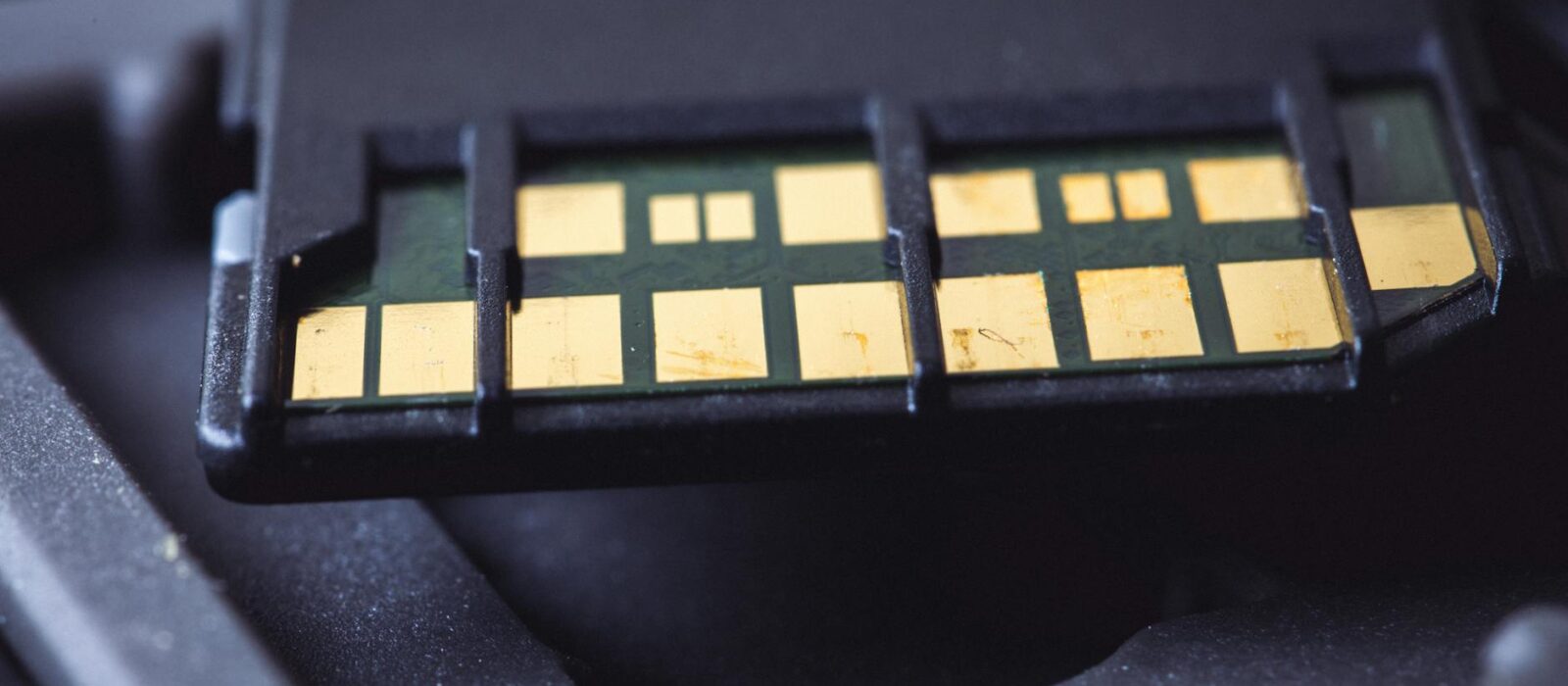
SanDisk 64GB Ultra microSD A1
Best for: best all-round pick
The Miyoo Mini Plus ships with a cheap, unbranded microSD card that owners on the RetroMiyo subreddit and Miyoo Discord have flagged as one of the most common sources of corrupted save states, failed firmware boots, and games that simply refuse to load overall. It is not a minor inconvenience — it is the single most common reason a perfectly functional device starts behaving erratically. Swapping it out for a quality card is one of the first things any new owner should do, and at around £8–£12 for the right option, there is no sensible argument for putting it off.
The standard advice floating around most forums — grab a SanDisk or Samsung 128GB U3/A1 card and you’re sorted — is not wrong, exactly. But it skips several things that actually matter for this specific device: why A2-rated cards deliver no benefit here, why 128GB is probably overkill for most UK users, and why cards formatted above 128GB as exFAT can actively cause save-state corruption on the stock bootloader without a specific firmware patch. Get those three details wrong and you’ll spend an evening wondering why your Chrono Trigger save just vanished.
For anyone who just wants to know what to buy: a SanDisk 64GB Ultra A1, currently around £8–£10 on Amazon UK, is the pick for most owners. It covers every system the Miyoo Mini Plus handles with confidence, costs less than a pint, and avoids the exFAT compatibility headaches that come with larger cards on the stock bootloader. If you need more storage and you know what you’re doing with OnionOS 4.3.1 and firmware patches, 128GB is fine — but it is not the default recommendation.
| Item | Price (UK) | Why It Matters | Buy |
|---|---|---|---|
| SanDisk 64GB Ultra microSD A1 | ~£8–£10 | Top pick — A1 rated, correct speed class, right size for most users, avoids exFAT issues | Buy → |
| Samsung 64GB EVO Select microSD | ~£9–£11 | Reliable alternative — consistent real-world performance, strong community endorsement | Buy → |
| SanDisk 128GB Ultra microSD A1 | ~£13–£16 | For larger libraries — only buy this if running OnionOS 4.3.1 with the exFAT patch applied | Buy → |
| Kingston Canvas Select Plus 64GB | ~£7–£9 | Budget-friendly backup card — U1/A1 rated, fine for a second card or ROM-only storage | Buy → |
Why the Stock SD Card Fails — and What It Means for Your Save States
Miyoo ships the Mini Plus with a card that community testing — collated extensively on the RetroMiyo subreddit and in the Miyoo Discord server — consistently identifies as a Class 10 card from an unbranded or obscure manufacturer. On paper, Class 10 sounds fine. A minimum sequential write speed of 10MB/s should be adequate for loading ROMs.
The problem is not sequential speed. It’s random I/O consistency under sustained load.
Save states on RetroArch — which underpins the emulation layer in OnionOS — involve rapid, small, random write operations rather than large sequential transfers. A card that manages 10MB/s sustained sequential writes can still hiccup badly on small random writes, especially after extended use or when the card’s wear-levelling controller starts to degrade. The result is what owners report: save states that write but fail to load, ROM libraries that develop corrupted entries mid-session, or — the most alarming — a blank screen on boot that only resolves after a full reflash of the card.
None of this happens overnight with the stock card, which is partly why the problem goes undiagnosed. The first month tends to be fine. By month three, things get unreliable. By month six, the RetroMiyo forum shows a predictable cluster of posts from bewildered owners who’ve lost progress on Final Fantasy VI and can’t figure out why.
The fix costs less than a tenner. Swap the stock card for a reputable A1-rated card before you’ve built up any save data, and you avoid the problem entirely. If you’re already six months in and experiencing issues, back up your saves immediately — most are recoverable by mounting the card on a PC — and replace the card before the next session.
Speed Classes Explained: What U1, U3, A1, and A2 Actually Mean for the Miyoo Mini Plus
Speed class ratings on microSD cards cover two different types of performance, and conflating them is where most buying guides go wrong for devices like the Miyoo Mini Plus.
UHS Speed Class (U1/U3) refers to minimum sustained sequential write speeds: U1 guarantees 10MB/s, U3 guarantees 30MB/s. For 4K video recording or burst photography, U3 matters. For loading ROMs and writing save states on a retro handheld, the difference between U1 and U3 is entirely academic — the data being transferred is nowhere near large enough to tax either tier.
Application Performance Class (A1/A2) is the rating that should matter most here — in theory. A1 guarantees a minimum of 1,500 random read IOPS and 500 random write IOPS. A2 doubles both: 4,000 read IOPS and 2,000 write IOPS. Better random I/O sounds directly relevant to save states and ROM loading. And it would be — if the host device had A2 host-side support.
Here’s the part most guides skip entirely: A2’s improved random I/O performance depends on the host device supporting command queuing, specifically the SD specification’s Command Queue feature. The Miyoo Mini Plus does not implement A2 host-side support. Without it, an A2-rated card operates at A1 performance levels on this device — often below, because some A2 cards deprioritise A1 baseline performance in their controller firmware, assuming the host will handle command queuing. Community testing collated on r/SBCGaming and the Miyoo Discord consistently shows A1-rated cards matching or outperforming A2 cards on A2-unsupported hosts. You are paying a premium — typically 20–40% more for A2 — for a specification the device cannot use.
A1 is the target rating. U1 is sufficient for sequential speeds. U3 costs marginally more and does no harm, but it is not the reason to choose one card over another at this level.
What Capacity to Buy: The Case for 64GB Over 128GB in 2026
Buying as much storage as you can reasonably afford makes sense for a general-purpose device. Applied to the Miyoo Mini Plus, though, that principle deserves scrutiny.
Purpose-built for systems up to and including the 32-bit era — practically speaking, Game Boy through to PlayStation 1, with SNES and GBA as the sweet spot — the Miyoo Mini Plus handles a surprisingly compact library. The full commercial ROM set for every system it runs credibly — Game Boy, GBC, GBA, NES, SNES, Master System, Mega Drive, and PS1 — fits within 64GB with headroom to spare. Community members on the RetroMiyo subreddit who have built curated libraries across all supported systems consistently report their collections sitting between 20GB and 45GB. A full No-Intro set for SNES is around 2.5GB. A complete GBA set runs to approximately 18GB. Even loading a substantial PS1 library — disc images are comparatively large, typically 400–700MB each — you would need an implausibly large collection to strain a 64GB card.
There is also a technical argument for 64GB specifically. The Miyoo Mini Plus’s stock bootloader handles exFAT formatting on cards up to 128GB without issue under OnionOS 4.3.1 — the widely adopted stable release as of 2026. Cards above 128GB formatted as exFAT, however, are where community reports of intermittent save-state corruption become consistent. This is not a theoretical concern. The Miyoo Discord and RetroMiyo subreddit carry dozens of threads documenting the issue with 256GB and 512GB cards, tracing it to the stock bootloader’s handling of large exFAT partitions. A firmware patch addresses this, but that requires an additional setup step — and if you’re new to OnionOS, that’s a complication you don’t need before you’ve played a single game.
64GB avoids the issue entirely. It formats as FAT32 (up to 32GB) or exFAT without the capacity-related edge cases that cause problems. The price-per-gigabyte difference between 64GB and 128GB at the SanDisk Ultra tier is currently around £4–£6 on Amazon UK. Spending that £4–£6 on a second 64GB card — one for your primary setup, one as a backup — is a more useful allocation than doubling capacity you probably won’t fill.
Who should buy 128GB? Owners who have already set up OnionOS 4.3.1 correctly, understand the exFAT patch, and genuinely have a library that strains 64GB — typically those running large PS1 collections or hoarding entire No-Intro sets rather than curated libraries. That’s a narrower group than most guides assume.
The Brand Question: SanDisk vs Samsung vs Kingston vs Fake Cards
Three brands dominate reputable recommendations across r/SBCGaming, the RetroMiyo subreddit, and Retro Game Corps community discussions: SanDisk, Samsung, and Kingston. They are not equivalent — but all three are substantially better than any unbranded card, and any of them will resolve the stock card reliability issues described above.
SanDisk Ultra A1 is the most commonly recommended option, and the community consensus has good reason for it. The Ultra range uses a consistent controller architecture across batches — unlike some budget cards where the controller changes between production runs — and the A1 random I/O performance is reliable rather than just rated. At the 64GB tier, owners on RetroMiyo report zero save-state issues overall. SanDisk’s UK pricing has been stable through 2025 and into 2026: 64GB typically sits at £8–£10, and 128GB at £13–£16, though Amazon pricing fluctuates. CamelCamelCamel tracking shows the 64GB model dropping to £7 during Prime Day events, which is worth watching for.
Samsung EVO Select is the alternative that most frequently appears alongside SanDisk in community recommendations. Samsung’s own controller silicon gives the EVO Select consistent random write performance, and the build quality is generally regarded as more reliable under temperature variation — relevant if you’re carrying the Miyoo Mini Plus in a jacket pocket in a UK winter, where temperature swings are not trivial. Pricing runs roughly parallel to SanDisk, occasionally a pound or two more. Either will serve you identically for this use case.
Kingston Canvas Select Plus sits slightly below both in community prestige but above everything else at its price point. U1/A1 rated, consistent across batches, and frequently available for £7–£8 at the 64GB tier. The main reason it doesn’t top the list is that its random write IOPS, whilst meeting A1 spec, tend to cluster near the minimum rather than above it — fine for the Miyoo Mini Plus, but worth noting if you’re comparing on paper.
Fake cards are a genuine concern on Amazon UK, and the counterfeit problem around SanDisk branding specifically is well documented. The safest purchase is from Amazon directly (“Sold by Amazon”) or from official SanDisk/Samsung brand stores on Amazon, rather than third-party marketplace sellers, especially on the 128GB and above tiers where the margin for counterfeiting is higher. H2testw (Windows) or F3 (Linux/Mac) can verify a card’s actual capacity against its claimed capacity if you have any doubt — a counterfeit 64GB card often contains 8GB or 16GB of real storage with firmware-level spoofing for the rest.
How to Format the Card Correctly for OnionOS
Formatting matters as much as the card itself. OnionOS 4.3.1 — the stable release that the majority of the active Miyoo Mini Plus community was running as of early 2026 — expects a specific partition structure, and applying the wrong format tool will produce a card the device boots from but handles unreliably.
Cards up to and including 32GB should be formatted as FAT32. Use the SD Association’s official SD Card Formatter rather than Windows’ built-in format tool — the SD Card Formatter correctly handles allocation unit sizes for SD cards, whereas Windows defaults can produce misaligned partitions that cause read speed degradation over time.
At 64GB, exFAT is the default output from the SD Card Formatter, and this is correct and expected for OnionOS. The device’s bootloader handles 64GB exFAT without issue on stock firmware. Some owners prefer to use a FAT32-forcing tool (such as guiformat on Windows) for 64GB cards, and community members report this also functions correctly — it is not necessary, but it is not harmful either.
With a 128GB card, use the SD Card Formatter and let it default to exFAT. Ensure you are running OnionOS 4.3.1 before loading content. The exFAT save-state corruption issue that affects cards above 128GB does not typically manifest at 128GB under 4.3.1, but owners running older OnionOS versions or the stock Miyoo firmware should be aware that the 128GB threshold is where problems begin to appear in community reports.
Cards above 128GB: if you’re determined to use 256GB or 512GB, the procedure requires applying the exFAT compatibility patch documented in the OnionOS GitHub repository. This involves flashing a patched bootloader — a process that is not complicated for anyone who has set up custom firmware before, but is a meaningful extra step. The Setup & Emulation Hub covers custom firmware setup in more depth if you need a starting point for that process.
Do You Actually Need Two Cards?
The argument for buying two 64GB cards rather than one 128GB card is more practical than it sounds. One card holds your primary library. The second holds either a backup copy of your saves and ROMs, or a different curated library — perhaps a focused SNES set versus a PS1 set.
Save-state backup is the underrated reason. Community members on the Miyoo Discord who have experienced save corruption — whether from a failing stock card or a formatting incident — uniformly report that the loss is the frustrating part, not the recovery. Rebuilding a ROM library takes twenty minutes. A 45-hour Final Fantasy VI save that didn’t sync anywhere is gone. A £8 second card solves that permanently.
The card swap is simple on the Mini Plus — the slot is on the back, easily accessible without tools — so swapping between libraries takes seconds. For someone running both a SNES-heavy collection and a more substantial PS1 library, the two-card approach also neatly sidesteps the 128GB exFAT questions entirely. Two clean 64GB FAT32/exFAT cards, no edge cases, no firmware patches required.
Not everyone needs this. If you’re running a single curated library and the idea of swapping cards feels like friction, one 128GB card under OnionOS 4.3.1 is genuinely fine. But for new owners, two 64GB SanDisk Ultras at roughly £18 total represents better value than one 128GB card at £14–£16, and the backup argument has real weight.
Before You Buy: Gotchas Worth Knowing
A few specifics that are worth flagging before you place an order:
- The stock card is not empty. Miyoo’s pre-loaded card contains the stock firmware and sometimes a small selection of demonstration ROMs. Before you pull it out and format the replacement, copy the firmware files from the stock card to your PC. You may not need them — OnionOS replaces the stock firmware — but having the original stock firmware available means you can restore to factory state if something goes wrong during setup.
- Card adapters for full-size SD are not needed. The Miyoo Mini Plus uses a microSD slot directly. There is no need for an adapter — just the bare microSD card.
- Speed class labelling on the card itself matters. Some budget cards carry U3 markings but are not A1-rated. U3 without A1 means the card meets sustained sequential write specs but random I/O is not guaranteed. For the Miyoo Mini Plus, A1 is the meaningful rating. Check both the U-class and A-class markings.
- Price history on Amazon UK. The SanDisk 64GB Ultra A1 has been at or below £10 for most of 2024 and 2025. If you’re seeing it above £12, check CamelCamelCamel — it almost certainly comes down within weeks. The 128GB version has floated between £13 and £18; £15 is the ballpark fair price.
- Avoid A2 cards specifically marketed for tablets/phones. Some A2 cards are optimised for Android app storage (their primary marketing use case) and use controller firmware that assumes A2 host support. On the Miyoo Mini Plus without host-side A2 support, these can actually underperform an equivalent A1 card on random writes. The Samsung PRO Plus A2 is the most commonly cited example in community discussions — it’s excellent in its intended use, but owners on r/SBCGaming have noted it is not the pick for A2-unsupported devices.
Who Should Skip the Upgrade?
If you’ve been using the Miyoo Mini Plus for less than a month with no issues, the stock card is probably fine for now — but the community consensus is clear that stock cards degrade faster than reputable alternatives, and swapping before problems develop is easier than recovering corrupted saves after. The window to “wait and see” is short.
Anyone planning to use the Miyoo Mini Plus purely as a dedicated single-system device — say, a curated SNES library of 30 games — running the stock card long-term is a more defensible choice, because the write load is low. But at £8 for a SanDisk 64GB Ultra A1, the upgrade cost is trivial against the device cost, and the peace of mind is worth more than the saving.
One group that should genuinely pause: anyone planning to run the Miyoo Mini Plus as their primary PS1 emulation device with a large disc image library. The Mini Plus is a capable PS1 machine — the Allwinner V3s inside handles PS1 titles well at native resolution — but if your library runs to 30+ disc images, 64GB starts to feel tighter. That’s the scenario where 128GB under OnionOS 4.3.1 makes the most sense, rather than the two-card solution. If you’re thinking about the Mini Plus purely as a PS1 handheld and this is making you reconsider the device, our guide to the best PS1 JRPG handhelds under £120 covers alternatives that handle larger PS1 libraries with more headroom.
Who Should Buy the SanDisk 64GB Ultra A1
The ideal buyer here is straightforward: anyone who has just received a Miyoo Mini Plus, or is planning to buy one, and wants to set it up correctly from day one without the stock card headaches. You are probably interested in SNES, GBA, Mega Drive, and maybe PS1. Your library is curated rather than exhaustive — the games you actually want to play, not every ROM set ever compiled. You want OnionOS up and running quickly, save states you can trust, and no surprises three months from now.
At £8–£10 on Amazon UK, the SanDisk 64GB Ultra A1 is hard to argue with. Buy it alongside the device if you haven’t already. Our full Miyoo Mini Plus review covers the rest of the device in depth, including how it competes at its price point — and if you’re still deciding between the Mini Plus and the RG40XX H, that comparison is worth reading before you commit.
For anyone already comfortable with OnionOS 4.3.1 and running a larger library: the SanDisk 128GB Ultra A1 at £13–£16 is the right call. Same brand, same controller architecture, just twice the capacity and a marginally higher risk profile that OnionOS 4.3.1 handles without drama.
The Samsung EVO Select is a fully valid alternative at either capacity if SanDisk stock is low or prices are elevated — check both before ordering. Kingston Canvas Select Plus works fine as a second card or backup but ranks third of the three for consistent random I/O, which is where it counts for save states.
Skip A2-rated cards at this device tier. Skip unbranded or budget cards regardless of price. And if someone in a forum tells you to buy a 512GB card because “more is always better” — ask them whether they’ve looked at the OnionOS GitHub’s documentation on exFAT corruption above 128GB first.
Frequently Asked Questions
What is the best SD card for the Miyoo Mini Plus UK?
The SanDisk 64GB Ultra A1 (around £8–£10 on Amazon UK) is the top recommendation based on community consensus across the RetroMiyo subreddit and Miyoo Discord. It covers every system the Miyoo Mini Plus handles, avoids the exFAT compatibility issues that affect larger cards on the stock bootloader, and has a reliable track record for save-state stability over extended use. Check the latest price on Amazon UK →
Does the Miyoo Mini Plus support A2 SD cards?
Technically yes — it will read an A2-rated card. But the device lacks A2 host-side support, meaning it cannot use the command queuing feature that A2 cards require to deliver their rated performance advantage. Community testing consistently shows A2 cards performing at A1 levels or below on the Miyoo Mini Plus, making the A2 premium pointless for this device. An A1-rated card is the correct choice.
What size SD card does the Miyoo Mini Plus need?
64GB covers the full supported library for most owners — SNES, GBA, Mega Drive, NES, Game Boy, and a solid PS1 collection all fit within 64GB. Community reports on RetroMiyo place typical curated libraries between 20GB and 45GB. Cards above 128GB formatted as exFAT can cause intermittent save-state corruption on the stock bootloader without a firmware patch; 64GB avoids that entirely.
Can I use a 256GB or 512GB SD card in the Miyoo Mini Plus?
You can, but it requires applying the exFAT compatibility patch from the OnionOS GitHub repository — a process that involves flashing a patched bootloader. Without this patch, cards above 128GB formatted as exFAT produce intermittent save-state corruption, a well-documented issue on the Miyoo Discord and RetroMiyo subreddit. For most users, 64GB or 128GB is a much simpler path.
What format should I use for the Miyoo Mini Plus SD card?
Use the SD Association’s official SD Card Formatter. Cards up to 32GB will format as FAT32; 64GB and above will default to exFAT. Both are handled correctly by OnionOS 4.3.1 at those capacities. Avoid Windows’ built-in format tool, which can produce misaligned allocation unit sizes that degrade performance over time.
How do I know if my Miyoo Mini Plus SD card is fake?
Run H2testw (Windows) or F3 (Linux/Mac) after purchase — these tools write data across the card’s full claimed capacity and verify that it reads back correctly. Counterfeit cards typically claim 64GB or 128GB but contain 8GB or 16GB of real storage with spoofed firmware for the remainder. Buy from Amazon directly (“Sold by Amazon”) or from official brand stores rather than third-party marketplace sellers to reduce the risk.
Is the SD card that comes with the Miyoo Mini Plus any good?
Community reports consistently flag the stock card as an unreliable Class 10 card from an unbranded manufacturer. Most owners experience no issues in the first month, but reports of save-state corruption and failed ROM loading become common around the three-to-six-month mark. Replacing it with a reputable A1-rated card from SanDisk or Samsung is strongly recommended before you’ve accumulated any significant save data.
Does the SD card choice affect OnionOS performance on the Miyoo Mini Plus?
Yes, indirectly. OnionOS 4.3.1 loads theme assets, game thumbnails, and save states from the SD card, and a card with poor random I/O consistency will produce slower menu loading and occasional stutters during save-state operations. The performance difference between a quality A1 card and the stock card is most visible in the OnionOS interface, not in emulation itself — emulation runs from RAM once loaded. A reputable A1-rated card eliminates those pauses.
✓ Recommended by Ben Rawlinson
Recommended based on community testing data, benchmark results, and verified UK pricing — we only link products that earn it.
- SanDisk 64GB Ultra microSD A1Best for: best all-round pick
- Samsung 64GB EVO Select microSDBest for: reliable alternative 64gb
- SanDisk 128GB Ultra microSD A1Best for: larger library storage
- Miyoo Mini Plus HandheldBest for: the device this card is for
- Anbernic RG35XX PlusBest for: alternative if considering upgrade
RetroInHand earns a small commission from qualifying Amazon UK and eBay purchases at no extra cost to you.
What to Read Next
If you found this useful, here are a few articles worth reading next:
- How to Choose Between OnionOS and MinUI on Miyoo Mini Plus (2026) — once the card is sorted, firmware choice is the next decision; this guide covers what each OS does well and who each one suits.
- Miyoo Mini Plus Review: Is It Worth Buying in the UK in 2026? — the full device breakdown if you’re still deciding whether the Mini Plus is the right handheld for your needs and budget.
- RG40XX H vs Miyoo Mini Plus: Which Should You Buy in 2026? — if the Mini Plus is on your shortlist alongside Anbernic’s competing device at a similar price, this comparison settles which one to pick.


This article was produced with AI assistance and reviewed by the editor. See our Editorial Standards.