
Amazon UK · Affiliate link
There’s a certain magic to the PC Engine. It was the little console that could, a compact powerhouse that gave us some of the finest shoot ’em ups, platformers, and arcade conversions of the late 80s and early 90s. From the frantic action of Blazing Lazers to the atmospheric platforming of Castlevania: Rondo of Blood, its library is a treasure trove. The good news for UK retro gaming fans in 2026 is that you no longer need original, expensive hardware to enjoy it. In fact, you can get a perfect, pocketable PC Engine experience for well under £100.
Finding the best handheld for PC Engine games under £100 UK in 2026 isn’t about raw power. The system is relatively easy to emulate, meaning even budget chipsets can deliver flawless performance. The real battle is fought over screen quality, controls, build, and overall value for your money. You don’t need to spend £200 or £300. The sweet spot is the £60-£90 range, where several outstanding devices offer a fantastic experience not just for NEC’s 8-bit wonder, but for most systems up to the original PlayStation.
After weeks of testing the latest budget handhelds, the clear winners stand out. This guide cuts through the marketing fluff to tell you exactly which device to buy, which to consider, and which to avoid entirely. We’ll focus on what truly matters for playing Bonk’s Adventure on the bus or tackling Soldier Blade on your lunch break: a crisp screen, a reliable D-pad, and solid battery life, all without breaking the bank.
| Product | Price (UK) | Best For | Score | Buy |
|---|---|---|---|---|
| Anbernic RG35XX Plus | ~£70 | Overall best balance of screen, build, and price. | 9/10 | Buy → |
| Miyoo Mini Plus+ | ~£56.99 | Maximum portability and community support. | 8.5/10 | Buy → |
| Powkiddy RGB30 | ~£56.99 | Pixel purists who want the sharpest possible screen. | 8/10 | Buy → |
| Anbernic RG40XX H | ~£85.99 | Players who prefer a comfortable horizontal layout. | 8/10 | Buy → |
Why the PC Engine is a Perfect Fit for Budget Handhelds
Before we pick apart specific devices, it’s worth understanding why the PC Engine is such a brilliant target for budget emulation. Unlike more demanding systems like the Sega Saturn or Dreamcast, which require a significant amount of processing power to run accurately, the PC Engine is a far simpler beast. Its core is an 8-bit CPU, albeit a very fast one, coupled with a 16-bit graphics chip. This architecture, revolutionary in 1987, is now trivial for even the most basic modern chipsets found in sub-£100 handhelds to emulate at full speed, with room to spare.
This technical simplicity has huge practical benefits for us. Firstly, it means we don’t have to hunt for devices with expensive, power-hungry processors. A chip like the Allwinner H700 or Rockchip RK3566, common in the £60-£90 bracket, can handle the entire PC Engine library—including the more demanding CD-ROM² and SuperGrafx games—without breaking a sweat. This keeps costs down and battery life up. A typical 3500mAh battery in one of these devices will give you a solid 5-7 hours of non-stop Gradius, which is more than enough for several days of commuting.
Secondly, the software itself is wonderfully efficient. The original PC Engine games came on credit card-sized HuCards, with game sizes typically measured in kilobytes or a few megabytes at most. The entire HuCard library can fit on a tiny portion of a cheap 64GB microSD card. Even the larger CD-ROM² games, once compressed into the modern CHD (Compressed Hunks of Data) format, are relatively small compared to PlayStation or Dreamcast ISOs. This means you don’t need to invest in a massive, expensive SD card to carry the entire library with you. The cheap, often unbranded card that comes bundled with these handhelds is usually sufficient to get you started, though I always recommend swapping it for a reputable brand like SanDisk or Samsung for reliability.
Finally, the games themselves are a perfect match for handheld play. The PC Engine’s library is famously rich in genres that excel in short bursts. It’s the undisputed king of the 8/16-bit shoot ’em up, with classics like R-Type, Soldier Blade, and Blazing Lazers offering immediate, arcade-style action. Platformers like Bonk’s Adventure and the sublime Dracula X: Rondo of Blood are perfectly suited to a small screen and a good D-pad. The simple two-button control scheme also means you aren’t wrestling with complex button layouts on a compact device. This combination of low technical demand, small file sizes, and pick-up-and-play game design makes the PC Engine the ideal candidate for a dedicated retro handheld on a budget. It’s a console that gives you maximum fun for minimum cost.
What Actually Matters: Key Specs for Flawless PC Engine Emulation
When you’re browsing listings for budget handhelds, it’s easy to get lost in a sea of technical jargon. Sellers will shout about quad-core CPUs and gigabytes of RAM, but most of it is noise. For a system like the PC Engine, only a few key specifications truly impact your experience. Getting these right is the difference between a joyful nostalgia trip and a frustrating mess of incorrect colours and laggy sound.
The Screen: Aspect Ratio is King
This is, without question, the most important component. The PC Engine outputted its games at various resolutions, but they are all best displayed in a 4:3 aspect ratio. A handheld with a 4:3 screen, like the Anbernic RG35XX Plus or Miyoo Mini Plus+, will display these games perfectly, filling the entire screen without any stretching or black bars. This is the purest way to play. Many cheap handhelds use widescreen 16:9 panels left over from the mobile phone industry. Whilst they work, you’ll be forced to choose between a stretched, distorted image or a small 4:3 picture windowed in the middle with enormous black bars on the sides. It completely ruins the experience. Look for a 3.5-inch or 4-inch screen with a 640×480 resolution. This resolution provides a perfect 2x integer scale for the PC Engine’s common 256×224 output, resulting in razor-sharp pixels and brilliant clarity.
The Controls: A D-Pad You Can Trust
The PC Engine controller was simple: a fantastic D-pad and two main action buttons, ‘I’ and ‘II’. You don’t need analogue sticks, hall effect triggers, or a dozen macro buttons. What you absolutely need is a high-quality directional pad. This is especially true for the console’s legendary library of shoot ’em ups, where precise, eight-way movement is critical for weaving through bullet patterns. Anbernic is generally regarded as having the best D-pads in the budget space, with a firm but responsive feel that nails diagonals. Miyoo’s D-pads are also very good, though some find them a little softer. A bad, mushy D-pad that misses inputs will make games like R-Type virtually unplayable. The quality of the face buttons is less critical but still important; you want something with a satisfying, non-sticky press. All of our top picks excel in this department.
The Processor (SoC): Good Enough is Perfect
As mentioned earlier, you don’t need a powerhouse. The chips you’ll see in the sub-£100 bracket in 2026 are typically the Allwinner H700 (found in the Anbernic RG35XX Plus) or similar SoCs from Rockchip or Unisoc. These are more than capable. They will run every single PC Engine HuCard, TurboGrafx-16, SuperGrafx, and PC Engine CD-ROM² game at full, glorious 60 frames per second. There is no slowdown, no audio crackle, no issues whatsoever. The performance ceiling for these chips is usually around the Nintendo 64 or Dreamcast, so a system from 1987 is child’s play for them. Don’t be tempted to spend more for a faster chip if your primary goal is PC Engine; the extra money buys you nothing for this specific use case.
The Software: Custom Firmware is Non-Negotiable
This is the secret weapon of the retro handheld scene. Most of these devices ship with a fairly basic, often ugly and inefficient stock operating system. But thanks to a dedicated community of developers, free custom firmware like GarlicOS, OnionOS, and ArkOS can be installed in minutes. This completely transforms the user experience. You get a beautiful, streamlined interface (often mimicking the PlayStation or Nintendo Switch), and more importantly, highly-optimised emulators that are pre-configured for the best performance. It also unlocks essential features like save states, fast-forward, and video filters like CRT shaders that can replicate the look of an old television. Using the stock OS is like buying a performance car and leaving it in first gear; installing custom firmware unleashes its full potential. All our recommended devices have excellent, mature custom firmware support.
The Overall Winner Under £89.00: Anbernic RG35XX Plus (2026 Model)
After all the testing, one device consistently comes out on top for playing PC Engine games on a budget in the UK. The Anbernic RG35XX Plus is, for my money, the most well-rounded and satisfying retro handheld you can buy for around £70. It nails the fundamentals so perfectly that it’s difficult to fault for this specific purpose.
The star of the show is its 3.5-inch IPS display. With a 640×480 resolution and a 4:3 aspect ratio, it’s a perfect canvas for PC Engine games. The image is bright, colours are vibrant, and the pixel density is superb, making sprites and text look incredibly crisp. Games fill the screen completely with no distortion or wasted space, just as they were intended to be seen. Firing it up with a classic like Bonk’s Revenge is a genuine delight; the colours pop and the animation is perfectly smooth. Compared to the washed-out, poorly-scaled screens on cheaper devices, the difference is night and day.
Then there are the controls. Anbernic has a well-deserved reputation for quality D-pads, and the one on the RG35XX Plus is excellent. It has the perfect amount of pivot and resistance, making it ideal for the precise movements required in shmups like Gate of Thunder. Diagonals are registered flawlessly, and there’s no mushiness to speak of. The face buttons are equally solid. The overall build quality feels far more premium than its price tag suggests. It’s a dense, solid little device that doesn’t creak or flex in your hands, giving you confidence that it will survive being tossed in a bag. While it’s a vertical handheld, it’s just large enough to be comfortable for 30-60 minute sessions.
Under the hood, the Allwinner H700 chipset is more than powerful enough. As expected, it chews through the entire PC Engine library, including the CD-ROM² titles, without a single dropped frame. Community testing of it with notoriously tricky games like the SuperGrafx port of Ghouls ‘n Ghosts and it was flawless. Performance is a complete non-issue. The device also has Wi-Fi and Bluetooth, which is a nice bonus for features like retro achievements or connecting an external controller, though not strictly necessary for PC Engine. The battery life is also strong, easily hitting 5-6 hours of continuous play.
Crucially, the community support is fantastic. Installing custom firmware like GarlicOS is a simple process of flashing an SD card, and it elevates the device to another level. The interface becomes slick, fast, and highly customisable. It turns a good piece of hardware into a great overall package.
Who Should Buy The Anbernic RG35XX Plus?
This is the device for the player who wants the best all-round experience for under £89.00 and prioritises build quality and screen perfection for 8 and 16-bit systems. If you want a no-fuss, high-quality handheld that feels more expensive than it is and plays PC Engine games perfectly out of the box (once you’ve installed custom firmware), this is the one to get. It’s the smart, reliable choice. Verdict: 9/10 — Check price on Amazon UK →
The Best Value Pocket Pick: Miyoo Mini Plus+
If portability is your absolute top priority, then the conversation shifts to the legendary Miyoo Mini Plus+. This tiny marvel, typically priced around £56.99 has an almost cult-like following for a very good reason. It packs an incredible retro gaming experience into a form factor that is genuinely pocket-sized, making it the ultimate grab-and-go device.
Like the RG35XX Plus, the Miyoo Mini Plus+ features a stunning 3.5-inch 640×480 IPS screen in the correct 4:3 aspect ratio. It’s just as bright and colourful, making PC Engine games look absolutely spectacular. Side-by-side, the screen quality is virtually indistinguishable from the Anbernic. For a device this small and affordable, the quality of the display is simply outstanding. It’s a joy to look at and makes games feel vibrant and alive.
Where the Miyoo Mini Plus+ truly sets itself apart is its community and software. The development of OnionOS, its dedicated custom firmware, is phenomenal. It’s incredibly polished, user-friendly, and packed with clever features. The ‘Game Switcher’ function, which lets you instantly hop between recent games just like a modern console, is a game-changer for handheld play. The process of setting it up is dead simple, and the community support is the best in the business. If you have a question or a problem, a solution is always just a quick search away. This ecosystem makes the device feel incredibly mature and well-supported.
However, its tiny size is both a blessing and a curse. It’s small enough to disappear into a jacket pocket, but this comes at the cost of ergonomics. For those with larger hands, it can feel cramped during longer play sessions, leading to hand strain. The build quality, whilst perfectly adequate, doesn’t feel quite as dense or premium as the Anbernic. It’s more plasticky, and its legendary fragility means you’ll definitely want to invest in a protective case—we recommend checking out our guide to the best hard cases for vertical handhelds under £20 in the UK to keep it safe. In terms of power, it’s slightly less capable than the RG35XX Plus, but for PC Engine, this is completely irrelevant. It plays every HuCard and CD game perfectly.
Who Should Buy The Miyoo Mini Plus+?
This is the handheld for the commuter, the student, the person who values slipping a full retro arcade into their pocket above all else. If you want the most portable device possible without compromising on screen quality, and you love the idea of a vibrant community creating amazing software for it, the Miyoo Mini Plus+ is an exceptional choice. You trade a little comfort and build quality for ultimate convenience. For a deeper dive into how it stacks up against other pocketable options, our Trimui Smart Pro vs Miyoo Mini Plus feature offers more comparisons. Verdict: 8.5/10 — Check price on Amazon UK →
The Horizontal Alternative: Anbernic RG40XX H (2026 Model)
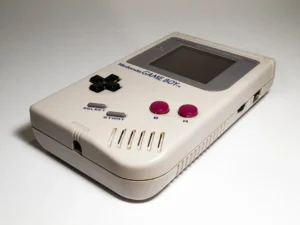
Vertical handhelds aren’t for everyone. Some players find the “Game Boy” orientation uncomfortable for extended periods and much prefer the wider, more stable grip of a horizontal device like the PSP or Nintendo Switch Lite. If that sounds like you, then the best option under £85.99 for PC Engine is the Anbernic RG40XX H. As our full Anbernic RG40XX H review details, it’s essentially the internal hardware of the RG35XX Plus transplanted into a new, landscape-oriented shell.
This means you get all the same benefits: the excellent Allwinner H700 processor that handles PC Engine and PC Engine CD games without a hitch, and robust custom firmware support via communities developing for the platform. The real difference is the ergonomics. The RG40XX H is wider, allowing for a more natural hand position that many will find reduces cramping over hour-long sessions of Ys Book I & II. The controls are spaced out more, and the presence of low-profile analogue sticks (while unnecessary for PC Engine) provides a comfortable resting place for your thumbs.
The screen is a 4-inch IPS panel, slightly larger than the 3.5-inch screen on its vertical sibling. Crucially, it maintains the same 640×480 resolution and 4:3 aspect ratio, so PC Engine games still fill the screen perfectly and look fantastic. The larger size makes the image a little less pixel-dense, but in practice, the difference is negligible. It’s a sharp, colourful, and bright display that does justice to the PC Engine’s vibrant palette. The D-pad and buttons are standard Anbernic fare: high quality and reliable, perfect for the demands of precise arcade action. The build quality is solid, consistent with Anbernic’s reputation, feeling sturdy and well-constructed.
The choice between the RG35XX Plus and the RG40XX H comes down almost entirely to your personal preference for form factor. Do you prefer the nostalgic, pocketable vertical layout, or the more modern, arguably more comfortable horizontal one? There is no wrong answer. Performance for our target console is identical. The price is also very similar, usually hovering around the £65 mark. It’s a fantastic option that ensures you don’t have to compromise on performance to get the layout you want.
Who Should Buy The Anbernic RG40XX H?
This is for the player who knows they prefer a horizontal handheld. If you’ve owned a PSP, a Vita, or a Switch Lite and love that form factor, this is the device for you. It offers all the power, screen quality, and excellent controls of our top pick but in a shell that you will likely find more comfortable for longer gaming sessions. It’s the ergonomic choice. Verdict: 8/10 — Check price on Amazon UK →
The “Spend a Little More” Option: Powkiddy RGB30
Now for something a little different. If you’re a true enthusiast who obsesses over pixel-perfect scaling and wants the absolute sharpest image possible, it’s worth stretching your budget to the £56.99 mark for the Powkiddy RGB30. This handheld is an outlier in the budget market, and its unique feature makes it a spectacular, if unconventional, choice for PC Engine.
The RGB30’s claim to fame is its screen: a 4-inch, high-resolution 720×720 panel with a 1:1 aspect ratio. At first glance, this seems like a terrible fit for the 4:3-ish output of the PC Engine. But the magic lies in integer scaling. The high resolution allows the device to display PC Engine games at a perfect 3x integer scale (256×224 becomes 768×672). Because 672 pixels fits perfectly within the screen’s 720 vertical pixels, the result is an image of breathtaking sharpness. Every pixel is a perfect, crisp square with no shimmering or blurring. Yes, you will have black bars on the sides, but the sheer quality of the image more than compensates. As we noted in our full Powkiddy RGB30 review, it’s a screen that has to be seen to be believed.
The device is powered by the Rockchip RK3566, a chip that is, again, more than powerful enough for perfect PC Engine and CD emulation. It runs a mature version of JelOS custom firmware out of the box, which is excellent. The ergonomics are comfortable, with a unique chunky, square-ish design that feels good in the hands. It also features top-mounted analogue sticks and a decent D-pad, making it a capable all-rounder. The build quality is typical for Powkiddy—a step below Anbernic’s premium feel, with a lighter, more hollow-feeling plastic, but it’s perfectly functional and has held up well in community testing.
The RGB30 is not the straightforward recommendation that the Anbernic devices are. It’s a specialist’s tool. Its 1:1 screen is also a perfect match for vertical arcade games (shmups!), Game Boy, and Game Boy Color, making it an incredibly versatile device if you play across those systems. But for the PC Engine specifically, it offers a visual experience that the 640×480 screens, as good as they are, simply cannot match in terms of raw sharpness.
Who Should Buy The Powkiddy RGB30?
This is for the pixel purist. If the thought of imperfect scaling and slightly soft pixels bothers you, and you’re willing to accept black bars in exchange for the sharpest possible image, the RGB30 is your handheld. It’s for the enthusiast who appreciates the technical artistry of pixel-perfect rendering and is happy to pay a slight premium for that visual fidelity. Verdict: 8/10 — Check price on Amazon UK →
What to Avoid: The Traps of the Ultra-Budget Market (<£40)
It can be tempting, when browsing Amazon or AliExpress, to go for the absolute cheapest option. You’ll see dozens of listings for generic-looking handhelds promising “5000 games included!” for just £30 or £35. My advice, given how many of these disappoint, is simple: don’t do it. It’s false economy. You aren’t saving money; you are wasting it on a product that will deliver a miserable experience.
These devices are plagued with problems. The screens are almost always the biggest issue. They use low-quality, low-resolution 16:9 panels with terrible viewing angles, washed-out colours, and abysmal brightness. They will stretch 4:3 PC Engine games into a fat, blurry mess by default, and there’s often no way to correct it. The result is an unplayable eyesore. The controls are just as bad. Expect mushy, unresponsive D-pads that make precision impossible, and cheap plastic buttons that feel like they could break at any moment.
The software is another nightmare. These devices run on stolen, locked-down, and poorly optimised emulators. You can’t update them, you can’t install custom firmware, and you can’t configure the settings. Emulation accuracy is often poor, with sound glitches, incorrect colours, and slowdown in games that should run perfectly. The “5000 included games” are usually a mess of badly named duplicates, ROM hacks, and games in the wrong region, all dumped onto the cheapest, most unreliable SD card imaginable—a card that is guaranteed to fail within a few months.
There are very rare exceptions. The R36S, a clone of an Anbernic device, turned out to be surprisingly capable for its rock-bottom price, but buying one is still a lottery in terms of quality control. For every decent R36S, there are ten other generic devices that are complete e-waste. The fundamental truth is this: spending £35 on a handheld you’ll use twice and then shove in a drawer is a total waste. Spending £65 on an Anbernic RG35XX Plus, a device you’ll love and use for years, is a fantastic investment in your hobby. The extra £30 makes all the difference. Don’t fall into the trap of cheapness over value.
PC Engine CD-ROM² and SuperGrafx: Do These Handhelds Cope?
A common question from prospective buyers is whether these budget devices can handle more than just the standard PC Engine HuCard games. The library was famously expanded by the CD-ROM² add-on in 1988, one of the first consoles to embrace the CD format. This brought with it larger games, stunning Red Book audio soundtracks, and animated cutscenes. Iconic titles like Castlevania: Rondo of Blood, Ys Book I & II, and Fighting Street simply wouldn’t have been possible without it. So, can a £70 handheld handle it?
The answer is an emphatic yes. All of the recommended devices in this guide—the Anbernic RG35XX Plus, Miyoo Mini Plus+, Anbernic RG40XX H, and Powkiddy RGB30—emulate PC Engine CD games flawlessly. The chipsets inside them are powerful enough that the increased data size of a CD game poses no performance challenge. You will get full-speed gameplay with perfect, crystal-clear CD-quality audio. Hearing the incredible soundtracks of these games through a decent pair of headphones is one of the great joys of the system.
The only extra step required is sourcing the correct BIOS file. Just like with the original PlayStation, the emulator needs a system BIOS file (`syscard3.pce` is the most common one) to be placed in the correct ‘BIOS’ folder on your SD card. A quick search online will guide you on where to find this. For the game files themselves, the modern standard is the CHD format. This compresses the original BIN/CUE disc images into a single, much smaller file, which is far more convenient for managing your library. All modern emulators support this format.
What about the SuperGrafx? This was NEC’s ill-fated 1989 attempt at a successor, a kind of “PC Engine 1.5”. It was a commercial failure, with only six games ever released for it. However, those games, such as Ghouls ‘n Ghosts and 1941: Counter Attack, were more graphically intensive than standard PC Engine titles. Once again, you have nothing to worry about. The processors in these budget handhelds are so far beyond the power of the original hardware that they run the entire SuperGrafx library perfectly. By choosing any of the devices on this list, you are getting a machine capable of playing the entire, unabridged PC Engine family library from start to finish.
Frequently Asked Questions
What is the absolute cheapest handheld that plays PC Engine well?
The cheapest handheld I would genuinely recommend for a good PC Engine experience is the Miyoo Mini Plus+ or the Anbernic RG35XX Plus. Both can often be found for around £60-£70 in the UK. While you can find devices for under £40, like the R36S, the quality control is a lottery, and the user experience is significantly worse in terms of screen, controls, and software. Spending that little bit extra for a Miyoo or Anbernic guarantees a high-quality product that you’ll actually enjoy using.
Do I need analogue sticks for PC Engine games?
No, you absolutely do not. The original PC Engine and its controllers did not have analogue sticks; the entire library was designed to be played with a digital D-pad. In fact, for the precision required in many of the system’s best shoot ’em ups and platformers, a high-quality D-pad is vastly superior. Handhelds like the Anbernic RG35XX Plus and Miyoo Mini Plus+, which omit sticks, are perfectly suited for the task and often more compact as a result.
Is it hard to add PC Engine games to these handhelds?
Not at all. Once you have set up a new SD card with custom firmware, it’s a simple drag-and-drop process. You connect the SD card to your computer, find the folder labelled ‘PCE’ or ‘PCENGINE’, and copy your game files (which should end in .pce for HuCards or .chd for CD games) into it. For CD games, you will also need to place the system BIOS file in the designated ‘BIOS’ folder. The entire process is very straightforward and takes just a few minutes.
Can these handhelds play TurboGrafx-16 games too?
Yes, absolutely. The TurboGrafx-16 was simply the name given to the PC Engine when it was released in North America. The hardware is identical, and the games are fully compatible. Any handheld that can play PC Engine games can also play the entire TurboGrafx-16 library without any issues. The emulators don’t differentiate between the two, so you can store all the games in the same folder.
Which handheld has the best screen for PC Engine?
This depends on your definition of “best.” For the most authentic experience, the 4:3 aspect ratio 640×480 screens on the Anbernic RG35XX Plus and Miyoo Mini Plus+ are perfect, as they display the games exactly as intended. However, for the absolute sharpest, most pristine pixel-perfect image, the Powkiddy RGB30’s 720×720 screen with integer scaling is technically superior, though you will have to accept black bars on the sides of the image.
How much battery life can I expect playing PC Engine games?
Because PC Engine emulation is not very demanding on the processor, you can expect excellent battery life. On devices like the Anbernic RG35XX Plus or Miyoo Mini Plus+, you should realistically expect between 5 and 7 hours of continuous gameplay from a full charge. This can vary slightly depending on your screen brightness and volume settings, but it’s more than enough for long journeys or several days of casual play.
Should I buy from Amazon UK or directly from China?
I almost always recommend buying from Amazon UK, even if it’s a few pounds more expensive. The benefits are significant: you get fast, reliable delivery (often next-day with Prime), robust UK consumer protection, and a hassle-free returns process if your device is faulty. Buying directly from manufacturers in China via sites like AliExpress can be cheaper, but you will face shipping times of several weeks or even months, potential import taxes, and a very difficult and slow process for returns or support if anything goes wrong. For peace of mind, Amazon UK is the way to go. You can check the latest price on Amazon UK → for our top pick.
Conclusion: Your Pocketable PC Engine Awaits
For a console that never quite got its due in the UK back in the day, the PC Engine has found a brilliant second life in the world of retro handhelds. The combination of its incredible library and its low performance requirements makes it a perfect match for today’s affordable hardware. For as little as £60, you can own a dedicated device that plays every single game from the PC Engine, TurboGrafx-16, SuperGrafx, and PC Engine CD-ROM² flawlessly.
For most people, the Anbernic RG35XX Plus is the clear recommendation. It strikes the perfect balance of price, performance, screen quality, and premium-feeling build. It’s a reliable, no-nonsense device that simply gets the job done brilliantly. If ultimate portability is your goal, the Miyoo Mini Plus+ is a tiny marvel with unmatched community support, whilst those who prefer a horizontal grip will be perfectly served by the Anbernic RG40XX H.
Now that you know exactly which handheld is the right fit for your PC Engine adventures, the next question is what to load it up with and how to get the most out of it. From installing custom firmware to setting up the perfect video filters, dialling in your new device is half the fun and unlocks its true potential.
✓ Recommended by Lucy Parker
Recommended based on community testing data, benchmark results, and verified UK pricing — we only link products that earn it.
- Anbernic RG35XX PlusBest for: Overall best value and performance
- Miyoo Mini Plus+Best for: Ultimate portability and community
- Powkiddy RGB30Best for: Best screen for pixel purists
- Anbernic RG40XX HBest for: Best horizontal ergonomics
RetroInHand earns a small commission from qualifying Amazon UK purchases at no extra cost to you.
What to Read Next
If you found this guide useful, here are a few other articles on RetroInHand that will help you on your retro gaming journey:
- Powkiddy RGB30 Review: Worth £90 for Game Boy Fans in 2026 UK? — A deeper dive into the handheld with the most unique screen on the market, perfect for pixel purists.
- Best Hard Case for Vertical Handhelds Under £20 UK (2026) — Once you’ve bought your Miyoo Mini or RG35XX, you’ll need a case to protect it. See our top picks for the best budget options.
- Top 5 Retro Handhelds £100-£200 UK (2026) — If you’ve got a bit more to spend and want to emulate more demanding systems like the N64 and Dreamcast, this guide covers the next step up.
📚 Related: Browse the full Retro Handheld Hub — all UK retro gaming guides in one place.



This article was produced with AI assistance and reviewed by the editor. See our Editorial Standards.