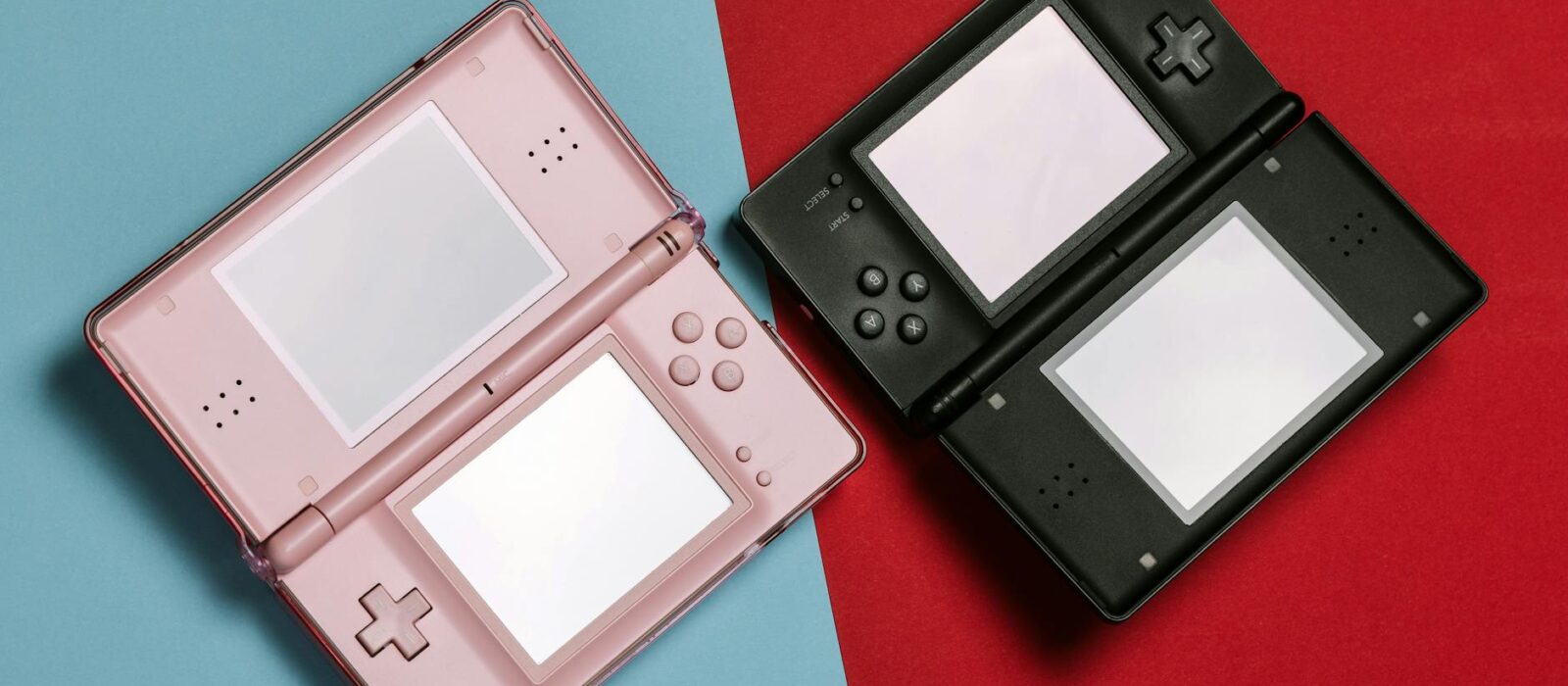
Last updated: June 2026
🏆 Editor’s Top Pick
Game Boy Color (Specialist Refurbished)
Best for: best entry point for newcomers
Unmodified secondhand Game Boy Color units sit at around £40–£50 on eBay and Facebook Marketplace in 2026. Specialist-refurbished examples from UK-based retro hardware shops command around £55–£65. That £15–£20 premium sounds modest until you understand what you’re actually paying to avoid — and community consensus on r/SBCGaming and Retro Game Corps’ comment sections increasingly argues the refurbished price is the honest price, because the remediation costs on a typical unmodified unit routinely close that gap within weeks of purchase.
The standard buying guide advice — “start with an original Game Boy Color, it’s cheap and durable” — was reasonable in 2015. A decade on, every unit is now 25 to 27 years old. Rubber membranes degrade regardless of storage conditions. Battery contacts corrode. Screens develop dead columns. Capacitors drift. What was once a sensible starter recommendation has quietly become a lottery, and most guides covering this topic haven’t caught up with that reality. This one has.
Below is a breakdown of every route to Game Boy ownership in 2026 — ranked by actual value, not just headline price. Whether you want original hardware, a refurbished unit, a modded classic, or a modern device that handles the GB and GBA library better than any original console ever did, the right answer depends on why you’re buying. Prices checked June 2026 — always verify current pricing before buying.
| Product | Price (UK) | Best For | Score | Buy |
|---|---|---|---|---|
| Game Boy Color (Specialist Refurbished) | ~£55–£65 | Newcomers wanting reliable original hardware | 8/10 | Buy → |
| Game Boy Color (Secondhand Unmodified) | ~£40–£50 | Buyers willing to assess and remediate | 6/10 | Buy → |
| Game Boy Advance SP AGS-101 | ~£55–£75 | GBA library, built-in backlight | 8.5/10 | Buy → |
| Miyoo Mini Plus | ~£50–£65 | Modern GB/GBA emulation, best screen | 9/10 | Buy → |
| Analogue Pocket | ~£200–£220 | Accuracy-first collectors, FPGA purists | 9.5/10 | Buy → |
| Game Boy Color IPS Screen Kit | ~£20–£35 | DIY modders upgrading existing units | 8/10 | Buy → |
Why “Just Buy a Secondhand Game Boy Color” Is Now Risky Advice
The Game Boy Color launched in November 1998 in Europe. Every unit on the secondhand market in 2026 is therefore at minimum 27 years old. That age matters in specific, mechanical ways that most buying guides skip past.
Rubber contact membranes — the sheet of rubber pads that sit between the PCB and the physical buttons — degrade over time regardless of whether a console was used heavily or sat in a box. Community repair threads on r/GameBoy document this constantly: D-pads and face buttons become intermittently unresponsive or require significant pressure to register, even on units that outwardly look immaculate. Replacing them costs around £3–£5 in parts if you’re comfortable opening the shell with a tri-wing screwdriver, but it’s a repair that many buyers don’t anticipate when they hand over £45 for a unit described as “working.”
Battery contacts corrode. AA batteries left inside a console — even briefly — accelerate this dramatically, and the Game Boy Color takes two AAs. Corrosion ranges from minor surface oxidation that cleans up with isopropyl alcohol and a cotton bud, through to deep pitting that requires contact replacement or creative soldering work. Neither outcome is catastrophic for someone with modest technical confidence, but both represent uncosted remediation time that the headline price doesn’t reflect.
Then there are the screens. Unlit by design, the original Game Boy Color display is a reflective TFT that requires ambient light to be visible — considered acceptable in 1998, genuinely limiting now. Separate from that, dead pixels and fading columns are common on units of this age. Seller descriptions on eBay listings almost never mention these issues, either because the seller hasn’t looked closely enough or because they’re hoping you haven’t.
Cartridge read errors round out the most common failure list. The cartridge slot pins on a 27-year-old console are often dirty or slightly bent, and the cartridges themselves have contacts that benefit from cleaning with 99% isopropyl alcohol. Some cases involve cracked solder joints on the cartridge’s circuit board, which requires re-soldering to fix. Again — not difficult if you know what you’re doing, but not what most buyers expect from a £45 purchase.
None of these failures are terminal. The Game Boy Color is one of the most repair-friendly consoles Nintendo ever made: the shell pops open with a single tri-wing bit, the PCB is clearly laid out, and replacement parts are abundant. The problem is the expectation gap. Buy an unmodified unit expecting it to work immediately and you’ll frequently be disappointed. Buy one knowing you’re purchasing a project that will likely need some attention, and the maths starts to make sense again — provided you have the tools and inclination.
The Case for Paying £55–£65 for a Specialist-Refurbished Unit
UK marketplace prices for unmodified secondhand Game Boy Color units sit at approximately £40–£50 in 2026. Specialist-refurbished examples — cleaned, tested, with replaced membranes and contacts, often fitted with an IPS screen mod — command around £55–£65. That £15–£20 gap is the number most people focus on. They shouldn’t.
A new rubber membrane set costs around £3–£5 to source but requires a tri-wing screwdriver (around £4 if you don’t own one), and roughly 30–45 minutes of work. A replacement contact strip for corroded battery terminals is similar. If the screen needs replacing with an IPS kit, budget an additional £20–£35 in parts and a further hour of careful work. Add those costs to the £45 entry price and a fully remediated, IPS-upgraded Game Boy Color costs around £75–£90 in parts alone — before any tools, before your time, and before accounting for the units where the repair reveals a deeper problem with the PCB.
The specialist-refurbished unit at £55–£65 typically includes membrane replacement, contact cleaning or replacement, IPS screen installation, and a full function test. Community consensus on forums including r/Gameboy increasingly treats the refurbished route as the sensible default rather than the premium option, precisely because the hidden cost of an unmodified unit is unpredictable in a way the refurbished price simply isn’t.
Let me be blunt about this: if your goal is to play Game Boy Color games reliably today without getting into hardware repair, the refurbished route is better value. The £15–£20 premium is almost always recouped — either in remediation costs avoided or in time and frustration saved. The only scenario where the unmodified unit wins is if you’re actively looking for a repair project, already own the tools, and know what you’re doing.
UK sellers worth checking include eBay’s refurbished listings from established retro hardware specialists with documented feedback histories, and independent shops that have built reputations on Etsy and Depop for Game Boy restoration work. The quality varies, so check whether the listing specifies which screen mod was installed (TFT retrofit, OEM lens-compatible IPS, or full backlight replacement), and ask whether the membranes were replaced or just cleaned. A seller who can answer those questions specifically is worth the price. One who can’t — probably isn’t offering a true refurbishment.
Game Boy Advance SP AGS-101: The Underrated Sweet Spot
The Game Boy Advance SP AGS-101 is routinely underrated in buying guides that lead with the Game Boy Color. Released in 2005, the AGS-101 revision introduced a fully backlit screen — a genuine, high-brightness IPS-grade panel that owners and repair technicians consistently describe as the best screen Nintendo fitted to any original Game Boy hardware. It also plays every GBA, GBC, and DMG cartridge natively.
On eBay UK in 2026, the AGS-101 sits at approximately £55–£75 unmodified. Its cheaper sibling, the AGS-001 (frontlit, not backlit), commands less — around £30–£45 — but the screen quality difference is significant enough that buying the 001 and then modding it costs more in both time and money than simply starting with the 101. If you’re buying an SP, hold out for the AGS-101. The easiest way to tell them apart is the brightness slider: the 101 has a “bright” and “brighter” setting. The 001 has a dim, pale frontlight that barely registers in anything less than near-darkness.
The SP’s clamshell design has an additional longevity benefit: the screen has been protected by the shell for its entire life, meaning dead pixel rates on secondhand units are noticeably lower than on the open-faced Game Boy Color. The built-in rechargeable battery is the main concern — replacement batteries cost around £5–£8 and are a five-minute swap, but a unit that hasn’t been charged in years may not show any charge at all on arrival. Not a fault; just budget for a replacement battery as a probable purchase alongside the console.
The one genuine downside is sound. The SP’s internal speaker is small and the clamshell shell doesn’t project audio particularly well — owners consistently report it as noticeably quieter than the Game Boy Color’s speaker output at equivalent volume settings. Headphones solve this entirely, but if you want to play handheld without headphones in a reasonably ambient environment, the GBC is louder.
Our full comparison of the two main modding paths is covered in the GBA vs GBA SP: Which Is Worth It for UK Modding in 2026? guide — if you’re deciding between the two hardware generations for a modification project, that article breaks it down in much more detail.
What to Expect from an Unmodified Secondhand Unit: A Pre-Purchase Checklist
Buying an unmodified Game Boy from a marketplace listing in 2026 without checking these things first is how people end up posting “disappointed, what’s wrong with it?” threads on Reddit two days later.
Before you bid or buy, look for these in the listing photos or ask the seller directly:
- Screen condition: Ask for a photo of the screen running a bright solid colour (white or yellow). Dead columns show clearly. A seller who won’t provide this photo is usually hiding something.
- Button response: Ask whether all buttons register first-press. “All working” in a description means nothing — ask specifically about the D-pad diagonals, which are the first to go when membranes degrade.
- Battery contact condition: Ask for a photo of the battery compartment. Surface corrosion appears as blue-green residue around the contacts. Minor oxidation is cleanable; deep pitting is harder to address without soldering.
- Cartridge slot: Ask whether they’ve tested with a known-good cartridge, and which one. A seller who hasn’t tested it isn’t selling a working console — they’re selling an untested one at a working price.
- Shell condition: Cosmetic cracks around the screw posts (bottom corners of the shell) are common and indicate the shell has been opened before — not necessarily a problem, but worth knowing.
Gumtree prices for Game Boy Color units in 2026 sit slightly higher than eBay at around £55–£75, reflecting local buyer premiums and the absence of eBay’s feedback accountability. The in-person inspection advantage can justify that premium if you can genuinely test the unit before buying — but bring a cartridge you know is clean, and test every button before handing over cash.
The IPS Screen Mod: Is It Worth Doing Yourself?
The single most impactful upgrade you can make to any original Game Boy hardware in 2026 is an IPS screen replacement. Unlit by design, the stock Game Boy Color display is a reflective panel — playable in direct sunlight, nearly invisible in artificial light. A drop-in Game Boy Color IPS screen kit costs around £20–£35 from AliExpress-sourced listings on Amazon UK, and the installation requires a tri-wing screwdriver, a Y1 bit, and basic confidence with a ribbon cable connector. No soldering required on most kits.
The result — according to widespread owner reports and documented photo comparisons across r/Gameboy and YouTube installation guides — is dramatic. The IPS panel is significantly brighter, shows colour far more accurately, and remains legible in all lighting conditions. Pokémon Yellow’s colour palette, which looks washed out on the original reflective screen, appears as intended on an IPS retrofit. The same applies to Dragon Warrior Monsters, Metal Gear Solid GBC, and any other title where colour was part of the design intent.
There’s a caveat about kit quality worth flagging: the aftermarket for Game Boy Color IPS kits is not consistent. Community threads on r/Gameboy document significant variation between kit batches, with some reporting excellent uniformity and others reporting visible backlight bleed at the corners or a faint grid pattern visible on solid colours. The OEM-lens-compatible kits — which retain the original glass lens — are generally regarded as better quality than the kits that require cutting the shell. Check recent forum posts for current batch quality before ordering, because this changes with supplier runs and community consensus shifts accordingly.
One more thing: the IPS mod increases power draw slightly. Already modest on two AAs, the Game Boy Color delivers roughly 10–15 hours on alkaline batteries according to Nintendo’s original specification, with community-reported real-world figures closer to 8–12 hours depending on game and volume. An IPS kit reduces this by roughly 10–15%, based on community testing data from r/Gameboy. Still entirely acceptable, but worth noting if you’re planning long sessions away from a power source.
For a full overview of what the modding process involves across all Game Boy hardware generations, the RetroInHand Mods & Upgrades Hub covers everything from screen replacements to USB-C charging conversions.
The Modern Alternative: Miyoo Mini Plus and Why It Beats Original Hardware for Pure GB/GBA Play
The Miyoo Mini Plus costs around £50–£65 on Amazon UK in 2026. For playing Game Boy, Game Boy Color, and GBA games, it is objectively better than an unmodified original console in almost every measurable way.
The screen is a 3.5-inch IPS panel running at 640×480, which means GBA games (240×160 native) render at exactly 2x scale with no interpolation artefacts — pixel-perfect, the way emulation purists prefer it. By contrast, the original GBA screen ran at 240×160 with no backlight (or a dim frontlight on the AGS-001), and even the AGS-101’s praised display is a 240×160 panel. The Miyoo’s screen advantage is not subtle.
Battery life on the Miyoo Mini Plus is rated at approximately 3,000mAh. Community consensus on r/SBCGaming puts real-world GB and GBA emulation figures at around 8–12 hours depending on brightness settings — comparable to or better than original hardware under similar conditions. It charges via USB-C. By contrast, the Game Boy Color requires two AA batteries and has no rechargeable option without a third-party battery mod.
Running OnionOS (the community firmware), the Miyoo Mini Plus handles the entire GB, GBC, and GBA library through the Gambatte and mGBA cores respectively. Gambatte is widely regarded by the emulation community as the most accurate GB/GBC core available — more accurate in its audio and timing reproduction than any original hardware that hasn’t been component-swapped. The mGBA core handles GBA with cycle-accurate precision for the vast majority of the library.
The case against the Miyoo for original hardware fans is a philosophical one, not a practical one. You’re not playing on the original chip. The physical cartridge slot isn’t there. If those things matter — and for some people they genuinely do — the Miyoo isn’t the right answer. But if your goal is to play Pokémon Crystal, Link’s Awakening DX, Castlevania: Circle of the Moon, and Metroid Fusion on a screen you can see in any lighting condition with a battery that charges over USB-C, the Miyoo Mini Plus at around £50–£65 is the more capable device. That’s not a controversial position — Retro Game Corps and the r/SBCGaming community have converged on this view consistently.
For more on setting up the Miyoo Mini Plus for Game Boy and GBA play, including how to configure OnionOS and which cores to use, see our guide on how to choose between OnionOS and MinUI on Miyoo Mini Plus.
The Analogue Pocket: The Premium Option That’s Actually Justified
The Analogue Pocket costs around £200–£220 in the UK in 2026. At that price, most articles hedge heavily. This one won’t.
Running original Game Boy, Game Boy Color, and Game Boy Advance cartridges through an FPGA — a field-programmable gate array — the Pocket replicates the behaviour of the original hardware at the logic level, not through software emulation. The difference matters for audio and timing accuracy in particular. Games that have subtle timing dependencies — Pokémon Gold‘s internal clock, the audio in Wario Land 3, the synchronisation effects in Kirby’s Dream Land — behave identically to how they would on original hardware, because the FPGA is running the same logical operations as the original chip, not approximating them.
Its screen is a 3.5-inch LCD running at 1600×1440. That resolution allows every integer-scale option for every Game Boy resolution — 5x for GB (160×144 native), 4x scale for GBA (240×160) — without any pixel blending or scaling artefacts. Community comparisons on Retro Game Corps and Digital Foundry’s coverage of FPGA devices consistently place the Pocket’s screen among the best displays ever fitted to a handheld gaming device, at any price point.
Cartridge adapters for Game Gear, Neo Geo Pocket Color, and Atari Lynx expand the Pocket’s reach further, with Analogue continuing to release FPGA cores for additional platforms via their free openFPGA platform. Firmware version 2.0, released in 2023, added analogue video output and openFPGA core support, which meaningfully expanded the device’s capability beyond its original brief.
Is it worth £200–£220? For someone who owns a physical cartridge collection and wants to play it on the best possible screen with hardware-accurate behaviour, yes — clearly. For someone who just wants to play the GB and GBA library without a cartridge collection, the Miyoo Mini Plus at £50–£65 does most of the same job for a quarter of the price. The Pocket isn’t overpriced; it’s just targeted at a specific buyer. Be honest with yourself about which buyer you are before committing.
Game Boy Games That Still Hold Up in 2026: What the Library Actually Delivers
This question comes up constantly on Reddit — “Game Boy games that hold up today: 2026 edition” — and the answer is more nuanced than nostalgia-filtered “everything was brilliant” takes suggest.
The games that genuinely hold up are concentrated in specific genres. Turn-based RPGs age well on small screens: Pokémon Gold/Silver and Pokémon Crystal remain structurally excellent games with well-paced progression and mechanical depth that many modern RPGs don’t match. Dragon Warrior Monsters holds up for the same reasons, and it’s criminally underplayed outside Japan. On GBA, Golden Sun and Golden Sun: The Lost Age are among the best RPGs released on any portable platform.
Action and platformers are more hit-and-miss. The Mega Man Xtreme games are competent but clearly compromised ports of the SNES originals — playable, not definitive. Castlevania: Circle of the Moon holds up; Castlevania: Harmony of Dissonance is regarded by the community as a step down in almost every respect. Metroid Fusion and Metroid: Zero Mission on GBA are both worth your time in 2026 — tight, well-designed, and atmospherically coherent in a way that makes their age largely irrelevant.
The honest answer to “does this library hold up” is: about 40 games on GBA and 20–25 on GBC are genuinely excellent by any standard. The rest ranges from decent-for-the-hardware to games that were mediocre in 1999 and are harder to appreciate now. Not everything from the Game Boy era was brilliant just because it was old — nostalgia filters out the Dragon Ball Z tie-ins and licensed film games quite effectively. The strong titles are genuinely strong. The rest isn’t worth revisiting out of obligation.
Where to Buy a Game Boy in the UK in 2026: A Realistic Guide
Reddit threads asking “where to buy Game Boy UK” consistently surface the same alternatives to eBay, and the consensus on which sources are reliable has shifted in 2026.
eBay UK remains the largest marketplace for secondhand Game Boy hardware. The advantages are buyer protection, the breadth of listings, and the feedback system that allows you to assess a seller’s track record. The disadvantage is the listing quality problem described earlier — descriptions are unreliable, photos are often poor, and “fully working” claims are made without adequate testing. Search for listings with multiple clear photos and sellers with 98%+ feedback scores and specific item descriptions. Filter by “used” and sort by “recently listed” rather than price to avoid stale listings.
Facebook Marketplace and Gumtree offer in-person collection which theoretically allows testing before purchase. In practice, most private sellers don’t have a test cartridge available and don’t know what to look for. Prices on Gumtree in 2026 sit at approximately £55–£75 for Game Boy Color units — above the eBay average — without the buyer protection. The only scenario where this route makes clear sense is if you’re buying locally from someone who obviously knows what they have and can demonstrate the unit working with your own cartridge.
Specialist UK retro hardware shops — both on eBay and their own websites — represent the best route to a genuinely refurbished unit. Look for sellers who document their refurbishment process (which components were replaced, which screen mod was used, what testing protocol was followed). These units command around £55–£65 for a refurbished GBC and are worth it for the reasons covered earlier.
Etsy has become a reliable marketplace for modded and custom Game Boy units from UK-based sellers, with some offering fully recapped and IPS-modded units with custom shells at £70–£100. Quality here varies significantly — check recent reviews specifically mentioning the screen mod quality and ask about component sourcing before buying.
CEX stocks Game Boy hardware at fixed prices with a two-year warranty on working-grade stock. Prices are typically set at the upper end of market rate — around £40–£50 for a Game Boy Color in “B grade” condition — but the warranty is a meaningful protection. Stock is inconsistent and varies by branch. Their online stock checker is worth a look before making a dedicated trip.
For a broader look at where Game Boy fits in the current retro handheld market, our retro buying guides hub covers the full range of portable options at every price point.
Who Should Buy Each Option: A Direct Verdict
Buy a specialist-refurbished Game Boy Color (around £55–£65) if:
You want original hardware with the original aesthetic, you’re new to Game Boy collecting, and you don’t want to diagnose hardware problems. The refurbished unit is the entry point that the guides treating unmodified secondhand as the default should have been recommending all along. At around £55–£65 with an IPS screen already installed and membranes replaced, it’s reliable from day one.
Check refurbished Game Boy Color listings on eBay →
Who should NOT buy a refurbished Game Boy Color:
Anyone who wants to do the modding themselves. If you already own a tri-wing screwdriver, have soldering experience, and enjoy the process of restoring hardware, buy a cheaper unmodified unit at around £40–£50 and mod it yourself. The refurbished premium pays for someone else’s time and expertise — if that’s your hobby, pay for the parts instead.
Buy an unmodified secondhand Game Boy Color (around £40–£50) if:
You know what you’re buying into — you have the tools, the skills, and the patience for a potential repair project. Not a bad purchase; just an honest one. Budget an extra £5–£10 for replacement membranes and contact cleaning supplies regardless of the condition described in the listing.
Buy a Game Boy Advance SP AGS-101 (around £55–£75) if:
The GBA library is your primary interest — Metroid Fusion, Golden Sun, Castlevania: Aria of Sorrow, Fire Emblem, Mother 3. The AGS-101’s built-in backlit display makes it the best unmodified original hardware for extended play sessions, and it plays the entire GB and GBC catalogue too.
8.5/10 — Check Game Boy Advance SP AGS-101 on eBay →
Who should NOT buy an AGS-101:
Anyone who wants to mod their hardware extensively. The SP’s clamshell design makes IPS screen replacements more involved than on the original GBA or GBC, and the proprietary charging port (which predates USB-C by two decades) is a constant mild annoyance that a USB-C mod adds to the project list. Start with the GBA AGB-001 if modding is the point — the GBA vs GBA SP modding comparison covers this in full.
Buy a Miyoo Mini Plus (around £50–£65) if:
Playing the Game Boy library is the goal and original hardware nostalgia is secondary. Better screen, USB-C charging, a library that extends well beyond GB and GBA, and community firmware in OnionOS that’s genuinely well-supported. The community consensus is that this is the best device for playing Game Boy games in 2026, full stop. That’s a defensible position.
9/10 — Check price on Amazon UK →
Who should NOT buy a Miyoo Mini Plus:
Anyone who wants to use physical cartridges. The Miyoo has no cartridge slot. If playing your actual copy of Pokémon Crystal on original media matters to you — and that’s a legitimate position — the Miyoo isn’t the device. The Analogue Pocket is.
Buy an Analogue Pocket (around £200–£220) if:
You have a physical cartridge collection, you care about hardware-accurate FPGA emulation rather than software approximation, and you want the best possible screen ever fitted to a Game Boy-form-factor device. The Pocket’s 1600×1440 display and FPGA accuracy are genuinely worth the premium for this specific buyer. Not half bad as a Lynx and Game Gear player too, with the adapters.
9.5/10 — Check price on Amazon UK →
Who should NOT buy an Analogue Pocket:
Anyone without a cartridge collection who just wants to play the library. Spending £200–£220 to play ROMs on a device that costs four times the Miyoo Mini Plus is difficult to justify when the emulation quality on the Miyoo is genuinely excellent. The Pocket’s premium is for the FPGA cartridge-playing use case, not for general emulation. Be clear about which buyer you are.
The “Nervous About Modded Hardware Longevity” Question, Answered Honestly
This comes up repeatedly in forums: “these things are already old, how long will a modded GBA last?” It’s a fair question and deserves a straight answer.
Original Game Boy hardware — PCBs, capacitors, and power circuitry — was built to tolerances that have held up remarkably well. The main failure modes (described earlier) are almost entirely mechanical: membranes, contacts, cartridge slots. The actual PCB on a well-stored Game Boy Color or GBA is typically in fine condition 25+ years on.
A quality IPS screen mod from a reputable kit supplier adds a component with a substantially longer expected lifespan than the original display — modern IPS panels are rated in tens of thousands of hours of use. A replacement rubber membrane set is a fresh part. A USB-C charging mod replaces the most failure-prone electrical interface on the SP with a modern, reliable connector. Arguably, a well-executed mod suite makes a Game Boy more reliable in 2026 than it was new in 2001, because the failure-prone original components have been replaced with newer ones.
The legitimate concern is mod quality, not the underlying hardware. A poorly installed ribbon cable connector will eventually fail. An IPS kit from a low-quality batch may have backlight driver issues. This is why the community consensus on r/Gameboy leans toward buying a professionally refurbished unit or doing the work yourself with well-sourced parts, rather than buying a random “modded” listing from a seller whose work you can’t assess. Reputable modders document their work. Anyone selling a “modded Game Boy Color” without specifying which screen kit, which membrane supplier, and what testing was done deserves scepticism.
Verdict: The Recommended Route for 2026
For 2026 UK buyers, the honest ranking is this. At around £50–£65, the Miyoo Mini Plus is the most capable device for playing the Game Boy library. The Analogue Pocket at around £200–£220 is the most accurate device for playing physical cartridges. A specialist-refurbished Game Boy Color at around £55–£65 is the right entry point for anyone who specifically wants original hardware. The unmodified secondhand unit at around £40–£50 is a project purchase, not a ready-to-play one.
The question most guides don’t ask is: why do you want a Game Boy? If it’s to play Pokémon Blue as it was in 1998, on original hardware, on a cartridge you own — the refurbished GBC or the Analogue Pocket with a donor cartridge is the right answer. Playing the best version of the Game Boy library on the best available portable screen in 2026 is a different goal entirely — and for that, the Miyoo wins. If it’s to mod and restore hardware as a hobby in itself — buy an unmodified unit, get the parts, and enjoy the process.
None of these answers is wrong. They’re just answers to different questions. Know which question you’re actually asking before you hand over your money.
Once you’ve decided on your hardware, the next question is how to get the most out of it — whether that’s setting up OnionOS on a Miyoo, configuring the right cores for Game Boy accuracy, or planning a modding project on original hardware. Our full Game Boy model review covers every hardware generation in detail if you’re still weighing up which version to pursue.
Frequently Asked Questions
Where to buy Game Boy UK in 2026?
eBay UK is the largest source, with the best range and buyer protection. Specialist refurbished units are available from independent eBay sellers and Etsy shops — look for listings that detail the refurbishment work done. CEX offers fixed prices with a two-year warranty on working stock, though supply is inconsistent. Gumtree and Facebook Marketplace allow in-person inspection, but carry no buyer protection. Browse Game Boy Color listings on eBay UK →
How much is a Game Boy Color worth in 2026?
Unmodified secondhand Game Boy Color units sell for approximately £40–£50 on eBay UK in 2026. Specialist-refurbished examples with IPS screen mods and replaced membranes command around £55–£65. Gumtree prices tend to run higher at approximately £55–£75, reflecting local seller premiums without the accountability of eBay feedback. Prices checked June 2026 — verify current pricing before purchasing.
Best way to play GB and GBA games in 2026?
For pure playability, the Miyoo Mini Plus at around £50–£65 outperforms original hardware on screen quality, battery convenience (USB-C), and library breadth. For hardware accuracy with physical cartridges, the Analogue Pocket at around £200–£220 is the FPGA standard. For original hardware with the best built-in screen Nintendo produced, the Game Boy Advance SP AGS-101 at around £55–£75 secondhand is the strongest unmodified option. The right choice depends on whether physical cartridges and original hardware matter to you.
Is a modded Game Boy worth buying?
A professionally refurbished Game Boy Color with an IPS screen kit and replaced membranes — available at around £55–£65 from specialist UK sellers — is better value than an unmodified unit at around £40–£50 for most buyers, because the remediation costs of a typical unmodified unit frequently exceed the £15–£20 price difference. A random “modded” listing from an unknown seller is a different matter — always ask which specific screen kit was used and whether membranes were replaced, not just “cleaned”.
What common problems should I check for on a secondhand Game Boy?
The four most common failure points on 2026-era secondhand units are: degraded rubber membranes causing unresponsive buttons (especially D-pad diagonals), corroded battery contacts in the battery compartment, dead or fading pixels on the original screen, and cartridge read errors from dirty slot contacts. Ask the seller for photos of the battery compartment and a screen running a solid colour before committing to a purchase.
Does the Game Boy Color play Game Boy Advance games?
No. The Game Boy Color plays original DMG Game Boy cartridges and Game Boy Color-specific cartridges, but GBA cartridges are a different matter — those require the Game Boy Advance, Game Boy Advance SP, or the Analogue Pocket. Both the GBA and GBA SP are backwards compatible with GBC and original DMG cartridges, making them the more versatile option if you want access to all three library generations on a single device.
Is the Analogue Pocket worth the price for Game Boy games?
For buyers with a physical cartridge collection who want hardware-accurate FPGA playback and the best portable display ever fitted to a Game Boy-form-factor device, yes. The 1600×1440 screen and cycle-accurate Game Boy core justify the around £200–£220 price for that specific use case. For buyers without cartridges who want to play the library via ROMs, the Miyoo Mini Plus at around £50–£65 covers the same ground for significantly less money. Check the latest Analogue Pocket price on Amazon UK →
✓ Recommended by Ben Rawlinson
Recommended based on community testing data, benchmark results, and verified UK pricing — we only link products that earn it.
- Game Boy Color (Specialist Refurbished)Best for: best entry point for newcomers
- Game Boy Color (Secondhand Unmodified)Best for: budget-conscious collectors
- Game Boy Advance SP AGS-101Best for: backlit screen built-in
- Miyoo Mini PlusBest for: modern GB/GBA emulation portable
- Analogue PocketBest for: accuracy-first FPGA play
- IPS Screen Mod Kit Game Boy ColorBest for: DIY upgrade existing hardware
RetroInHand earns a small commission from qualifying Amazon UK and eBay purchases at no extra cost to you.
What to Read Next
If you found this useful, here are a few articles worth reading next:
- Best Nintendo Handheld for Retro Gaming UK (2026) — once you’ve sorted your Game Boy, see the wider range of Nintendo handhelds (3DS, 2DS and beyond) ranked for retro gaming.
- Best Game Boy to Buy UK (2026): All Models Reviewed — a model-by-model breakdown of every Game Boy generation covering the original DMG through to the Micro, with honest verdicts on which still hold up as purchases today.
- GBA vs GBA SP: Which Is Worth It for UK Modding in 2026? — if you’ve decided on original hardware and are weighing up which platform to mod, this covers the specific cost, difficulty, and result differences between the two main targets.
- Miyoo Mini Plus Review: Is It Worth Buying in the UK in 2026? — the full review covering screen quality, OnionOS setup, battery life, and how it handles the Game Boy library in detail.

This article was produced with AI assistance and reviewed by the editor. See our Editorial Standards.