Last updated: June 2026
🏆 Editor’s Top Pick
Samsung PRO Plus 256GB microSD
Best for: sustained-write PS2 GameCube loading
The Retroid Pocket 5 is the best sub-£200 Android handheld the community has tested in two years, but it ships with a known set of weaknesses that the right three accessories fix entirely. Sleep-mode battery drain in early 2024 units. A glossy 5.5-inch AMOLED that scratches if you look at it wrong. A bundled 64GB microSD that bottlenecks shader compilation on the very PS2 and GameCube titles the Snapdragon 865 was bought to play. None of these are deal-breakers — but ignoring them is how you end up with a £179 handheld that feels like a £79 one.
This is the guide for someone who has either just bought a Retroid Pocket 5, is about to, or is eyeing a second-hand unit on eBay UK and wants to know which accessories are worth the spend and which are marketing. Total spend for the three accessories that genuinely matter sits around £55–£75 depending on storage size. Add a grip and a fast charger and you are at roughly £90–£110 all-in on top of the handheld itself.
One thing to flag at the top, because it shapes everything below: if you are buying a second-hand RP5, specifically verify with the seller that the unit is running firmware that addresses the standby drain issue documented across r/Retroid and the official Retroid Discord in late 2024 and early 2025. Owners reported devices losing significant overnight charge before the fix landed. Updated units are fine. Old stock that has never been updated, sat on a shelf for a year, is the one to watch for. Ask before you pay.
| Item | Price (UK) | Why It Matters | Buy |
|---|---|---|---|
| Samsung PRO Plus 256GB | £25–£32 | Sustained writes that hold up under PS2 shader compilation — the metric that actually matters. | Buy → |
| SanDisk Extreme Pro 256GB | £30–£38 | A1/A2 rated, sustained sequential writes around 90MB/s under load — top-tier for GameCube ROMs. | Buy → |
| JSAUX TPU Case | £12–£18 | Raised bezel lip, full USB-C cutout, half the price of Retroid’s official silicone. | Buy → |
| Anker Nano II 65W | £28–£36 | PD 3.0 charger that hits the RP5’s 18W ceiling — most cheap bricks don’t. | Buy → |
| Anker PowerCore 10000 PD | £25–£32 | Around two full RP5 charges in your bag — PD output, not trickle. | Buy → |
| SanDisk MobileMate USB-C | £8–£12 | Fast microSD reader so ROM transfer takes minutes, not hours. | Buy → |
The Three Accessories That Genuinely Matter
Forget what the unboxing videos sell you. The RP5 actually needs three things to be the handheld it can be: a microSD card with serious sustained write speed, a TPU case with a raised bezel lip, and — if you have larger hands — a grip. Everything else is optional. Everything else is, broadly, optional.
Below, each one ranked, with why it matters and what to skip.
1. The microSD Card — Where Most Guides Get It Wrong
Here is the take you will see repeated on every other site: “Get a Samsung EVO Select or a SanDisk Ultra, any A1-rated card will do.” That advice is fine for a Game Boy emulator. It is not fine for the Pocket 5.
The RP5’s Snapdragon 865 is a real Android SoC. When you launch a demanding PS2 title like Shadow of the Colossus or a GameCube game like F-Zero GX, AetherSX2 and Dolphin compile shaders on the fly. That compilation hammers the microSD card with small, sustained writes. A card that quotes 100MB/s sequential read but collapses to single-digit sustained write performance under load will cause the very stutters you bought a £179 handheld to avoid.
The metric that actually matters: sustained sequential write speed under continuous load, not the headline read figure on the packaging. Most guides miss this bit entirely.
Samsung PRO Plus 256GB — the value pick
At around £25–£32 on Amazon UK, the Samsung PRO Plus 256GB has been the most consistently recommended card across r/SBCGaming and r/Retroid for sustained-write reliability. Samsung rates it for up to 130MB/s write, and independent benchmarks from TechPowerUp put real-world sustained writes comfortably above 80MB/s — more than enough that shader compilation never becomes the bottleneck. A1 and A2 rated, V30, U3. The card the Retroid community defaults to, and the one that quietly does its job for years.
256GB is the sweet spot. You can fit a full PS1 collection, every Mega Drive, SNES, GBA, N64 and Dreamcast ROM set, a curated PSP library, and around 30–40 GameCube games. If you genuinely want a near-complete PS2 collection too, go 512GB — but you can always add a second card later.
SanDisk Extreme Pro 256GB — the top-tier pick
The SanDisk Extreme Pro 256GB runs around £30–£38 and is the card to pick if you want the absolute best sustained writes available at this size. SanDisk quote 90MB/s write, and unlike many cards, that figure tends to hold under continuous load. For someone running a heavy GameCube and PS2 library and obsessively tweaking RetroArch settings, the headroom is welcome.
At around £5–£8 more than the Samsung, this is hard to argue with if it is in stock. But the PRO Plus is the safer pick on availability and on value.
The card to actively avoid
The SanDisk Ultra A1 — the one Amazon serves you when you search “microSD” and the cheapest option that looks fine on paper. Sequential reads are quoted at 150MB/s but sustained writes drop into single digits under load. r/Retroid is full of threads from people wondering why their RP5 stutters during shader compilation. The answer is usually this card. Save yourself the headache.
Don’t trust the bundled 64GB
The microSD card Retroid include in the box is, charitably, unspecified. It works for basic Android use and a small library of lighter retro systems. It is not the card you build a PS2 or GameCube library on. Replace it on day one.
2. The Case — Where Retroid’s Own Accessory Is the Wrong Buy
Here is the position I will defend even when people push back: buying Retroid’s own official silicone case is a false economy.
It looks the part. It is the obvious accessory to add to your cart on retroid.com when you order the handheld itself. It sits at around £15–£20 shipped. The problem is twofold. First, the USB-C cutout is awkwardly tight — owners on r/Retroid have flagged that beefier braided cables don’t seat properly, which becomes an issue when you are charging via a PD brick that ships with a thicker cable. Second, the bezel lip sits flush with the screen, which means a face-down drop puts the AMOLED panel directly on the surface. For a screen that scratches as easily as the RP5’s reportedly does, that is a meaningful protection failure.
JSAUX TPU Case — what to buy instead
The JSAUX TPU case for the Retroid Pocket 5 runs around £12–£18 on Amazon UK and gets the basics right. A raised bezel lip a couple of millimetres above the glass, so a face-down drop hits TPU, not screen. Generous USB-C cutout that takes any standard cable. Full grip texture on the back. JSAUX have built a reputation supplying the Steam Deck crowd, and the Pocket 5 case carries that same attention to where actual users actually struggle.
Is it the prettiest accessory in your collection? No. TPU never is. But for half the price of Retroid’s silicone case and measurably better drop protection, it is the case the RP5 actually needs.
Tempered glass screen protectors — yes, get one
A 5.5-inch AMOLED panel at 1080p is the RP5’s headline feature. It is also the most expensive part to replace if it scratches or cracks. A 9H tempered glass protector costs £5–£8 in a two-pack. Buy two-packs because the first install is always the one with the dust speck. Cheap insurance, easy to skip, and the one accessory most owners regret skipping.
3. The Grip — Only If You Need One
The RP5 chassis itself is well-shaped for an adult hand at around 200g. It is not a Game Boy Micro. But if you regularly play sessions longer than 90 minutes, or if you’ve found the RP4 Pro fatiguing in the past, a grip attachment becomes worth considering.
Grips are where the official Retroid option — the magnetic Pocket 5 grip — actually does make sense, because third-party grips for this specific device are still thin on the ground in the UK. It runs around £15–£20 direct from Retroid. Community consensus on r/Retroid is that it is well-machined, magnetically secure, and adds genuine palm support without bulking the device beyond what fits in a coat pocket.
If you mostly play in shorter bursts on a commute, skip it. The chassis alone is fine. If you settle in for two-hour Dolphin sessions, the grip earns its place.
The Charger Most Buyers Get Wrong
The RP5 accepts up to 18W PD charging. Most people plug it into whatever USB-C brick is in the drawer and wonder why charge times feel slow. A 5W phone charger from 2017 will charge the RP5, eventually. It will also leave the device tepidly warm for an hour and a half rather than topped up in 90 minutes.
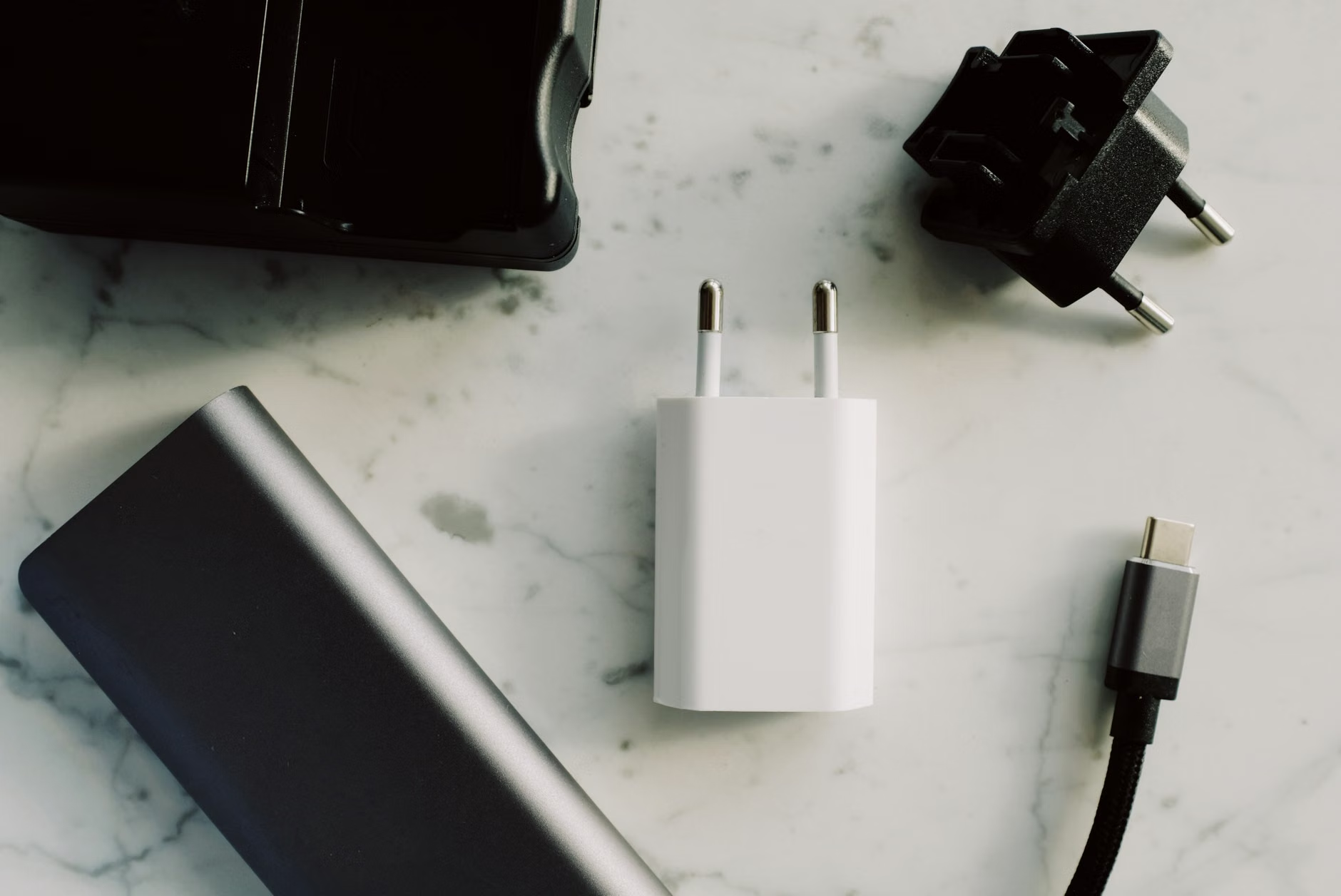
The Anker Nano II 65W runs around £28–£36 and is the small, GaN-based PD charger that gets the RP5 to its full 18W ceiling. The 65W rating matters because the same brick will fast-charge a Steam Deck, a Switch dock, a MacBook Air, and any other USB-C handheld you accumulate. One brick, every device.
For long days out, the Anker PowerCore 10000 PD Redux at around £25–£32 gives roughly two full RP5 charges in a brick the size of a deck of cards. Make sure whatever power bank you buy supports PD output specifically — cheap 5V/2A banks will trickle-charge the RP5 so slowly that the device discharges faster than it fills during active play.
The Standby Drain Issue — and Why It Matters for Second-Hand Buyers
Buyers of new units in 2026 can largely skip this section, but anyone shopping eBay UK needs to read it. In late 2024, owners on r/Retroid documented a specific issue with early RP5 units: the device would lose significant charge overnight in sleep mode, sometimes dropping 30–40% in 12 hours. Retroid acknowledged the issue and pushed a firmware update through their OTA system in early 2025 that addressed the standby power management.
Updated devices behave normally — sleep drain is in single-digit percentages overnight, which is the expected behaviour for any Android device retaining wake-on-power-button. The problem is that some second-hand units are old stock that has either never been updated or has been factory-reset back to old firmware.
Before paying for a used RP5, ask the seller two questions: what firmware version is the device on, and does it sleep without significant overnight drain. If the seller cannot answer either, walk away or negotiate hard. The fix is just a firmware update — but you need a working device to apply it, and confirming this up front saves a lot of friction later. For context on how the RP5 compares to the previous generation it replaces, our full Retroid Pocket 5 review covers the upgrade decision in detail.
What About Replacement Joysticks?
r/Retroid has a recurring thread theme: “Has anyone replaced the sticks on their RP5?” One commenter put it bluntly — “Buy more replacement sticks. Those things pop off so easy.” The RP5 uses hall-effect joysticks, which is a meaningful upgrade over the potentiometer sticks on the RP4 Pro and should mean zero drift over time. The caps that sit on top, however, are reportedly easy to dislodge.
You don’t need to buy replacements pre-emptively. But know that if a cap goes missing, replacement hall-effect joystick caps for the RP5 are available through Retroid’s own parts store and through AliExpress vendors who service the wider Retroid community. Budget around £8–£15 for a pair if you ever need them. A small, fiddly fix rather than a serious repair.
The MicroSD Card Reader You’ll Wish You Had on Day One
Transferring 200GB of ROMs to a microSD card over the RP5’s own USB-C port using MTP is slow. Painfully slow. The faster route is to pull the card out, drop it in a USB-C reader plugged into your PC, and use a normal file copy.
The SanDisk MobileMate USB-C reader runs around £8–£12 and supports the UHS-I speeds your microSD card actually does. For a tenner, you turn a four-hour ROM transfer into a 20-minute one. The accessory you don’t think you need until you’ve done the slow version once.
Accessories Worth Skipping
Not every accessory marketed for the RP5 is worth buying. Three to specifically skip:
- Retroid’s official silicone case. Covered above — half the protection at twice the price of a JSAUX TPU.
- “Gaming” microSD cards with cartoon branding. The Sandisk Nintendo-licensed cards and similar gimmick products are the same silicon as standard SanDisk Ultras with a 30% premium for the branding. Skip.
- Cheap Bluetooth controllers for “TV mode.” The RP5 has HDMI-out via USB-C and can drive a TV, but the latency through Bluetooth controllers in the £15–£25 range is high enough that PS1 timing-sensitive games like Tony Hawk’s Pro Skater 2 feel off. If you want TV mode to actually feel right, use a wired controller. If you want a proper TV-first retro experience, you bought the wrong device — that’s what a Steam Deck or an N64-style FPGA box is for. Worth reading our FPGA handhelds guide if accuracy on a TV is what you actually want.
The Total Spend, Broken Down
For someone buying the RP5 new and wanting it properly equipped, here is the realistic accessory total in 2026 UK prices:
- Samsung PRO Plus 256GB microSD: around £25–£32
- JSAUX TPU case: around £12–£18
- Tempered glass screen protector (two-pack): around £5–£8
- Anker Nano II 65W charger: around £28–£36
- SanDisk MobileMate card reader: around £8–£12
That comes to roughly £78–£106 in accessories on top of the RP5’s £179 chassis price. Add the optional Retroid grip and a power bank and you are nudging £130 of accessories. That feels steep until you remember the alternative is a £179 handheld that stutters during shader compilation, sits in a case that won’t protect the screen, and charges from a brick that can’t hit the device’s input ceiling. Spend the £80. The handheld becomes the handheld it was meant to be.
Who Should Buy These Accessories?
The shortlist above is for the RP5 owner who plans to play seriously: building a curated multi-system library, running demanding PS2 and GameCube titles, and using the device as their primary handheld for the next two to three years. If that is you, all five accessories earn their spend.
If you bought the RP5 as a casual sub-PS1 device — GBA, SNES, Mega Drive, light PSP — you can get away with just the case, the screen protector, and a basic Samsung EVO Select 128GB at around £15. Total accessory spend under £35. The PRO Plus and the Extreme Pro are overkill for libraries that never push into shader-heavy territory.
Who Should Skip This Entirely?
Be honest about your use case before you spend. If you find yourself reading guides like this and thinking “I just want a Game Boy with extra games,” the RP5 is the wrong handheld for you and these accessories don’t fix that. A Miyoo Mini Plus at around £75 with a £20 accessory pack will make you happier than a £179 RP5 with £100 of add-ons you don’t need. The RP5 is for people who specifically want PS2, GameCube, and Android library access on a handheld. If that is not the use case driving the purchase, downsize the device, not just the accessories.
Equally, if you’re a vintage hardware purist who values FPGA accuracy over emulation flexibility, the RP5’s range of accessories is irrelevant to you — your money belongs in a different category entirely. The full picture of what each handheld tier is for is laid out in our retro handheld hub, which is the place to start if you’re still picking a device rather than accessorising one.
Before You Buy — UK Pricing and Timing Notes
A few practical notes on getting these accessories at the right price.
microSD prices fluctuate heavily on Amazon UK. The Samsung PRO Plus 256GB has been seen as low as £22 during Prime Day events in July and Black Friday week in late November. If you can wait, do. If you can’t, £25–£32 is the fair-price range. Above £35, walk away and check back in a week.
The JSAUX case is steadier in price — it sits around £15 most of the year. Don’t pay more than £20. Cheaper “no-brand” TPU cases on AliExpress can be a third of the price but the bezel-lip dimensions are inconsistent and the USB-C cutouts are sometimes flat-out wrong. Stick with JSAUX or another known TPU vendor.
Anker charger prices are mostly stable but the Nano II 65W drops to around £25 during Prime Day. The PowerCore 10000 PD Redux has been seen as low as £20 in Black Friday week. Sign up to camelcamelcamel alerts if you want the best price.
Frequently Asked Questions
What is the best microSD card for the Retroid Pocket 5?
The Samsung PRO Plus 256GB at around £25–£32 is the consensus pick for sustained-write reliability under shader compilation. The SanDisk Extreme Pro 256GB is the top-tier alternative at £30–£38 if available. Avoid the SanDisk Ultra A1 — its sustained writes collapse under load. Check the latest price on Amazon UK →
Do I need a case for the Retroid Pocket 5?
Yes, but not Retroid’s own silicone case. A JSAUX TPU case at around £12–£18 with a raised bezel lip protects the AMOLED screen during face-down drops far better than Retroid’s flush-bezel option, and the USB-C cutout fits braided PD cables that Retroid’s case doesn’t. Pair it with a £5 tempered glass screen protector and the most expensive component of the device is properly insured.
Is the Retroid Pocket 5 battery drain issue fixed?
Yes for new units. Retroid pushed a firmware update in early 2025 that addressed the standby power management problem documented across r/Retroid in late 2024. Second-hand buyers should specifically ask the seller to confirm the device is on current firmware and sleeps without significant overnight drain before paying.
What charger should I use with the Retroid Pocket 5?
Any USB-C PD 3.0 charger rated 18W or higher. The Anker Nano II 65W at around £28–£36 is the practical pick because it fast-charges the RP5 to its full input ceiling and doubles for laptops and other devices. Cheap 5V/2A bricks will charge it but slowly enough that it discharges faster than it fills during active play.
Do I need a grip for the Retroid Pocket 5?
Only if sessions over 90 minutes leave your hands fatigued, or if you’ve struggled with the chassis ergonomics on previous Retroid devices. The RP5’s bare chassis is well-shaped for adult hands at around 200g. Retroid’s magnetic grip at around £15–£20 is the only well-regarded option in the UK in 2026 — third-party grips for this specific device are still scarce.
How much storage do I actually need for the Retroid Pocket 5?
256GB is the sweet spot. Fits every 8-bit and 16-bit system in full, a curated PSP library, a near-complete N64 and Dreamcast collection, and 30–40 GameCube games. Go 512GB only if you specifically want a heavy PS2 library alongside everything else. The bundled 64GB card is enough for testing but should be replaced before you build a real library.
Are joystick replacements needed for the RP5?
Not pre-emptively. The hall-effect sticks themselves are drift-resistant — a meaningful upgrade over the RP4 Pro. The replaceable caps sitting on top are reportedly easy to dislodge, but replacements are available for £8–£15 a pair through Retroid’s own parts store and AliExpress vendors. Buy them if and when one goes missing, not before.
✓ Recommended by Ben Rawlinson
Recommended based on community testing data, benchmark results, and verified UK pricing — we only link products that earn it.
- Samsung PRO Plus 256GB microSDBest for: sustained-write PS2 GameCube loading
- SanDisk Extreme Pro 256GB microSDBest for: high sustained writes shaders
- JSAUX TPU Case Retroid Pocket 5Best for: budget drop protection bezel
- Anker Nano II 65W USB-C ChargerBest for: fast PD charging travel
- Anker PowerCore 10000 PD ReduxBest for: portable power top-up
- SanDisk MobileMate USB-C ReaderBest for: fast ROM transfer PC
RetroInHand earns a small commission from qualifying Amazon UK and eBay purchases at no extra cost to you.
What to Read Next
If you found this useful, here are a few articles worth reading next:
- Retroid Pocket 5 Review: Worth Upgrading from RP4 Pro UK? (2026) — the full review covering the upgrade decision from the previous generation.
- Retroid Pocket 4 Pro Review: Best N64 Handheld Under £250 UK? — if you’re weighing the RP5 against the older but still capable RP4 Pro.
- Anbernic RG Cube Review: Is It Worth £170 for GameCube in 2026? — the main Android handheld alternative if GameCube is your primary use case.

This article was produced with AI assistance and reviewed by the editor. See our Editorial Standards.