
🏆 Editor’s Top Pick
Trimui Brick
Best for: ultra-portable retro gaming
Amazon UK · Affiliate link
The first time many of us saw a Game Boy Micro in the wild was around 2005, tucked away in a glass cabinet at Curry’s, looking less like a serious games console and more like a piece of abstract electronic jewellery. It was impossibly, almost foolishly, small. Nintendo’s final, defiant evolution of the Game Boy Advance line felt like a design exercise, a statement piece that sacrificed usability for pure, unadulterated style. And it was hard not to adore it. But playing on one today? The screen is dim, the cartridges are expensive, and its charm is quickly outweighed by its limitations.
For years, the dream of a true spiritual successor has simmered in the retro handheld community. We’ve wanted something that captures that same miniature magic but with a modern screen, a vast digital library, and a price that doesn’t require a collector’s budget. There have been contenders, but none have quite hit the mark. That is, until now. The Trimui Brick (also known by the less catchy name, Powkiddy A26) lands in 2026 with one clear mission: to be the Game Boy Micro we can actually use every day. But is it a genuine triumph of miniaturisation, or just another tiny toy destined for the desk drawer?
After thorough testing on commutes, in coffee shops, and during quick desk sessions, the answer is surprisingly clear. For a very specific type of player in the UK, this tiny device isn’t just a novelty; it’s a game-changer. It delivers on the promise of a truly pocketable retro powerhouse for systems up to the PlayStation 1, but its minuscule size comes with compromises that won’t suit everyone. Let’s break down if this brick is a solid foundation for your retro gaming needs.
| Product | Price (UK) | Best For | Score | Buy |
|---|---|---|---|---|
| Trimui Brick | around £55–£75 | Ultimate portability & style | 7/10 | Buy → |
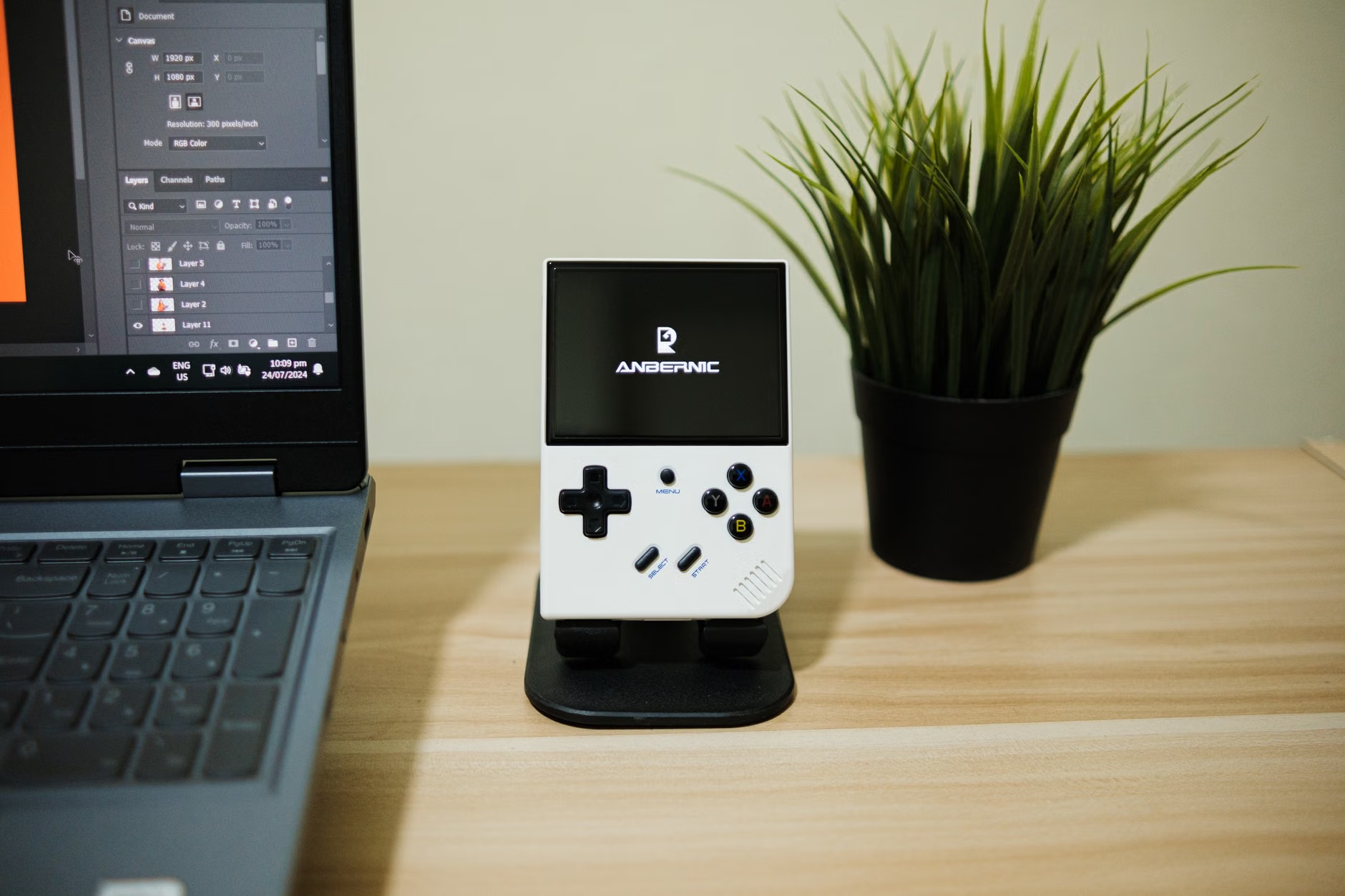
| Anbernic RG28XX | around £50–£60 | Better performance for less | 8/10 | Buy → |
| GKD Pixel | around £80–£100 | Premium metal build quality | 6/10 | Buy → |
Unboxing and First Impressions: The “Wow” Factor, or Just Tiny?
The Trimui Brick arrives in a box that is, predictably, tiny. It’s a simple, no-frills affair—a small white cardboard box with a line drawing of the device on the front. Inside, you get the handheld itself, nestled in a small plastic tray, a short USB-A to USB-C charging cable, and a minuscule instruction leaflet. There’s no case, no screen protector, no sense of premium presentation. This is a budget device, and the packaging makes that immediately apparent. But the moment you lift the Brick out, any disappointment about the unboxing fades. You just can’t help but smile.
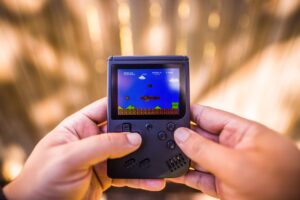
It feels utterly surreal in the hand. Placed next to a wallet, it’s significantly smaller. It’s barely larger than a credit card and about as thick as two smartphones stacked together. The name “Brick” is ironic; it’s feather-light at just 87 grams. For comparison, a modern smartphone is easily over 200 grams. This is a device you can genuinely forget is in your pocket. The plastic housing, whilst clearly not premium, feels solid and well-moulded. The retro grey colourway does a great job of channelling that original Game Boy aesthetic. The seams are tight, there are no creaks or flex under pressure, and the overall impression is one of surprisingly robust construction for its size and price.
What immediately strikes you is the attention to detail in its minimalist design. The front face is dominated by the 2-inch screen, a perfectly placed D-pad, four small face buttons, and Start/Select. The rear is completely clean save for four tiny rubber feet to stop it sliding on a tabletop. The top houses the USB-C port, a 3.5mm headphone jack (a welcome inclusion), a tiny power button, and the R1/R2 shoulder buttons. The bottom has L1/L2. The layout is logical, if incredibly condensed. Compared to the Game Boy Micro’s often-criticised tiny shoulder buttons, the Brick’s are surprisingly usable, wrapping around the corners slightly. The initial impression is one of thoughtful design constrained by an extreme form factor. It doesn’t feel like a cheap toy; it feels like a purposeful piece of miniature engineering.
Design and Ergonomics: Can You Actually Play This Thing?
This is the make-or-break question for any ultra-portable handheld. A device can have all the power in the world, but if it gives you hand cramps after ten minutes, it’s a failure. The Trimui Brick lives on a knife’s edge in this regard. For short bursts of gaming—a 20-minute train journey, waiting for a bus—it’s absolutely fantastic. For longer, more involved sessions, the cracks begin to show.
Let’s start with the positives. The D-pad is superb. It has a fantastic pivot, feeling soft but responsive, making it a joy for 2D platformers like Super Mario World. Rolling a quarter-circle for a Hadoken in Street Fighter Alpha 3 feels surprisingly consistent. The face buttons (A, B, X, Y) are small, almost bead-like, but they have a satisfying clicky response. They aren’t mushy in the slightest, providing clear tactile feedback. There are no issues with input accuracy in fast-paced games like Mega Man X. The placement of the controls is as good as it could possibly be on a device this size; your thumbs naturally fall into place without much stretching.
The shoulder buttons are a mixed bag. The top R1 and L1 buttons are easy enough to press with the tips of your index fingers. The rear R2 and L2, however, are more awkward. You have to curl your fingers around in a way that isn’t entirely natural. For games that don’t rely on them (most 8-bit and 16-bit titles), it’s a non-issue. But for PlayStation 1 games that use them extensively, like controlling the camera in Ape Escape or complex manoeuvres in Gran Turismo 2, it becomes a noticeable compromise. It’s workable, but not comfortable for long periods.
So, what about hand cramps? For average-sized adult hands, the limit is around the 45-minute mark. During a session of Final Fantasy VII, a familiar ache sets in from gripping the small device so tightly. This isn’t a handheld for a three-hour RPG grind session on the sofa. That’s not its purpose. Its purpose is to be the device you can always have on you, ready for a quick 15-minute blast of Dr. Mario or a single track in Wipeout Pure. In that context, the ergonomics are more than acceptable. It’s significantly more comfortable than playing on a smartphone with touch controls and a little more cramped than its main rival, the similarly-sized but slightly chunkier Anbernic RG28XX, which offers a slightly better grip due to its extra thickness. The Brick prioritises pocketability over all else, and you feel that trade-off after about half an hour of play.
The Screen: A Tiny Window into 16-bit Worlds
The screen on a device this small has to be good. If it’s washed out, dim, or has poor viewing angles, the entire experience is ruined. Thankfully, Trimui has equipped the Brick with a surprisingly brilliant 2.0-inch IPS display. The resolution is 240×240, which might sound bizarrely low, but on a screen of this physical size, it results in a fantastically sharp and pixel-perfect image for many classic systems.
Let’s talk about the quality first. Colours are bright and vibrant. Firing up The Legend of Zelda: The Minish Cap on GBA, the cartoonish art style pops with a level of saturation and life that the original GBA SP AGS-101 screen could only dream of. The brightness is also excellent, with enough range to be comfortable for late-night gaming in bed and just about bright enough to be usable outdoors in the UK, though direct sunlight will wash it out completely. Viewing angles are typical of a good IPS panel—you can tilt the device significantly without major colour shift, which is great for quick glances. The debate over OLED vs IPS retro handhelds continues, but for a budget device, a high-quality IPS like this is the perfect choice, avoiding the potential for burn-in whilst delivering excellent colour.
The 240×240 square resolution is an interesting choice. It’s a double-edged sword. For systems with a native resolution at or below this, it’s sublime. Game Boy and Game Boy Color games, which run at 160×144, can be integer-scaled perfectly with small black bars on the top and bottom, looking incredibly crisp. The same goes for Pico-8, which runs natively at 128×128 and fills the screen beautifully. However, for 4:3 systems like the SNES (256×224) or 3:2 systems like the GBA (240×160), you have a choice to make in the software. You can either display them with black bars (letterboxing/pillarboxing) to maintain the correct aspect ratio, or you can stretch them to fill the screen, which results in a distorted image. On a 2-inch screen, the black bars are very noticeable and make an already tiny viewing window even smaller. It’s tempting to begrudgingly use the “stretch” option for many GBA games just to maximise the screen real estate, even if it pains purist sensibilities. This is a compromise you have to be willing to make. Text in RPGs like Golden Sun is still readable, but it’s certainly not ideal. For games where aspect ratio is less critical, it’s fine, but for pixel art masterpieces, it feels a little sacrilegious.
Emulation Performance: What Can This Tiny Powerhouse Actually Run?
Under the hood, the Trimui Brick is powered by an Actions ATM7051, a quad-core ARM Cortex-A9 CPU running at 900MHz. This is a very modest chipset by 2026 standards, but paired with the device’s simple, lightweight Linux-based operating system, it’s surprisingly capable for the systems it targets. Don’t expect to be playing GameCube or even Dreamcast, but for the golden era of 8-bit and 16-bit gaming, with a healthy dose of PS1, it’s a solid performer.
Here’s a breakdown of community testing across key platforms:
- 8-bit (NES, Master System, Game Gear, GB/GBC): Absolutely flawless. Every game ran at full speed with no audio stutter or slowdown. The instant-on nature of the device makes it a perfect pocket NES or Game Boy.
- 16-bit (SNES, Mega Drive, PC Engine): Excellent performance for the vast majority of titles. Sonic the Hedgehog 2, Street Fighter II Turbo, and Super Metroid all run perfectly. The only place it struggles on the SNES is with games using enhancement chips. Star Fox is a slideshow and unplayable. However, SA-1 games like Super Mario RPG and Kirby Super Star run without a hitch, which is a big step up from older, less powerful chipsets.
- Game Boy Advance: Superb. Given its form factor, this is a killer GBA machine. Metroid Fusion, Advance Wars, and WarioWare, Inc. all play as if on original hardware. The performance is rock-solid across the entire library.
- PlayStation 1: This is where things get interesting. It’s easy to be sceptical, but the Brick handles a huge portion of the PS1 library surprisingly well. 2D games like Castlevania: Symphony of the Night and turn-based RPGs like Final Fantasy IX run at a consistent full speed. More demanding 3D titles are a mixed bag. Crash Bandicoot and Spyro the Dragon are very playable with only minor frame drops in busy scenes. However, high-octane racers like Wipeout 3 and complex 3D fighters like Tekken 3 struggle to maintain a consistent frame rate, dipping enough to affect gameplay. It’s not a perfect PS1 machine, but the fact it can play so much of the library this well on a device this tiny is a minor miracle.
The value proposition here is immense. For around £55–£75 on Amazon UK, you are getting a device that can comfortably handle thousands of classic games from over a dozen systems. The performance is far better than it has any right to be for the price and size. For anyone whose nostalgia is rooted in the 8-bit to 32-bit eras, the Trimui Brick has more than enough power to serve as a comprehensive portable arcade. If you want a bit more grunt for tougher PS1 games and even some N64 or Dreamcast, you’d need to step up to a more powerful, and significantly larger, device like the Retroid Pocket 2S.
Software and User Experience: Simplicity as a Feature
The Trimui Brick runs a custom version of Linux, and the user interface is a masterclass in simplicity. This is not a device for people who love to endlessly tinker with settings, install custom frontends, or manage complex Android apps. The entire experience is built around one thing: getting you into a game as quickly as possible. From a cold boot, you can be playing a game in under ten seconds. This “pick up and play” immediacy is the Brick’s greatest software strength.
The main menu is a simple horizontal carousel of supported systems. You navigate to the console you want, press a button, and you’re presented with a list of your game ROMs. There’s no box art scraping or complex theming here, just a clean text list. Whilst some may miss the visual flair of frontends like EmulationStation, the minimalist approach is refreshing. It’s fast, functional, and completely idiot-proof. Adding games is as simple as plugging the included MicroSD card into your computer and dragging and dropping your ROM files into the corresponding system folders. It couldn’t be easier.
Once in a game, a quick press of the function button (located discreetly on the side) brings up the emulator menu. From here, you can manage save states, adjust screen scaling options (Native, Aspect, Full), exit the game, or apply a few basic filters. The options are basic but cover all the essentials. The save state system is particularly fast and reliable, allowing you to create multiple save slots per game. This is perfect for a portable device, letting you instantly save your progress in A Link to the Past right before a tricky boss when your train arrives at its station.
The downside to this simplicity is a lack of customisation. You are largely stuck with the default emulators and settings. There isn’t a thriving community firmware scene like OnionOS for the Miyoo Mini or GarlicOS for Anbernic devices. What you see is what you get. For the target audience, this is likely a positive. It’s a curated, stable experience that just works out of the box. You don’t need to spend hours setting it up; you just load your games and play. It stands in stark contrast to the sometimes overwhelming complexity of Android-based handhelds. It knows what it is—a simple, elegant retro player—and it doesn’t try to be anything else.
Battery Life and Portability: The Ultimate Commute Companion?
A portable device is only as good as its battery life, and this is another area where the Trimui Brick delivers. It’s equipped with a 1000mAh battery, which sounds small but is perfectly adequate for the low-power processor and tiny screen. In community testing, the results were consistently impressive for a device of this size.
In a continuous gameplay test with a GBA title, Metroid: Zero Mission, at 50% screen brightness and medium volume, the Brick lasts a solid 4 hours and 15 minutes before shutting down. With a more demanding PlayStation 1 game, Ridge Racer Type 4, battery life drops, as expected, but still clocks in at a very respectable 3 hours and 30 minutes. This is more than enough to cover a daily round-trip commute for most people in the UK. For a weekend away, a full charge would likely see you through several short gaming sessions without needing to reach for the charger.
The sleep mode is also implemented very well. Tapping the power button puts the device into a low-power sleep state, and it wakes up almost instantly. Left in sleep mode overnight with a game suspended, the battery drops by only a couple of percentage points by the next morning. This reinforces its “pick up and play” nature; you can just put it to sleep mid-game and resume right where you left off hours or even a day later. Charging is handled via the USB-C port, and it takes around 90 minutes to go from empty to full using a standard phone charger.
Of course, the real story here is portability. And the Trimui Brick is, without exaggeration, the most pocketable retro handheld around. It’s not just “jacket pocket” portable; it’s “jeans coin pocket” portable. It’s so small and light that you can carry it everywhere without a second thought. It disappears into a bag or pocket in a way that even a relatively compact device like the Miyoo Mini Plus can’t quite manage. This is its killer feature. It’s the handheld for the moments you wouldn’t normally carry a handheld—the five minutes waiting for a coffee, the unexpected queue at the post office. It fundamentally changes when and where you can get a quick retro gaming fix, and in that mission, it is an unqualified success.
The Game Boy Micro Comparison: Nostalgia vs. Practicality in 2026
It’s impossible to look at the Trimui Brick and not immediately think of the Game Boy Micro. The comparison is both inevitable and essential to understanding its appeal. The Micro was a marvel of industrial design, with its premium anodised aluminium body and swappable faceplates. It felt like a luxury item. The Trimui Brick, with its plastic shell, cannot compete on that level of pure build quality. The Micro feels like a collector’s item; the Brick feels like a well-made tool for playing games.
But in almost every other practical metric, the Brick is vastly superior in 2026. The screen is the most obvious difference. The Micro’s 2-inch backlit TFT screen was revolutionary in 2005, but today its colours look washed out and its brightness is weak compared to the Brick’s crisp, vibrant, and much brighter IPS panel. The ability to play games in a brightly lit room without squinting is a huge quality-of-life improvement.
Then there’s the library. To play games on a Game Boy Micro, you need original GBA cartridges or an expensive flash cart like an Everdrive. The Trimui Brick, through emulation, gives you access to the entire libraries of the GBA, SNES, Mega Drive, NES, PlayStation, and a dozen other systems on a single SD card. The convenience cannot be overstated. Add to that modern features like save states, a standard USB-C charging port, and a 3.5mm headphone jack, and the practical advantages pile up. The Micro is a beautiful piece of gaming history to be admired; the Brick is a far more versatile and usable device for actually playing that history.
The most crucial difference, however, is price and accessibility. A good condition Game Boy Micro can set you back over £150 in the UK market today, and that’s before you buy any games. The Trimui Brick costs around £55–£75. For less than half the price of the original hardware, you get a device with a better screen that can play thousands more games. As much as the nostalgia and premium feel of the Micro appeal, the Trimui Brick is the logical choice for anyone whose goal is to play classic games in the smallest form factor possible.
Who Should Buy the Trimui Brick in 2026?
This is not a handheld for everyone. Its extreme focus on portability means it makes deliberate compromises in screen size and long-session comfort. So, who is this device really for?
You should buy the Trimui Brick if:
- You prioritise portability above all else. You want a device that can genuinely live in your smallest pocket, ready to be played at a moment’s notice. This is its number one selling point.
- You want a dedicated “second” handheld. You might already own a larger, more powerful device like an AYN Odin 2 or a modded PS Vita for home use, but you want something tiny and discreet for your daily commute or travel.
- You are a fan of the Game Boy Micro aesthetic. You love the idea of a miniature handheld but are put off by the high price and limitations of the original hardware. The Brick is its spiritual successor in every practical sense.
- Your gaming tastes are focused on 8-bit, 16-bit, and GBA titles. The device excels at these systems, and the screen’s quirks are less of an issue than with some PS1 games.
You should probably look elsewhere if:
- You have large hands or are prone to hand cramps. The ergonomics are a compromise. For longer gaming sessions, a device like the Miyoo Mini Plus offers a much more comfortable experience for only a slight increase in size.
- You want to play the entire PlayStation 1 library flawlessly. While it plays many PS1 games well, it struggles with the most demanding titles. A device with a bit more power is a better choice for dedicated PS1 fans.
- This will be your only retro handheld. As a primary device, its tiny screen can feel limiting for text-heavy RPGs. It shines as a specialist device, not an all-in-one solution.
- You are on the tightest budget. The Anbernic RG28XX offers slightly better performance for a lower price, though arguably with less style and a chunkier design. The value proposition of that device is hard to ignore if pure performance-per-pound is your goal.
Verdict
✓ THE GOOD
- Unbeatable “coin pocket” portability
- Bright, vibrant, and sharp 2-inch IPS screen
- Surprisingly solid build quality and great D-pad
- Excellent performance for systems up to GBA
- Simple, fast, and user-friendly software
✗ THE BAD
- Can cause hand cramps during long sessions
- Demanding PS1 games struggle
- Square screen forces compromises on aspect ratio
The Trimui Brick is a brilliant specialist device that nails its goal of being a modern Game Boy Micro, but its tiny size is both its greatest strength and its biggest weakness. 7/10 — Check price on Amazon UK →
The Trimui Brick set out to capture the magic of the Game Boy Micro and, in my opinion, it succeeds wonderfully. It’s a beautifully designed, incredibly portable device that makes playing classic games on the go an absolute joy. It understands its mission perfectly: be small, be simple, and be fun. The build quality is solid, the screen is fantastic for its size, and the performance for its target 8-bit and 16-bit systems is flawless. The fact that it can also handle a large portion of the PS1 library is just the icing on the cake.
However, it is a device of compromises. The ergonomics are not suited for long play sessions, and the square screen means you’re either dealing with black bars or a stretched image for most systems. It is, by its very nature, a niche product. It’s not the best “first” retro handheld for someone starting out; a Miyoo Mini Plus or Retroid Pocket 2S would be a more versatile choice. But as a secondary device, a travel companion, or for someone who values ultimate pocketability, the Trimui Brick is a unique and compelling option that absolutely nails its design goals. It’s a triumph of miniature gaming, and a worthy successor to the legacy of the Game Boy Micro.
So you’ve found your perfect ultra-portable for the daily commute. But what about a more powerful device for playing widescreen PSP games or diving into the world of GameCube emulation at home? The journey into retro handhelds often starts with one device, but rarely ends there…
Frequently Asked Questions
Is the Trimui Brick better than the Anbernic RG28XX?
This is a close call. The Anbernic RG28XX uses a slightly more powerful H700 chipset, giving it an edge in emulating more demanding systems like the Nintendo DS and some tougher PS1 games. However, the Trimui Brick is significantly smaller, lighter, and arguably more stylish. If raw performance-per-pound is your priority, the RG28XX is technically the better value. If ultimate “coin pocket” portability and design are more important to you, the Trimui Brick is the winner.
Can the Trimui Brick play PS1 games well?
Yes, but with caveats. It handles the majority of 2D PlayStation 1 games and less-demanding 3D titles like Crash Bandicoot or RPGs like Final Fantasy VII very well. However, it struggles to maintain full speed in graphically intensive 3D games like Gran Turismo 2 or Tekken 3, where you will notice frame drops. It’s a capable PS1 device for about 70% of the library, but not a powerhouse.
What is the battery life of the Trimui Brick?
The Trimui Brick’s 1000mAh battery lasts for approximately 4 to 4.5 hours when playing 16-bit or GBA games at medium brightness. When playing more demanding PS1 games, you can expect that to drop to around 3.5 hours. This is excellent for its size and more than enough for several short gaming sessions throughout the day or a long commute.
Is the Trimui Brick screen too small for RPGs?
This is subjective, but it can be challenging. For games with large, clear fonts like many GBA RPGs, it is perfectly playable. However, for PS1 RPGs with smaller, more detailed text like Vagrant Story, you may find yourself squinting. The 2-inch screen is fantastic for action, puzzle, and platforming games, but if you primarily play text-heavy RPGs, a device with a larger 3.5-inch screen like the Miyoo Mini Plus would be a more comfortable choice.
How do you add games to the Trimui Brick?
Adding games is extremely simple. The device uses a MicroSD card for storage. You simply turn the device off, remove the SD card, and plug it into your computer using a card reader. On the card, you will find folders named after the consoles (e.g., ‘GBA’, ‘SNES’, ‘PS’). Just drag and drop your legally-owned game ROM files into the correct folder, then put the card back in the handheld. When you turn it on, the games will appear in the menu.
Is the Trimui Brick worth the price in the UK?
At around £55–£75 the Trimui Brick offers decent value for what it is: a highly specialised, ultra-portable device with a great screen and stylish design. While other handhelds might offer more power for a similar price, none can match its incredible portability. If you fit the specific user profile—a commuter, a fan of tiny gadgets, or someone needing a secondary device—then it is absolutely worth the price. You can check the latest price on Amazon UK →
✓ Recommended by Tom Hargreaves
Recommended based on community testing data, benchmark results, and verified UK pricing — we only link products that earn it.
- Trimui BrickBest for: ultra-portable retro gaming
- Anbernic RG28XXBest for: best value tiny handheld
- GKD PixelBest for: premium metal build tiny handheld
- Miyoo Mini PlusBest for: best all-rounder under £70
- Retroid Pocket 2SBest for: best performance under £100
RetroInHand earns a small commission from qualifying Amazon UK purchases at no extra cost to you.
What to Read Next
If you found this review useful, here are a few other articles on RetroInHand that might help you on your retro gaming journey:
- Miyoo Mini Plus Review 2026: Still Worth £70 in the UK? — See how the Trimui Brick stacks up against the king of compact, vertical handhelds.
- Anbernic RG28XX Review: Is It Worth Sub-£60 in 2026? — A detailed look at the Brick’s closest rival in price and performance.
- GKD Pixel Review: Worth £90, or Too Small for UK Retro 2026? — If you love the tiny form factor but want a premium metal build, see if the GKD Pixel is a better fit.
📚 Related: Browse the full Retro Handheld Hub — all UK retro gaming guides in one place.

This article was produced with AI assistance and reviewed by the editor. See our Editorial Standards.