
Last updated: May 2026
🏆 Editor’s Top Pick
Miyoo Mini Plus
Best for: Best overall for beginners
The most widely-reported failure on r/SBCGaming in 2026 isn’t a cracked screen or a dead d-pad. It’s the microSD card. Every sub-£60 handheld from Anbernic, Miyoo, and the no-name brands ships with a slow, unbranded card that will fail — not might, will. The community has been saying this for three years running; it hasn’t changed.
It matters for this guide because that “£45 device” is a £60–65 purchase the moment you add a decent SanDisk Ultra 128GB and a basic case. The £100 budget works — but only if you account for it honestly from the start.
For most UK buyers in 2026, one kit handles everything up to PS1 cleanly and lands under budget: the Miyoo Mini Plus paired with a 128GB SanDisk Ultra and a case, around £80–85 all-in. What else is worth considering, why the Mini Plus keeps winning at this price, and how to put the complete kit together — that’s what follows.
Let me be blunt about this: for most people starting out in 2026, the ideal package is a Miyoo Mini Plus, a 128GB SanDisk Ultra microSD card, and a protective case. This combination brings the total cost to around £80-£85, fits comfortably under the £100 budget, and delivers a fantastic experience for everything up to the PlayStation 1.
| Product | Price (UK) | Best For | Score | Buy |
|---|---|---|---|---|
| Miyoo Mini Plus Starter Kit | ~£80 | Beginners wanting the best software experience | 9/10 | Buy → |
| Anbernic RG35XX H Starter Kit | ~£85 | Those who prefer a horizontal PSP-style layout | 8/10 | Buy → |
| R36S Handheld (Device Only) | ~£40–£50 | Tinkerers on an absolute rock-bottom budget | 5/10 | Buy → |
The Real Cost of a “Budget” Handheld: Why Your £50 Device is Actually £65
Before discussing specific models, we need to address the elephant in the room: the mandatory “hidden” cost of a new microSD card. Every single budget handheld from China, whether it’s from Anbernic, Miyoo, or a lesser-known brand, ships with the cheapest, nastiest microSD card they could source. These are unbranded, slow, and manufactured with zero quality control. I’ve personally seen them fail within hours of first use, and the community consensus is unanimous — you replace it on day one, or you will lose your save files. It’s not a question of ‘if’, but ‘when’.
Why does this happen? It’s purely a cost-saving measure. To hit that tempting sub-£50 price point, corners are cut, and the SD card is the easiest place to do it. The card often comes pre-loaded with a questionable selection of games and the device’s operating system. When the card corrupts, which it will, the device may fail to boot entirely, leading many newcomers to believe their handheld is broken. It’s just a dead SD card.
The solution is simple and non-negotiable. Budget for a SanDisk Ultra 128GB MicroSD card (or a Samsung EVO equivalent). As of May 2026, this will set you back about £15 on Amazon UK. A 128GB card is the sweet spot; it’s large enough for the entire 8-bit, 16-bit, and a huge chunk of the PlayStation 1 library, without costing a fortune. This immediately adds £15 to the cost of any budget handheld. So, if you see a device advertised for £45 on AliExpress, the real price to get it running reliably is £60. This single piece of knowledge separates a smooth entry into the hobby from a frustrating one. Don’t be tempted to “try out” the stock card. Just replace it. Your future self will thank you when your 40-hour Chrono Trigger save file is still intact.
Our Top Pick for 2026: The Complete Miyoo Mini Plus Starter Kit (~£80)
After factoring in all the variables—price, performance, community support, and software—our definitive recommendation for a complete UK starter kit under £100 in 2026 is built around the Miyoo Mini Plus. Despite being on the market for a few years, its combination of a perfect screen, pocketable form factor, and—most importantly—the custom firmware OnionOS, keeps it at the top of the pile.
Here is the complete shopping list to build the perfect setup. Prices were checked in late May 2026 and are based on Amazon UK for convenience, speed, and reliable returns.
- The Handheld: Miyoo Mini Plus – Typically around £50–£70 on Amazon UK. Yes, you can find it for as low as £45 on the official Miyoo store on AliExpress, but for a first-time buyer, the extra £20 for Amazon’s fast delivery and no-fuss returns policy is a worthwhile insurance policy. As one user on the MiyooMini subreddit noted, “Amazon is so full of mini+ i cant find a seller to trust,” which makes sticking to Prime-eligible listings a sensible strategy.
- The SD Card: SanDisk Ultra 128GB MicroSD Card – This costs £15 on Amazon UK. As discussed, this is not optional. It is the foundation of a stable and reliable handheld experience. Don’t even turn the device on with the stock card.
- The Case (Optional but Recommended): A generic hard-shell case – You can find dozens of suitable cases designed for portable hard drives or large GPS units that fit the Miyoo Mini Plus perfectly for around £10. This protects the screen and stops the buttons getting knocked about in a bag.
Total Cost: ~£80-£90
This setup provides everything a newcomer needs. It’s powerful enough to handle every 2D console up to the Super Nintendo and Mega Drive without issue, and it provides excellent performance for the vast majority of the PlayStation 1 library. It’s the perfect device for revisiting the classics you grew up with, from Super Metroid to Final Fantasy VII. For anyone asking “Is it still worth to own in 2026?”, the community consensus says a resounding yes, provided you install OnionOS.
Who Should Buy This Setup?
This Miyoo Mini Plus starter kit is the ideal choice for newcomers to the retro handheld scene. It’s for the person who wants a simple, pick-up-and-play experience that feels reminiscent of a classic Game Boy. If your nostalgia is centred around 8-bit and 16-bit consoles and you want the best possible software interface without endless tinkering, this is for you. It’s also perfect for anyone who values a strong community, as the support and guides available for the Miyoo Mini Plus are second to none.
Who Should NOT Buy This Setup?
If you absolutely must have Nintendo 64 or Dreamcast emulation, this isn’t the device for you; you’ll need to look at our guide to the best handhelds for N64 under £150. Also, if you have very large hands or plan to play for hours on end, the vertical form factor and small shoulder buttons might become uncomfortable. In that case, a horizontal device like our alternative pick, the Anbernic RG35XX H, would be a better fit.
Drilling Down: Why the Miyoo Mini Plus Still Dominates in 2026
In a market flooded with new devices every few months, what makes the Miyoo Mini Plus endure? It’s not about raw power. It’s about a near-perfect execution of the core retro gaming experience for a specific set of consoles. The device hits a sweet spot that competitors have struggled to replicate, even years after its release.
The first reason is the screen. It’s a 3.5-inch IPS panel with a 640×480 resolution. This resolution is key. It’s a perfect 4x integer scale for the Game Boy Advance’s 240×160 display, meaning GBA games look incredibly sharp and pixel-perfect with no shimmering or weird artefacts. It also scales beautifully for SNES, Mega Drive, and PlayStation 1 games. For the systems it targets, the screen is practically flawless. Screen uniformity on the unit is excellent, which, for retro titles, matters more than hitting ultra-high resolutions.
The second, and arguably most important, reason is OnionOS. This community-developed custom firmware completely transforms the user experience from a clunky, generic emulator frontend into a slick, polished, and highly customisable operating system. Features like the Game Switcher (letting you instantly hop between recent games, much like a modern console) and seamless integration of RetroArch settings make it incredibly user-friendly. We’ll cover this more in the next section, but it cannot be overstated: the software is the real reason to choose the Miyoo Mini Plus over its closest rival from Anbernic.
Of course, the device isn’t perfect. It has known quirks. Early models were known for the screen adhesive failing, causing the display to slightly pop out of the shell—this is easily fixable with some double-sided tape, but it’s a known issue. The mono speaker can distort at maximum volume, and the battery life in its “light” sleep mode is poor; it’s much better to fully shut the device down. Anbernic’s build quality generally feels a touch more premium. Yet, for all these minor flaws, the overall package and the strength of the OnionOS software create an experience that is far greater than the sum of its parts. The community support, with guides from creators like Retro Game Corps, means any problem you encounter has likely already been solved by hundreds of others. You can explore more options in our main retro handheld hub for a broader view of the market.
Essential First Step: Upgrading Your Software with OnionOS
Buying the Miyoo Mini Plus is only half the battle; installing OnionOS is the step that elevates it from a good device to a fantastic one. If you’re new to this, the term “custom firmware” might sound intimidating, but for the Mini Plus, the process is straightforward and expertly documented by the community.
So, what is OnionOS? It’s a replacement operating system built by enthusiasts that completely overhauls the stock Miyoo software. The default software is functional but basic. OnionOS adds a layer of polish and a wealth of features that make playing games much more enjoyable. Think of it like installing a custom launcher on an Android phone, but far more deeply integrated.
Key Features of OnionOS:
- Polished User Interface: The menus are clean, fast, and highly customisable with themes. It looks and feels like a premium, bespoke device.
- Game Switcher: By tapping the menu button, you get an overlay that lets you instantly jump between your most recently played games. Each game is held in a save state, so you can swap from level 3 of Super Mario World to a race in Gran Turismo 2 and back again in seconds.
- Auto-Saving: When you exit a game, OnionOS automatically creates a save state. When you launch it again, you’re right back where you left off. It removes the friction of old-school save points.
- Package Manager: Easily install new emulators, apps, and themes directly on the device without needing to connect to a computer.
- Fine-tuned Emulation: The emulators included with OnionOS are pre-configured for optimal performance on the Miyoo Mini Plus hardware, meaning you get the best possible experience out of the box.
The installation process involves flashing the OnionOS image onto your new, reliable SanDisk microSD card. The official OnionOS GitHub page provides a step-by-step guide, and video tutorials from channels like Retro Game Corps walk you through the entire process in under 15 minutes. It’s the single best time investment you can make in your new handheld. Compared to the stock firmware on Anbernic devices, which can be inconsistent and less intuitive, OnionOS is a major competitive advantage for Miyoo. If you get stuck, our own setup and emulation hub has guides to help with the basics of RetroArch and emulator configuration.
The Best Alternative: Anbernic RG35XX H Starter Kit (~£85)
While the Miyoo Mini Plus is our top recommendation, its vertical Game Boy-style layout isn’t for everyone. For those who prefer the horizontal orientation of a PSP or Game Boy Advance, the best alternative in the sub-£100 category is the Anbernic RG35XX H. It offers similar performance to the Miyoo Mini Plus but in a different shell.
The “H” stands for horizontal, and its main advantage is ergonomics. It features two analogue sticks (though their utility is limited on systems before the N64, which it can’t really play), a more comfortable grip for longer play sessions, and shoulder buttons that are easier to reach. The build quality, as is typical for Anbernic, feels dense and solid in the hand.
The starter kit for this device is almost identical to the Miyoo’s:
- The Handheld: Anbernic RG35XX H – Priced around £50–£60 on Amazon UK, or slightly cheaper from AliExpress if you’re willing to wait.
- The SD Card: SanDisk Ultra 128GB MicroSD Card – Again, a mandatory £15 upgrade. The Anbernic stock cards are just as prone to failure as Miyoo’s.
Total Cost: ~£85
So why is it the alternative and not the top pick? It comes down to software and a few hardware quirks. Anbernic’s stock operating system is usable but lacks the polish and standout features of OnionOS. While there are custom firmware options available for the RG35XX H, like GarlicOS 2.0, they aren’t quite as mature or user-friendly as the software available for the Miyoo. You’ll spend a bit more time tinkering to get it just right. There’s also a design concern flagged by the community where the battery is placed directly over the main processor. This could potentially lead to reduced battery longevity over years of use due to heat exposure, though the real-world impact is still being debated. It’s a small detail, but one that speaks to the slightly less refined design compared to the Miyoo. Still, for a direct comparison, check our Anbernic RG35XX Plus vs Miyoo Mini Plus detailed comparison.
Who Should Buy This Setup?
The RG35XX H is for players who prioritise a horizontal form factor above all else. If you plan on playing a lot of action games that rely heavily on shoulder buttons, or if you simply find vertical handhelds uncomfortable, this is the one to get. It’s also a good pick if you prefer the slightly more sturdy feel of Anbernic’s plastic and construction.
The Tempting Trap: Why Beginners Should Avoid the R36S
Scan any online marketplace like AliExpress or eBay, and you’ll inevitably come across the R36S handheld, often priced at a ridiculously low £35-£45. For newcomers, this price is incredibly tempting. It promises the same PS1-level performance as the Miyoo and Anbernic devices for nearly half the cost. Let me be clear: for most beginners, the R36S is a trap.
This sentiment is echoed frequently on forums, with users asking “How’s the R36S?” and wondering if it’s a good first console. The answer from experienced users is almost always a heavily caveated “yes, if you know what you’re doing.” The R36S is essentially a clone of an older Anbernic device, manufactured by multiple factories with wildly inconsistent quality control. Buying one is a lottery. You might get a perfectly functional unit, or you might get one with a faulty screen, non-responsive buttons, or a battery that doesn’t hold a charge.
The software side is also a challenge. It runs a version of the ArkOS custom firmware, which is powerful but not as intuitive for beginners as OnionOS. It often requires manual configuration and troubleshooting to get running smoothly. And, of course, it suffers from the same catastrophic stock SD card issue as every other budget device, so you must immediately add £15 to its price, bringing the real cost closer to £50-£60. For that price, you’re suddenly not far off the cost of a much more reliable and polished device from Miyoo or Anbernic, especially when buying from a UK retailer like DroiX where a Miyoo Mini Plus can be had for around £50.
The R36S is a device for tinkerers and people who enjoy the process of fixing and configuring their hardware. It is not a pick-up-and-play experience. If this is your first foray into retro handhelds, spending the extra £20-£30 on a Miyoo Mini Plus is the single best decision you can make. It buys you reliability, a superior software experience, and access to a massive, helpful community. Don’t let the rock-bottom price of the R36S lure you into a frustrating start to a fantastic hobby.
Where to Buy Your First Retro Handheld Safely in the UK
Navigating the marketplace for these devices can be confusing for a first-time buyer in the UK. Unlike mainstream consoles, you can’t just walk into Currys and pick one up. You have three main options, each with its own pros and cons.
1. Amazon UK: The Fast & Safe Option
Buying from Amazon is the most expensive but also the safest route. You’ll typically pay a £15-£25 premium over buying direct from China. What you get for that money is Prime delivery (often next-day) and, crucially, Amazon’s bulletproof returns policy. If your device arrives with a dead pixel or a sticky button, you can have a replacement on its way immediately with no questions asked. For a first purchase, this peace of mind is often worth the extra cost. As of May 2026, a Miyoo Mini Plus costs around £50–£70 and an Anbernic RG35XX H is about £50–£60 from reputable third-party sellers using Amazon’s fulfilment service.
2. AliExpress: The Cheapest & Slowest Option
This is where you buy direct from manufacturers or large distributors in China. The official Miyoo and Anbernic stores on AliExpress offer the lowest prices—you can often find the Miyoo Mini Plus for £45. The downside is shipping. You’ll be waiting anywhere from two to five weeks for it to arrive. Returns are also complicated and often require you to pay for return shipping to China, which can be prohibitively expensive. This is a good option if you are patient, on a tight budget, and willing to accept the risk of a lengthier process if something goes wrong.
3. UK-Based Specialist Retailers (e.g., DroiX): The Middle Ground
Companies like DroiX act as UK importers. They buy stock in bulk from China and sell it from a UK warehouse. Their prices sit between Amazon and AliExpress. For example, they list the Miyoo Mini Plus from around £50, but stock can be intermittent. You get UK-based customer support and a much more straightforward returns process than AliExpress, combined with faster shipping. They are a strong choice if they have the device you want in stock, offering a good balance of price and service.
Verdict for Beginners: For your first device, I recommend buying from Amazon UK. The small premium is a price worth paying for the speed and security it offers. Once you’re more familiar with the hobby, buying from AliExpress or UK specialists can save you some money on future purchases.
What Can You Actually Play on a Sub-£100 Handheld?
It’s crucial to have realistic performance expectations. A device like the Miyoo Mini Plus or Anbernic RG35XX H is a time machine to the 8-bit, 16-bit, and 32-bit eras. It is not designed for more modern 3D consoles.
Excellent Performance (Flawless Emulation)
- Nintendo: NES, SNES (including most enhancement chip games like Star Fox, though with some slowdown), Game Boy, Game Boy Color, Game Boy Advance. GBA, in particular, is a standout experience, as discussed in our best handhelds for GBA guide.
- Sega: Master System, Mega Drive, Game Gear, Mega-CD.
- Other: PC Engine / TurboGrafx-16, Neo Geo, and most classic arcade titles via FinalBurn Neo or MAME.
Good Performance (Most Games Play Perfectly)
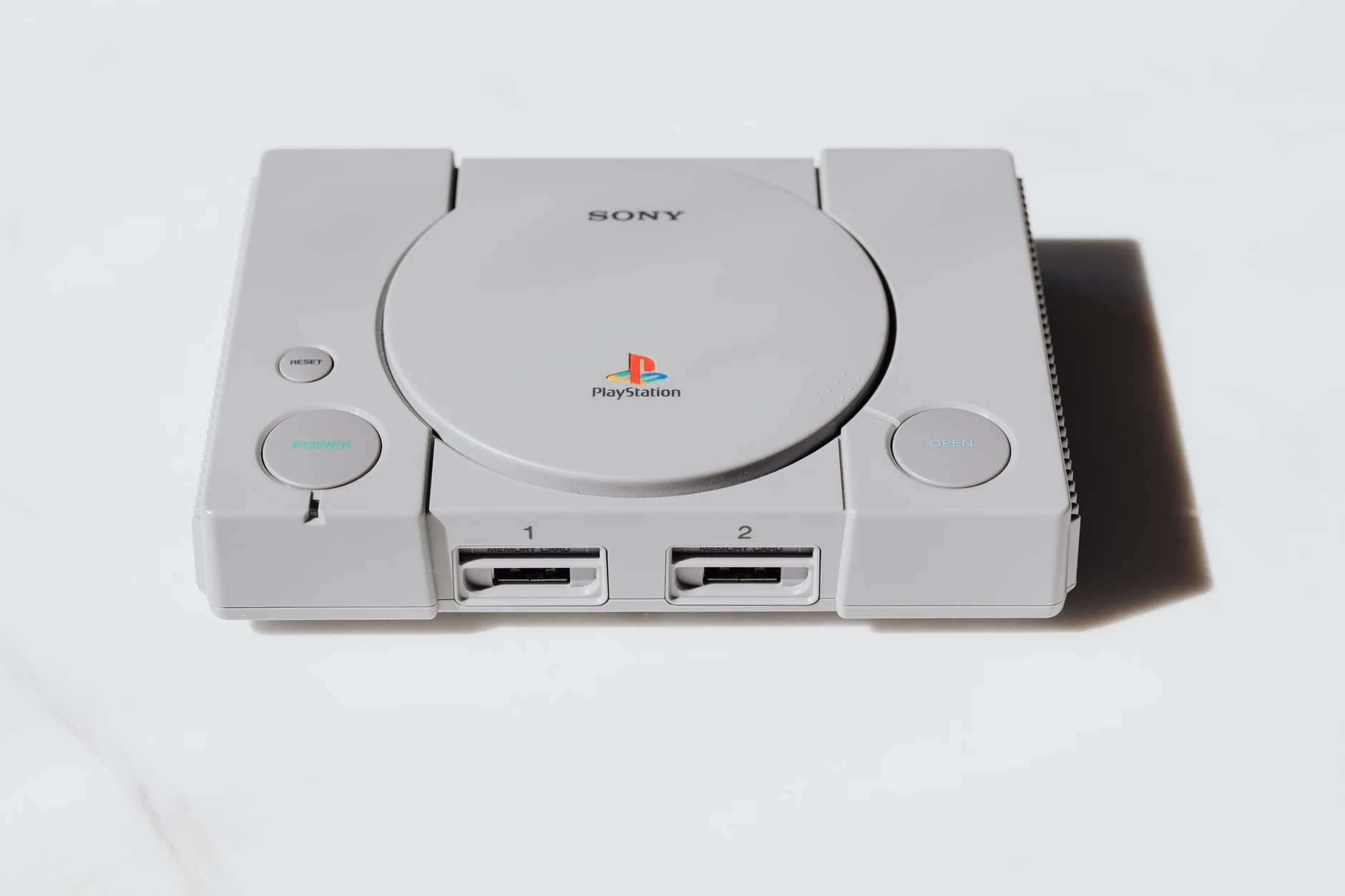
- Sony PlayStation 1: This is the upper limit of what these devices can do well. The overwhelming majority of the PS1 library is fully playable at full speed. Games like Tekken 3, Castlevania: Symphony of the Night, and Ridge Racer Type 4 run at a locked 60/50fps. More demanding titles like Gran Turismo 2 may require some minor frameskip in the most intense moments, but they are very playable. This makes them some of the best handhelds for PS1 emulation under £100.
What You CAN’T Play
Do not buy one of these devices expecting to play these systems. They do not have the processing power.
- Nintendo 64
- Sega Dreamcast
- Sega Saturn
- Sony PlayStation 2
- Nintendo GameCube
- Sony PSP (some simple 2D games may run, but the vast majority will not be playable)
For a beginner, the library of perfectly playable games is colossal. You have access to thousands of the best titles ever made, from the birth of console gaming right up to the turn of the millennium. It’s a fantastic window into gaming history that will keep you busy for years.
Frequently Asked Questions
Is the Miyoo Mini Plus still worth buying in 2026?
Yes, absolutely. While newer and more powerful handhelds are always being released, the Miyoo Mini Plus remains one of the best entry points into the hobby. Its value comes from the combination of a perfect 640×480 screen for retro systems, a highly pocketable size, and the incredible OnionOS custom firmware, which provides a user experience that punches far above its price point. For playing games up to the PlayStation 1, it’s still a top-tier choice. You can check the latest price on Amazon UK →
Do I really need to replace the microSD card on a new handheld?
Yes. This is the single most important piece of advice for any new owner of a budget retro handheld. The included cards are extremely low quality and are the number one point of failure. They can become corrupted easily, leading to lost save data or a device that won’t even turn on. You should treat the cost of a new, branded microSD card from SanDisk or Samsung (around £15 for 128GB) as a mandatory part of the purchase price.
What’s wrong with the R36S handheld?
The R36S isn’t necessarily a “bad” device for its very low price, but it’s a poor choice for beginners. The primary issue is the complete lack of quality control. It’s made in various factories to varying standards, so you could receive a faulty unit. The software also requires more tinkering and troubleshooting than the more polished alternatives from Miyoo or Anbernic. It’s a device for hobbyists who are comfortable taking things apart and solving problems, not for someone who wants a simple pick-up-and-play experience.
What is OnionOS and is it hard to install?
OnionOS is a community-made operating system for the Miyoo Mini and Miyoo Mini Plus that completely replaces the basic stock software. It adds a beautiful interface, modern features like instant game switching, and optimises emulator performance. It is not difficult to install. The process involves downloading the software and copying it to your new microSD card. There are excellent video guides on YouTube from channels like Retro Game Corps that walk you through every step, making it a straightforward process that takes about 15-20 minutes.
Can these sub-£100 handhelds play Nintendo 64 or Dreamcast games?
No, they cannot. The chipsets in devices like the Miyoo Mini Plus and Anbernic RG35XX H are not powerful enough to emulate 3D-heavy consoles like the N64, Dreamcast, or Sega Saturn with any level of playable performance. Their performance ceiling is the PlayStation 1. If you want to play N64 or Dreamcast games, you will need to increase your budget to the £150-£200 range for a more powerful device.
Should I buy from Amazon, AliExpress, or a UK retailer?
For your first handheld, buying from Amazon UK is the recommended option. Although it’s slightly more expensive, you get fast delivery and a very easy returns process, which provides valuable peace of mind. AliExpress offers the lowest prices but comes with very long shipping times and a difficult returns process. UK specialist retailers like DroiX are a good middle ground, offering a balance of fair pricing and local support, but their stock can be inconsistent.
Conclusion: Your First Step into a Bigger World
Putting together the best retro handheld setup for under £100 in the UK for 2026 is about more than just the device itself. It’s about understanding the small, essential upgrade that makes the entire experience reliable and enjoyable. By budgeting for a quality microSD card from the start, you sidestep the single biggest point of frustration for newcomers.
Our final verdict is clear: the Miyoo Mini Plus, paired with a 128GB SanDisk card and running the superb OnionOS firmware, is the undisputed champion for beginners. For a total cost of around £80, you get a polished, pocketable, and powerful device that perfectly handles the golden age of 8-bit, 16-bit, and 32-bit gaming. It represents phenomenal value and a perfect entry point into this fantastic hobby.
Now that you know which hardware to buy, the next question is how to get it configured perfectly. Setting up emulators and organising your game library is the next step in creating your ultimate portable retro machine.
✓ Recommended by Ben Rawlinson
Recommended based on community testing data, benchmark results, and verified UK pricing — we only link products that earn it.
- Miyoo Mini PlusBest for: Best overall for beginners
- Anbernic RG35XX HBest for: Best horizontal layout
- SanDisk Ultra 128GB MicroSDBest for: Essential first upgrade
- R36S HandheldBest for: A cheap but risky alternative
- Anbernic RG28XXBest for: Ultra-portable alternative
RetroInHand earns a small commission from qualifying Amazon UK and eBay purchases at no extra cost to you.
What to Read Next
If you found this guide useful, here are a few other articles to help you choose a retro handheld:
- Anbernic RG35XX Plus vs Miyoo Mini Plus: Best Under £70 UK (2026)? — A direct head-to-head comparison of the two biggest names in the budget vertical handheld market.
- Best Handheld for GBA Games Under £80 UK 2026 (Top 5 Picks) — If Game Boy Advance is your priority, this guide dives deep into which screens and devices give you the most authentic experience.
- Best Handhelds for PS1 Emulation Under £100 UK (2026) — An examination of the options specifically for playing the vast library of original PlayStation titles on the go.


This article was produced with AI assistance and reviewed by the editor. See our Editorial Standards.